Best Value Bluetooth Mice

Find the best value Bluetooth mice for everyday work, study, and browsing without stretching your budget. Ranked by user review ratings, this selection helps you compare affordable options with feedback from other shoppers. Look for a comfortable fit, responsive tracking, and compatibility with your devices to get the most from your wireless setup.

Read More

What to look for in best value Bluetooth mice

1. Bluetooth Compatibility

Check that the mouse supports your device’s operating system and connects directly through Bluetooth without needing a USB receiver. Some models can pair with multiple devices, making it easier to switch between a laptop and a desktop.

2. Comfort and Size

Choose a shape and size that suit your hand, grip and workspace. Compact mice are convenient for travel, while larger, contoured models may offer more support during longer work sessions.

3. Battery Life

Compare estimated battery life and whether the mouse uses replaceable batteries or a built-in rechargeable battery. Factor replacement battery costs and charging convenience into the overall value.

4. Features for the Price

Look for reliable tracking, responsive scrolling and buttons that suit the tasks you do most. Adjustable pointer sensitivity, quiet clicks and customisable shortcuts can add value if you’ll use them regularly.
Citrus catapult arrow
  1. 1

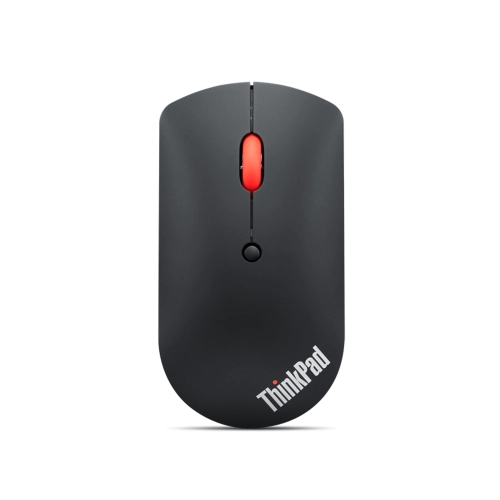
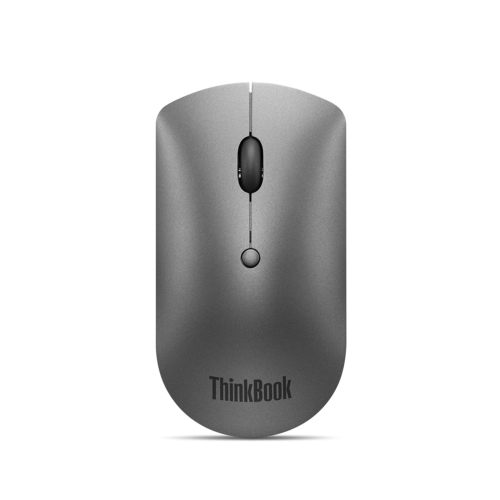
    LENOVO Thinkpad Bluetooth Silent Mouse

    About this product

    A wireless Bluetooth mouse featuring silent clicks for a quiet and comfortable computing experience.

    What customers like

    • Compact and portable design
    • Reliable Bluetooth connectivity
    • Accurate and smooth tracking
    • Silent and quiet operation
    • Dual device pairing capability
    (837)
    $66.51 Your price for this item is $66.51
  2. 2

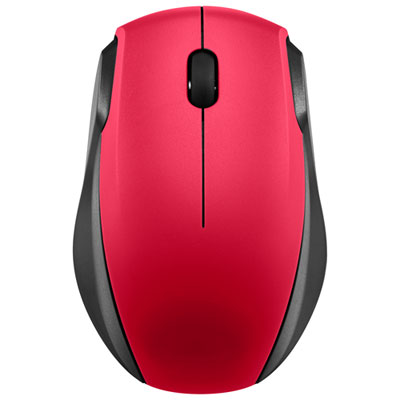
    Insignia Wireless Optical Mouse - Red - Only at Best Buy

    About this product

    A red wireless optical mouse with 2.4GHz connectivity and smart sleep mode for extended battery life.

    What customers like

    • Affordable price and good value
    • Lightweight and fits well in small hands
    • Easy setup and plug-and-play functionality
    • Comfortable and ergonomic design
    • Reliable performance and smooth operation
    (503)
    $15.99 Your price for this item is $15.99
  3. 3

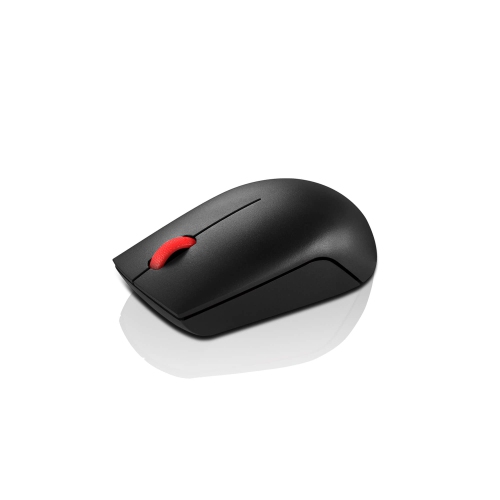
    LENOVO Essential Compact Wireless Mouse

    About this product

    A compact wireless mouse offering reliable performance and easy portability for everyday computer use.

    What customers like

    • Reliable and responsive performance
    • Long battery life
    • Easy to use and portable
    • Comfortable and secure fit
    • Lightweight and compact design
    (250)
    $21.99
    SAVE $4
    Your price for this item is $21.99
  4. 4

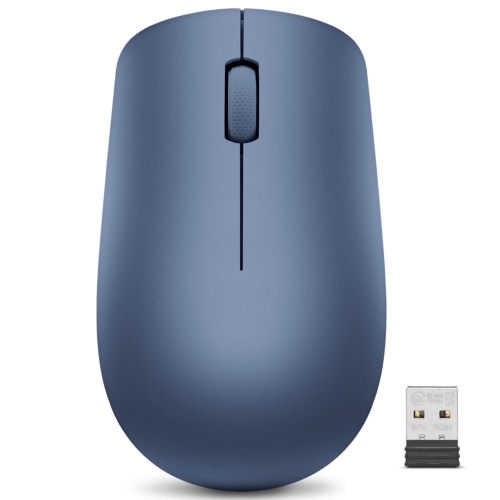
    LENOVO 530 Wireless Mouse (Abyss Blue)

    About this product

    A sleek wireless mouse in abyss blue, offering reliable performance for everyday computer use.

    What customers like

    • Smooth and responsive performance
    • Comfortable and ergonomic design
    • Attractive color and sleek appearance
    • Easy setup and user-friendly operation
    • Portable and lightweight for travel
    (224)
    $24.99 Your price for this item is $24.99
  5. 5

    LENOVO Thinkbook Bluetooth Silent Mouse

    About this product

    A wireless Bluetooth mouse designed for silent operation, ideal for quiet work environments.

    What customers like

    • Good value for money
    • Silent operation
    • Easy Bluetooth connectivity
    • Compact and portable
    • Comfortable and ergonomic design
    (184)
    $66.51 Your price for this item is $66.51
  6. 6

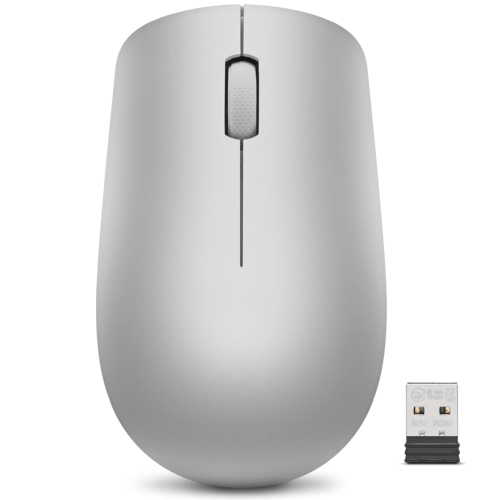
    LENOVO 530 Wireless Mouse (Platinum Grey)

    About this product

    A sleek platinum grey wireless mouse offering reliable performance for everyday computer use.

    What customers like

    • Precise and accurate performance
    • Lightweight and compact
    • Affordable price
    • Sleek and stylish design
    • Easy to use and set up
    (135)
    $24.99 Your price for this item is $24.99
  7. 7

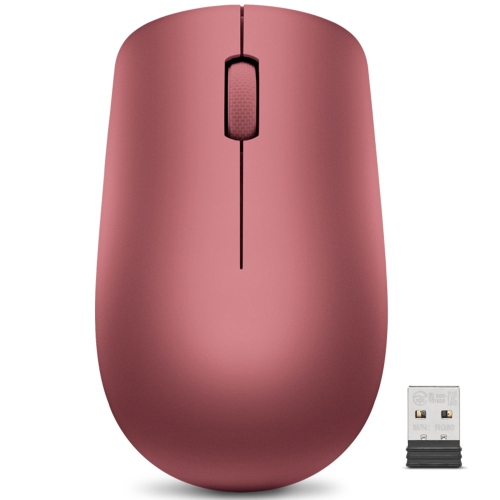
    LENOVO 530 Wireless Mouse (Cherry Red)

    About this product

    A sleek wireless mouse in cherry red, offering reliable performance for everyday computer use.

    What customers like

    • Comfortable and well-balanced fit
    • Easy plug-and-play setup
    • Good value for money
    • Attractive and stylish design
    • Responsive and accurate performance
    (77)
    $24.99 Your price for this item is $24.99
  8. 8

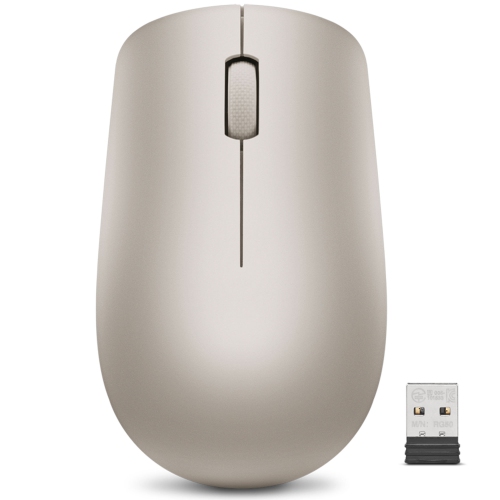
    LENOVO 530 Wireless Mouse (Almond)

    About this product

    An almond-colored wireless mouse offering reliable performance and comfort for everyday computer use.

    What customers like

    • Attractive design and color
    • Smooth and quiet operation
    • Great value for the price
    • Comfortable to use
    • Accurate and responsive performance
    (66)
    $24.99 Your price for this item is $24.99
  9. 9

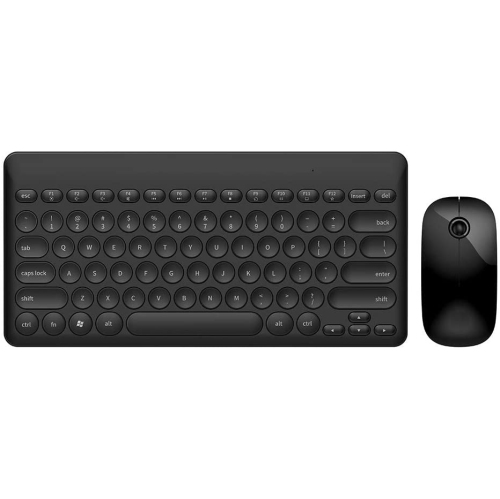
    WINGOMART 20M/66Ft Ultra Slim Wireless Keyboard And Mouse Combo Kit, Bluetooth Ik6620 2.4Ghz Multimedia Silent Keyboard And Mice Bundle Set Wireless

    About this product

    An ultra-slim black wireless keyboard and mouse combo featuring 2.4GHz connectivity and silent operation.

    (2)
    $29.99
    SAVE $90
    Your price for this item is $29.99

Everyday mouse comfort without paying for unnecessary extras

The Best Value Bluetooth Mice bring everyday convenience to a desk setup without making you pay for features you may never use. For students moving between lectures and the library, professionals working across home and office, or anyone who prefers a mouse to a laptop trackpad, the appeal is straightforward: precise cursor control, fewer cables, and a tidy workspace. Bluetooth connectivity lets a compatible mouse pair directly with your computer, leaving USB ports available for other accessories. That can be especially useful on a slim laptop with limited connections, whether you’re settling into a shared workspace or balancing a notebook and coffee on a small kitchen table. Good value is about more than the lowest price, though. A mouse that feels comfortable, tracks reliably, and has buttons positioned within easy reach can be a better everyday purchase than one with a long feature list that doesn’t suit your routine. Look for the right balance of comfort, connectivity, and useful controls for the work you actually do.

Shape and size deserve particular attention when choosing a Bluetooth mouse, especially if you spend hours editing documents, sorting spreadsheets, or navigating between browser tabs. A compact, low-profile design slips easily into a laptop sleeve or bag, while a fuller shape may offer more support for your palm during longer sessions. Neither is automatically the better choice; hand size, grip style, and available desk space all matter. If you’re left-handed, check that both the shape and button layout will work comfortably for you, rather than relying on a symmetrical appearance alone. Quiet-click buttons can make a noticeable difference in a shared office or during an evening study session, while programmable buttons may help with repetitive tasks if the mouse and its software support them. Adjustable pointer sensitivity is worth considering for moving across larger displays, although a higher sensitivity setting is not necessarily more accurate or comfortable. Tracking performance also depends on the surface beneath the mouse. A mouse pad is a practical addition for consistent movement, particularly on glossy desks or glass surfaces that some sensors struggle to read.

Battery design and device compatibility are just as important as how a mouse feels in your hand. A rechargeable model can fit neatly into an existing charging routine, while one that uses replaceable batteries offers the convenience of swapping in a fresh set when needed. Check the stated battery life alongside the conditions attached to it, since daily usage and enabled features can affect how long a charge or set of batteries lasts. Confirm support for your device and operating system, and check any software requirements if custom button functions matter to you. For people who regularly switch between a work laptop and a personal computer, a model with multi-device pairing can reduce the need to pair again each time; not every Bluetooth mouse includes this feature. These practical details also make a mouse a thoughtful gift for a student starting a new term, a family member setting up a home office, or someone whose travel bag is always packed. A comfortable shape, straightforward setup, and dependable everyday features are often more useful than extras, making a well-chosen Bluetooth mouse a small upgrade that earns its place on the desk.

Read More

FAQ

Some products may be subject to Environmental Handling Fees (EHF) depending on your province. Learn more about EHFs.