Samsung A06
Discover the latest in mobile technology with the Samsung A06. Designed to keep you connected and productive, this smartphone offers a seamless experience for everyday use. Whether you're capturing memories, staying in touch with friends, or enjoying your favorite apps, the Samsung A06 delivers reliable performance in a sleek package. Explore options and find the right fit for your lifestyle.
Sort


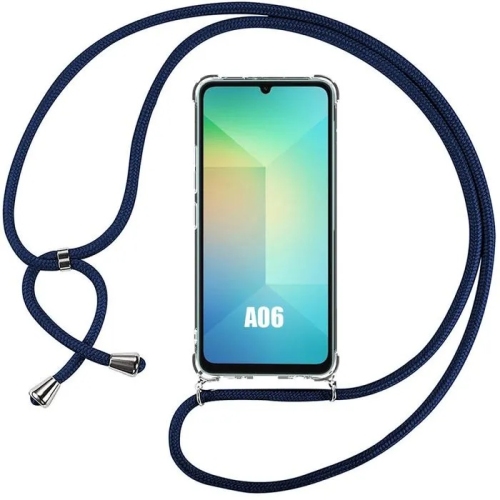
Everyday smartphone essentials beyond the spec sheet
Entry-level smartphones bring everyday essentials together in a touchscreen device: calls, text messages, email, maps, photos, and the apps that help keep a day organized. For someone moving from a basic mobile phone, the main appeal is being able to read a message, look up directions, or join a video call on the same screen. For a student, that might mean checking a class schedule and staying in touch with family; for another user, it might mean keeping personal calls separate from a work phone. The most suitable handset is one whose capabilities match those routines, rather than one with the longest list of features. Cellular connectivity is an important distinction. LTE and 5G describe mobile network connections, while Wi-Fi connects a phone through a compatible wireless network at home, at school, or elsewhere. A phone advertised with LTE support should not be assumed to offer 5G, and similarly named versions can have different network capabilities. In Canada, compatibility depends on the exact model, its supported frequency bands, and the carrier’s requirements, including support for voice calling over LTE. An unlocked designation alone does not confirm that every calling or data feature will work with every carrier. Imported versions can also differ in warranty coverage, supported networks, and included accessories. These details matter for a phone intended to handle appointment reminders, navigation, and regular contact with family. Battery capacity is another part of the picture, but actual time between charges depends on screen brightness, signal strength, app activity, and how often the phone is used for video or navigation. A day spent mostly answering messages places different demands on a battery than hours of streaming. Charging connections, supported charging speeds, and whether a compatible power adapter is included also affect how easily a handset fits into an existing routine. Familiar charging cables can be convenient, but connector fit alone does not establish that a cable and adapter support the phone’s charging requirements.
Screen size, handling, and performance shape the experience long after the first setup. A larger display can make captions, maps, and message threads easier to follow, although a wider handset may be less comfortable to hold in one hand or carry in a small pocket. Display resolution affects how crisp text and images appear, while brightness and viewing angles influence readability in different lighting. Adjustable text size, screen magnification, voice typing, and other accessibility settings can be particularly helpful for people who prefer larger controls or find touchscreen typing tiring. Physical comfort matters too: the position of the buttons, the shape of the edges, and the weight of the phone all contribute to how it feels during a long call. Everyday responsiveness depends on the processor, memory, software, and the demands of individual apps. Messaging and checking a bus route are lighter tasks than running a detailed game or switching repeatedly between several large apps. Storage serves a different purpose from memory: it holds downloaded apps, photos, videos, and other files, and some of the stated capacity is used by the operating system and preinstalled software. Where expandable storage is supported, a compatible memory card may provide room for media, but it does not necessarily replace internal space needed by apps. Camera specifications also need context. A high megapixel count does not, by itself, determine the quality of a photo; lighting, focus, processing, and camera stability all play a role. For everyday use, capturing a clear picture of a receipt, a school project, or a family gathering may matter more than advanced shooting modes. Front-camera performance and microphone clarity are relevant for video calls, while speaker volume and headphone connection options affect calls, music, and spoken directions. Software support deserves similar attention because security updates and app compatibility contribute to a phone’s usefulness over time.
Materials, protection, and simple care help a frequently handled phone stay comfortable and dependable. Entry-level handsets may use plastic rear panels or frames, with glass covering the display; the exact construction varies by model. A textured finish can feel different from a smooth one, but neither should be treated as a guarantee against slips or damage. A well-fitting case adds grip and can help protect vulnerable edges, while a compatible screen protector provides an additional surface against everyday scratches. Neither makes a phone unbreakable, and protection claims should be assessed separately from any stated water- or dust-resistance rating. Phones without a confirmed rating should not be assumed to tolerate splashes or immersion. Accessory fit is especially important when model names look alike. A case designed for Galaxy A6 should not be assumed to fit another handset with a similar name, since camera openings, button positions, and overall dimensions can differ. The same care applies to screen protectors, charging accessories, and replacement parts. For routine cleaning, a soft, lint-free cloth and the manufacturer’s care directions are a sensible starting point; abrasive cleaners and excess liquid can damage surfaces or enter openings. Keeping grit out of a pocket or bag compartment also helps limit scratches, particularly around exposed camera glass. For a child’s first smartphone, parental controls, contact settings, and a manageable screen size may be priorities. For an older relative, readable text, clear audio, straightforward navigation, and help with initial setup may be more useful than extra camera features. A phone can also make a thoughtful gift when the recipient’s carrier, preferred size, accessibility needs, and comfort with touchscreens are understood beforehand. Transferring contacts and photos, setting a secure screen lock, and enabling an appropriate backup method help make the handover smoother. A handset that suits its user’s habits, works with the intended network, and has correctly matched accessories is better placed to remain useful for everyday communication.
Screen size, handling, and performance shape the experience long after the first setup. A larger display can make captions, maps, and message threads easier to follow, although a wider handset may be less comfortable to hold in one hand or carry in a small pocket. Display resolution affects how crisp text and images appear, while brightness and viewing angles influence readability in different lighting. Adjustable text size, screen magnification, voice typing, and other accessibility settings can be particularly helpful for people who prefer larger controls or find touchscreen typing tiring. Physical comfort matters too: the position of the buttons, the shape of the edges, and the weight of the phone all contribute to how it feels during a long call. Everyday responsiveness depends on the processor, memory, software, and the demands of individual apps. Messaging and checking a bus route are lighter tasks than running a detailed game or switching repeatedly between several large apps. Storage serves a different purpose from memory: it holds downloaded apps, photos, videos, and other files, and some of the stated capacity is used by the operating system and preinstalled software. Where expandable storage is supported, a compatible memory card may provide room for media, but it does not necessarily replace internal space needed by apps. Camera specifications also need context. A high megapixel count does not, by itself, determine the quality of a photo; lighting, focus, processing, and camera stability all play a role. For everyday use, capturing a clear picture of a receipt, a school project, or a family gathering may matter more than advanced shooting modes. Front-camera performance and microphone clarity are relevant for video calls, while speaker volume and headphone connection options affect calls, music, and spoken directions. Software support deserves similar attention because security updates and app compatibility contribute to a phone’s usefulness over time.
Materials, protection, and simple care help a frequently handled phone stay comfortable and dependable. Entry-level handsets may use plastic rear panels or frames, with glass covering the display; the exact construction varies by model. A textured finish can feel different from a smooth one, but neither should be treated as a guarantee against slips or damage. A well-fitting case adds grip and can help protect vulnerable edges, while a compatible screen protector provides an additional surface against everyday scratches. Neither makes a phone unbreakable, and protection claims should be assessed separately from any stated water- or dust-resistance rating. Phones without a confirmed rating should not be assumed to tolerate splashes or immersion. Accessory fit is especially important when model names look alike. A case designed for Galaxy A6 should not be assumed to fit another handset with a similar name, since camera openings, button positions, and overall dimensions can differ. The same care applies to screen protectors, charging accessories, and replacement parts. For routine cleaning, a soft, lint-free cloth and the manufacturer’s care directions are a sensible starting point; abrasive cleaners and excess liquid can damage surfaces or enter openings. Keeping grit out of a pocket or bag compartment also helps limit scratches, particularly around exposed camera glass. For a child’s first smartphone, parental controls, contact settings, and a manageable screen size may be priorities. For an older relative, readable text, clear audio, straightforward navigation, and help with initial setup may be more useful than extra camera features. A phone can also make a thoughtful gift when the recipient’s carrier, preferred size, accessibility needs, and comfort with touchscreens are understood beforehand. Transferring contacts and photos, setting a secure screen lock, and enabling an appropriate backup method help make the handover smoother. A handset that suits its user’s habits, works with the intended network, and has correctly matched accessories is better placed to remain useful for everyday communication.
Top selling and popular products
-
 Your price for this item is $56.99
-
 Your price for this item is $60.75
-
 Your price for this item is $369
-
 Your price for this item is $59.99
-
 Your price for this item is $43.25
-
 Your price for this item is $48.75
-
 Your price for this item is $34.99
-
 Your price for this item is $24.99
Discover more categories related to Samsung A06


Top Collections:
Pokemon Centers, Kindle Devices, Best Cameras for Sports Photography, Pokémon 30th Celebration Cards, Apple iPhones 16, Canon G7X Cameras, iPhone 15 Apple, Flip Phones, Samsung Galaxy Phones, Alarm Clock
Some products may be subject to Environmental Handling Fees
(EHF) depending on your province.
Learn more about EHFs.