Screen Protectors for Student Smartphones
Screen protectors for student smartphones help keep devices looking their best throughout the school year. Designed to provide an extra layer of defense against everyday wear, these accessories are ideal for busy students who rely on their phones for learning, communication, and staying organized. Explore a wide selection of screen protectors for student smartphones to find the right fit and style for any device.
Sort
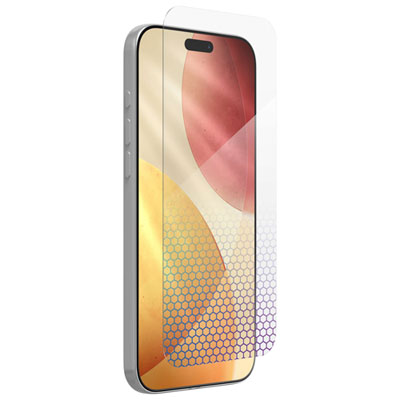
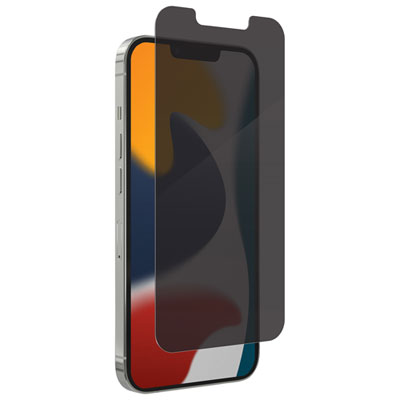


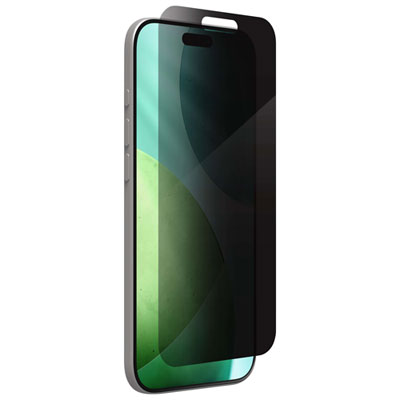


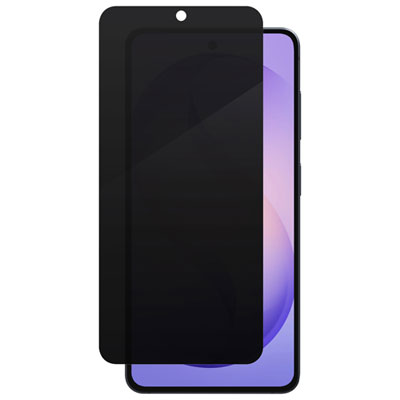


What a school day asks of a screen protector
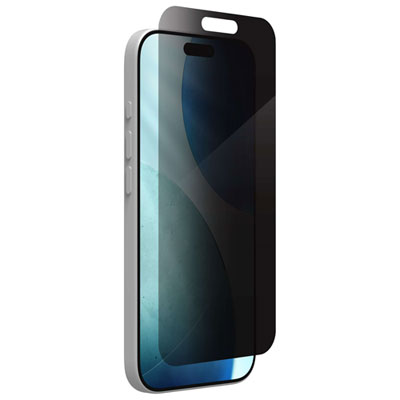
A screen protector gives a student’s smartphone a replaceable surface for the scratches and scuffs that come with daily use. A phone might spend the morning in a backpack pocket with a pencil case zipper pressed against it, then slide across a lab bench when a classmate passes it back. Tempered glass is a good match for students who want the smooth feel of the original screen and a rigid layer that resists everyday scratches. It can take some of the force from a direct hit, but a cracked protector doesn’t necessarily mean the screen underneath is damaged, and an intact protector doesn’t guarantee that the phone survived a fall. Thin plastic film is often less noticeable at the edges and works well when the main concern is surface wear rather than drops. Flexible gel films can follow some curved displays more closely than rigid glass, and certain finishes can soften the appearance of very fine marks over time. They won’t mend a deep gouge or stop an existing crack from spreading. Finish makes a difference in how the phone feels during an ordinary school day, too. Clear protectors keep small type sharp when a student zooms in on a reading assignment or checks a bus route. Matte finishes scatter reflections from overhead lights, which can make a screen easier to read at some desks, though they can also give white backgrounds a slightly grainy look. Privacy protectors make the display harder to read from the side, which can be useful for checking grades or messages on a packed bus. They may also dim the view straight on and make it less convenient to share a photo or class schedule with someone sitting nearby. Some privacy filters work differently when the phone is turned sideways. Blue-light-filtering finishes can shift the colour of the display, a trade-off worth noting for students who use their phones to review photos or design work.
The exact smartphone model matters more than the advertised screen size. Two phones with the same diagonal measurement can have different corner shapes, front camera positions or curves along the edge. Checking the model name in the phone’s settings is more reliable than judging by the outside of the phone, especially if it’s a hand-me-down or a similar-looking version from the same family. A well-fitting protector leaves the earpiece and front camera clear where cutouts are needed, sits flat at the corners and doesn’t interfere with swipes from the edge. For a phone with a fingerprint reader beneath the display, compatibility with that reader is worth checking before installation. Some phones support adjusting touch sensitivity or registering the fingerprint again once a compatible protector is in place. Case fit matters just as much. A protector that reaches the very edge can give more of the front surface coverage, but a case with a raised lip may press against it and lift a corner. A case-friendly fit usually leaves a narrow margin so the two accessories can sit beside each other without touching. The pairing is especially useful for a phone that moves between classrooms, part-time shifts and transit: the protector covers the face, while the case helps shield corners and edges that a flat layer can’t cover. The selection of Protective Cases for Student Devices can help round out that setup. If the student already uses a case, its shape is a better clue to fit than its bulk alone. A slim case can still have a lip that extends over the screen, while a thicker case may leave plenty of room at the front. Once both pieces are fitted, it’s worth checking that the corners stay flat and that typing, unlocking the phone and swiping back from the edge still feel natural.
A little care during installation makes a noticeable difference when the screen lights up. On a clean, well-lit table, a lint-free microfibre cloth helps pick up fingerprints, and a dust-removal sticker can catch the stray speck that would otherwise leave a fixed bubble in the middle of a page of notes. An alignment tray, when included, is handy for keeping the protector centred around the camera and side edges, especially on a first attempt. It’s better to follow the application directions for the material than to assume every protector goes on the same way: a flexible film may need to be smoothed as it’s laid down, while rigid glass is often positioned before the adhesive settles. Once fitted, a gentle wipe with a clean microfibre cloth is usually enough to clear everyday smudges. Carrying the phone in a separate pocket from keys, loose change and other hard objects can also help keep the surface clear. Fine marks may be mostly cosmetic, but a sharp chip, a crack across the typing area or an edge that keeps lifting is a good reason to replace the protector. A multipack makes sense for students who would rather keep a spare on hand than leave the phone uncovered after removing a damaged layer. Keeping the spare flat in its original sleeve helps protect the adhesive and keeps dust off until it’s needed. A properly matched protector can also be a practical gift alongside a first smartphone or at graduation, particularly if the recipient already has a case they like. For a younger student who mostly uses a phone to check in after activities, a clear, case-friendly fit may be all that’s needed. A commuter who reads course notes on the bus may care more about glare or side visibility, while a student who spends much of the day typing may notice the feel of the surface more than anything else. Those everyday habits are a useful way to tell which features will matter once the phone is back in a pocket or backpack.
The exact smartphone model matters more than the advertised screen size. Two phones with the same diagonal measurement can have different corner shapes, front camera positions or curves along the edge. Checking the model name in the phone’s settings is more reliable than judging by the outside of the phone, especially if it’s a hand-me-down or a similar-looking version from the same family. A well-fitting protector leaves the earpiece and front camera clear where cutouts are needed, sits flat at the corners and doesn’t interfere with swipes from the edge. For a phone with a fingerprint reader beneath the display, compatibility with that reader is worth checking before installation. Some phones support adjusting touch sensitivity or registering the fingerprint again once a compatible protector is in place. Case fit matters just as much. A protector that reaches the very edge can give more of the front surface coverage, but a case with a raised lip may press against it and lift a corner. A case-friendly fit usually leaves a narrow margin so the two accessories can sit beside each other without touching. The pairing is especially useful for a phone that moves between classrooms, part-time shifts and transit: the protector covers the face, while the case helps shield corners and edges that a flat layer can’t cover. The selection of Protective Cases for Student Devices can help round out that setup. If the student already uses a case, its shape is a better clue to fit than its bulk alone. A slim case can still have a lip that extends over the screen, while a thicker case may leave plenty of room at the front. Once both pieces are fitted, it’s worth checking that the corners stay flat and that typing, unlocking the phone and swiping back from the edge still feel natural.
A little care during installation makes a noticeable difference when the screen lights up. On a clean, well-lit table, a lint-free microfibre cloth helps pick up fingerprints, and a dust-removal sticker can catch the stray speck that would otherwise leave a fixed bubble in the middle of a page of notes. An alignment tray, when included, is handy for keeping the protector centred around the camera and side edges, especially on a first attempt. It’s better to follow the application directions for the material than to assume every protector goes on the same way: a flexible film may need to be smoothed as it’s laid down, while rigid glass is often positioned before the adhesive settles. Once fitted, a gentle wipe with a clean microfibre cloth is usually enough to clear everyday smudges. Carrying the phone in a separate pocket from keys, loose change and other hard objects can also help keep the surface clear. Fine marks may be mostly cosmetic, but a sharp chip, a crack across the typing area or an edge that keeps lifting is a good reason to replace the protector. A multipack makes sense for students who would rather keep a spare on hand than leave the phone uncovered after removing a damaged layer. Keeping the spare flat in its original sleeve helps protect the adhesive and keeps dust off until it’s needed. A properly matched protector can also be a practical gift alongside a first smartphone or at graduation, particularly if the recipient already has a case they like. For a younger student who mostly uses a phone to check in after activities, a clear, case-friendly fit may be all that’s needed. A commuter who reads course notes on the bus may care more about glare or side visibility, while a student who spends much of the day typing may notice the feel of the surface more than anything else. Those everyday habits are a useful way to tell which features will matter once the phone is back in a pocket or backpack.
Top selling and popular products
-
 Your price for this item is $39.99
-
 Your price for this item is $59.99
-
 Your price for this item is $85
-
 Your price for this item is $59.99
-
 Your price for this item is $29.99
-
 Your price for this item is $115
-
 Your price for this item is $49.99
-
 Your price for this item is $24.99
Discover more categories related to Screen Protectors for Student Smartphones
Top Collections:
Best Black Friday Deals This Year, Best Black Friday Deals On Electronics, Kindle Devices, Pokemon Centers, Best Black Friday Deals On Apple Products, Best Cameras for Sports Photography, Dyson Airwrap, Pokémon 30th Celebration Cards, Apple iPhone 17 Pro, Canon G7X Cameras
Some products may be subject to Environmental Handling Fees
(EHF) depending on your province.
Learn more about EHFs.