Printing Calculators for Bookkeeping

Printing calculators provide a paper record of calculations, helping you review expense totals, check invoices and work through everyday bookkeeping. Compare desktop and portable options to suit your work surface and routine. Look at display readability, key layout, power requirements and printing features to choose a calculator that fits how you manage your business figures.
A paper trail that shows how totals add up

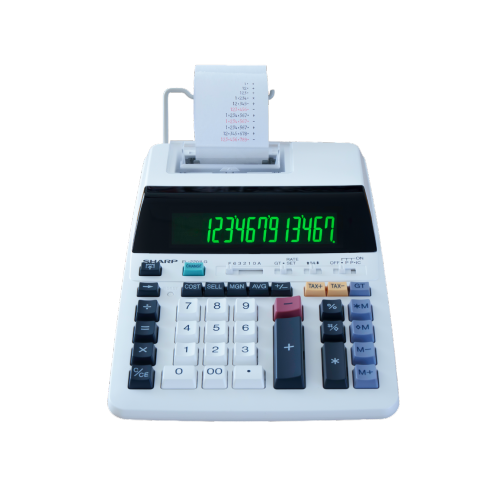
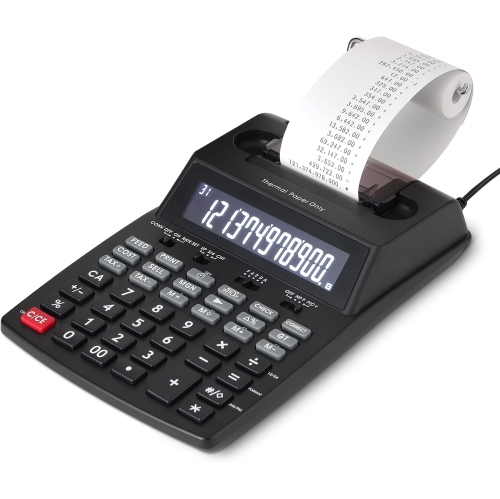
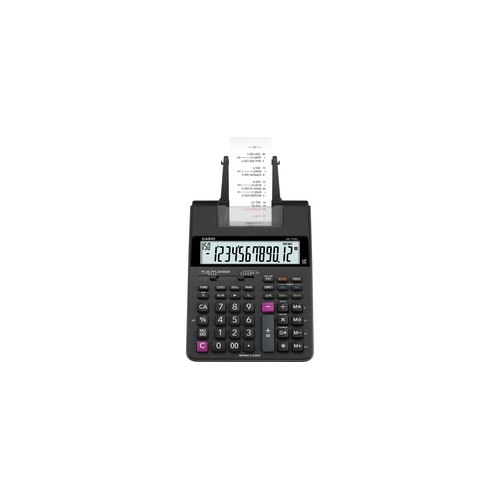
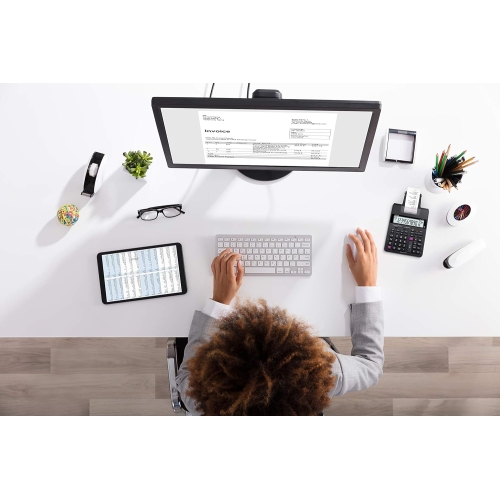
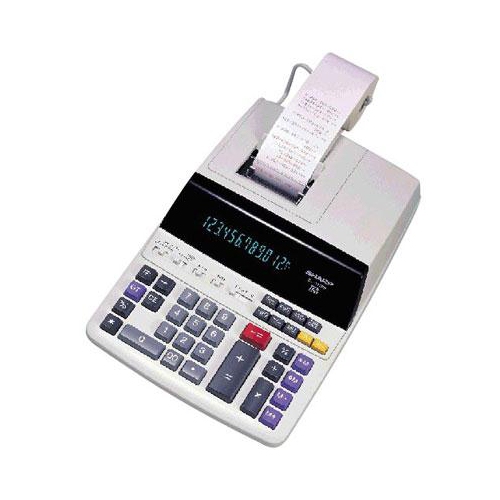
Printing calculators for bookkeeping bring a visible paper trail to everyday arithmetic, making them useful wherever figures need to be totalled, checked, and referred to again. A stack of supplier invoices, a day’s cash receipts, or a folder of expense slips can involve dozens of entries that are easier to follow when each amount appears on a printed tape. Unlike a basic handheld calculator, a printing calculator can show both the result and the sequence behind it, helping a bookkeeper locate a missed entry or explain how a subtotal was reached. That makes these desktop tools a practical fit for small business owners, office administrators, property managers, treasurers, and anyone handling repeated financial calculations. The tape can accompany supporting paperwork during a review, although it does not replace original receipts, invoices, or formal accounting records. For someone balancing cheques against a ledger or checking invoice totals before entering them into bookkeeping software, the benefit is straightforward: the calculation remains visible after the display has moved on to the next task. Everyday usability matters just as much as the printed output. Large, clearly labelled keys can make frequent entry more comfortable, while an angled display helps keep digits readable when the calculator sits beside a keyboard or document tray. A spacious keypad may suit a dedicated office desk, whereas a smaller footprint can leave more room for paperwork on a shared work surface. Key spacing, the position of the total and subtotal buttons, and the feel of each press all affect how naturally a calculator fits an established routine. Someone accustomed to entering long columns of figures may value a layout that allows a steady rhythm without repeatedly looking down. Clear symbols for negative amounts, memory status, and active settings also help distinguish an ordinary total from a stored figure or an unfinished calculation. These details become especially noticeable when several similar batches of paperwork need to be processed separately.

The functions that matter most depend on the bookkeeping being done. Basic addition, subtraction, multiplication, and division cover many daily tasks, but repeated office calculations can benefit from dedicated controls for percentages, tax, item counts, or accumulated totals. Tax functions, where included, can simplify calculations using a stored rate; the rate still needs to match the applicable transaction, and a single setting may not cover every tax situation. An item counter can help compare the number of entered amounts with the number of documents in a batch, offering a useful cross-check when several receipts have similar values. Memory keys can hold an amount while another calculation is completed, while a grand total function may bring together results from separate calculations. The distinction between these functions matters because adding a batch of invoices is different from combining several completed batch totals. Decimal and rounding settings also deserve attention for money-related work. A fixed decimal position can keep printed amounts consistent, while an add mode may place the decimal automatically during repeated monetary entries. Floating decimal settings can be useful for calculations requiring more digits, but the selected mode should suit the task. Printing calculators may also follow an adding-machine entry sequence rather than the sequence familiar from a basic pocket calculator, so keypad layout and operating style are important considerations for an experienced user. For businesses that calculate selling figures, dedicated cost, selling price, or margin functions may reduce repetitive steps, provided the distinction between margin and markup is understood. Print speed becomes more relevant during continuous entry, while operating sound may matter more at a reception desk or in a shared office. Where supported, two-colour printing can make negative figures easier to distinguish from positive entries. A non-printing mode can also be useful for quick checks that do not need a tape, allowing the same calculator to handle both brief arithmetic and longer, documented sessions.

Physical construction and consumable compatibility help determine how well a printing calculator suits regular use. Many desktop designs have moulded plastic housings, with overall stability influenced by the base, weight, and condition of any non-slip feet. A calculator that stays in place during repeated key presses is easier to position beside a ledger or invoice stack. Overall dimensions should account for the paper holder and the space needed for the tape to feed freely, not just the keypad itself. Power arrangements also vary: mains-powered operation can suit a permanent workstation, while battery operation may be useful when the calculator moves between desks or meeting spaces. The required batteries, adapter, and operating options depend on the model. Paper and printing supplies are equally important. Roll width, roll diameter, and the printing method must match the calculator’s specifications; similar-looking rolls are not necessarily interchangeable. Suitable Calculator Paper Rolls support a clean paper feed and legible output when correctly matched to the machine. Depending on the printing system, a calculator may use an ink roller, a ribbon, or heat-sensitive paper, each with different replacement and storage needs. Faint printing can have several causes, including an exhausted printing supply or unsuitable paper, so the care instructions remain the best reference before replacing parts. Routine care generally centres on keeping dust, crumbs, and spilled liquids away from the keys and paper path, using only the cleaning methods specified for the calculator. Pulling a jammed tape forcefully can damage the feed mechanism, while an overloaded desk can leave the emerging tape bent or trapped beneath other paperwork. Printed calculations intended for later reference benefit from clear labels identifying the batch or purpose, with the original documents kept alongside them. Heat-sensitive print can fade with exposure to heat and light, making storage conditions relevant when tapes need to remain readable. A well-matched printing calculator fits comfortably into these practical routines, providing a familiar place to work through figures while keeping the arithmetic connected to the paperwork.

FAQ

Some products may be subject to Environmental Handling Fees (EHF) depending on your province. Learn more about EHFs.