Best Home Routers
Find the best home routers for reliable Wi-Fi, smooth streaming, and everyday browsing. Ranked by customer review ratings, this list highlights top-rated options to help you compare routers for your home’s size, connected devices, and internet needs. Whether you’re working from home or gaming online, explore options that help keep your household connected.
What to look for in home routers
1. Wi-Fi Performance
2. Coverage and Layout
3. Device Capacity and Ports
4. Security and Controls
-
1

eero Pro 7 Tri-Band Whole Home Mesh Wi-Fi 7 Router (ME10112)
About this product
A tri-band mesh router in white delivering up to 3.9Gbps Wi-Fi 7 speeds with minimized interference.
(3)$429.99 Your price for this item is $429.99 -
2
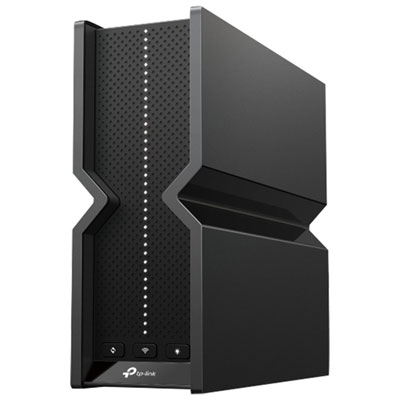
TP-Link Archer BE15000 Tri-Band Wi-Fi 7 Router
About this product
A tri-band Wi-Fi 7 router offering 15Gbps speeds, EasyMesh compatibility, and advanced HomeShield security.
(1)$449.99 Your price for this item is $449.99 -
3
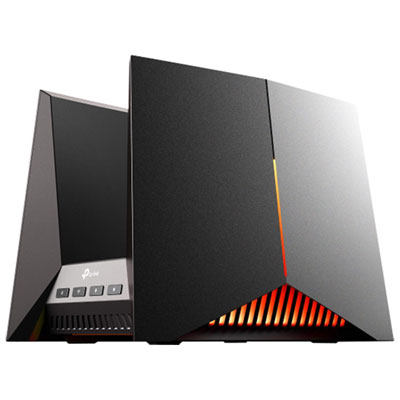
TP-Link Archer BE19000 Ti-Band Wi-Fi 7 Gaming Router
About this product
A tri-band Wi-Fi 7 router delivering up to 19Gbps speeds with advanced gaming and cybersecurity features.
(1)$799.99 Your price for this item is $799.99 -
4
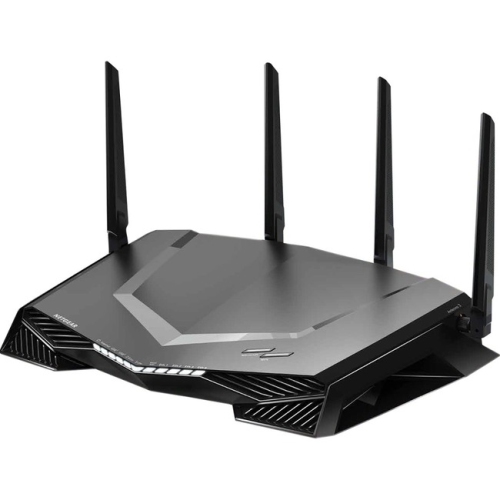
NETGEAR Nighthawk Pro Gaming Xr450 Ieee 802.11Ac Ethernet Wireless Router
About this product
A dual-band gaming wireless router with 307.2MB/s speeds, four Gigabit ports, USB connectivity, and VPN support.
What customers like
(111)$279.70Your price for this item is $279.70SAVE $420 -
5

NETGEAR Nighthawk C7000 Ieee 802.11Ac Cable Modem/wireless Router
About this product
A high-speed cable modem and wireless router offering dual-band Wi-Fi and four Gigabit Ethernet ports.
What customers like
(25,785)$189.99Your price for this item is $189.99SAVE $40 -
6
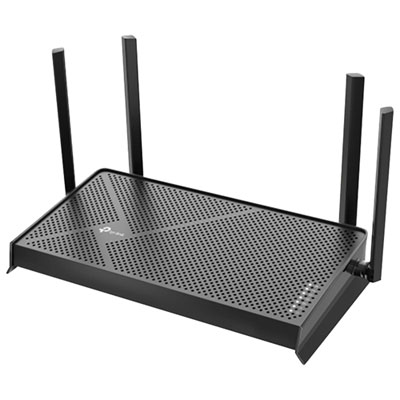
TP-Link Archer BE230 Dual-Band Wi-Fi 7 Router
About this product
A dual-band Wi-Fi 7 router with 3.6Gbps speeds, 2.5G ports, and advanced beamforming technology.
(3)$129.99 Your price for this item is $129.99 -
7
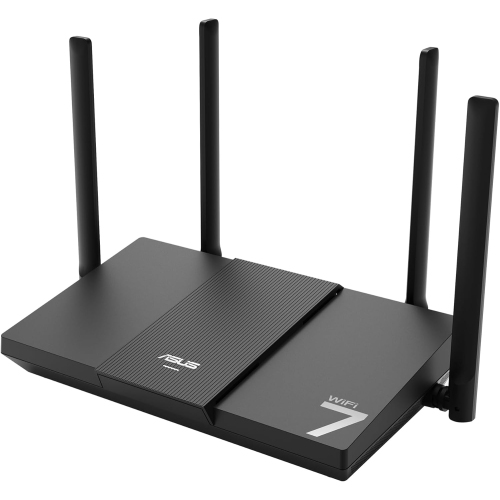
ASUS Rt-Be50
About this product
A dual-band WiFi 7 router delivering speeds up to 3600 Mbps for smooth streaming and gaming.
(3)$141.99Your price for this item is $141.99SAVE $18 -
8

eero 6+ Dual-Band Whole Home Mesh Wi-Fi 6 Router (R010112)
About this product
A dual-band mesh router in white delivering fast, reliable Wi-Fi 6 coverage for seamless whole-home connectivity.
What customers like
(640)$189.99 Your price for this item is $189.99 -
9

NETGEAR Nighthawk X6 R8000 Ieee 802.11Ac Ethernet Wireless Router
About this product
A high-performance wireless router offering fast 802.11ac speeds and reliable Ethernet connectivity for your network.
What customers like
(11,118)$219.00 Your price for this item is $219 -
10
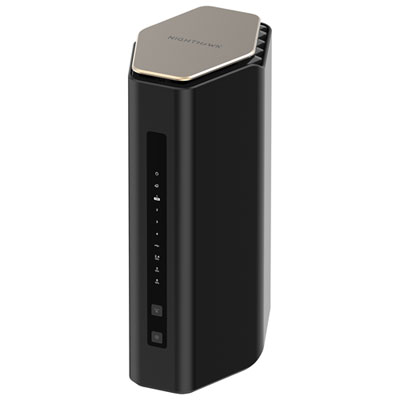
NETGEAR Wireless BE6500 Dual-Band Wi-Fi 7 Router (RS200-100CNS)
About this product
A dual-band Wi-Fi 7 router supporting up to 80 devices with parental controls and guest access.
What customers like
(883)$299.99 Your price for this item is $299.99
FAQ
A modem connects your home to your internet service provider, while a router creates a local network for your devices and shares that internet connection through Wi-Fi or Ethernet. Some internet providers supply a gateway that combines both functions in one unit.
Dual-band routers use two wireless frequency bands, typically 2.4 GHz and 5 GHz. Tri-band routers add another band, which may be an additional 5 GHz band or a 6 GHz band, depending on the model. Devices need compatible Wi-Fi hardware to connect to the 6 GHz band.
A mesh Wi-Fi system consists of a main router and additional units, often called nodes, that work together as one wireless network. The main router connects to your modem or internet gateway, while the nodes connect wirelessly or through Ethernet, depending on the system.
A router’s WAN or internet port typically connects to a modem or internet gateway. Its LAN ports connect wired devices such as desktop computers, gaming consoles, smart TVs and network switches. Some routers have configurable ports that can serve different roles.
Many home routers use a mobile app, a browser-based settings page, or both. These tools typically let you name your Wi-Fi network, view connected devices, create a guest network and install firmware updates. Available controls and account requirements vary by router.
Top selling and popular products
Discover more categories related to Best Home Routers
Some products may be subject to Environmental Handling Fees (EHF) depending on your province. Learn more about EHFs.