Best Affordable Wireless Mice

Find the best affordable wireless mice for everyday browsing, work, and study without stretching your budget. Ranked by user review ratings, this list makes it easy to explore top-rated options and compare features such as comfort, battery life, and connectivity to find the right fit for your setup.

Read More

What to look for in affordable wireless mice

1. Connection Type

Bluetooth mice can connect without a USB receiver, while models with a USB receiver need a compatible port on your device. Check operating system compatibility and whether the mouse supports switching between devices if you use more than one computer.

2. Comfort and Size

Choose a shape and size that suit your hand and grip, especially if you spend long hours at your desk. Compact mice are convenient for travel, while larger models may provide more palm support.

3. Battery Life

Compare estimated battery life and check whether the mouse uses replaceable batteries or charges through a cable. Factor in battery replacement costs and look for an automatic sleep mode to help extend time between charges or battery changes.

4. Features and Value

Prioritize features you will use, such as quiet clicks, adjustable pointer sensitivity or extra navigation buttons. Compare the price and warranty with similar models to find good value without paying for extras you do not need.
Citrus catapult arrow
  1. 1

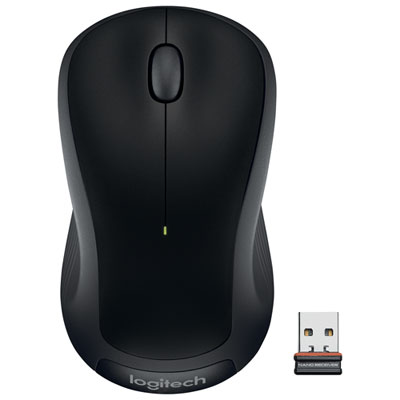
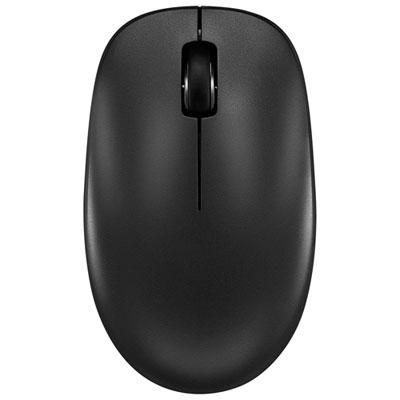
    Logitech M310 Wireless Optical Mouse - Black

    About this product

    A contoured black wireless mouse with a plug-and-forget nano-receiver for comfortable, versatile use.

    What customers like

    • Long battery life
    • Reliable wireless performance
    • Excellent value for price
    • Easy setup and use
    • Comfortable ergonomic design
    (1,962)
    $29.99 Your price for this item is $29.99
  2. 2

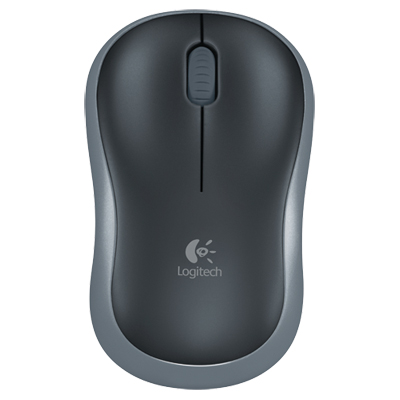
    Logitech M185 Wireless Optical Mouse (910-002229) - Grey

    About this product

    A reliable grey wireless mouse offering fast data transmission and ergonomic comfort with a nano USB receiver.

    What customers like

    • Easy to set up and use
    • Long battery life
    • Portable and lightweight
    • Affordable price
    • Reliable performance
    (1,899)
    $19.99
    SAVE $5
    Your price for this item is $19.99
  3. 3

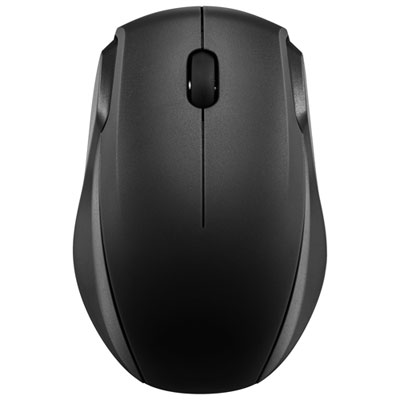
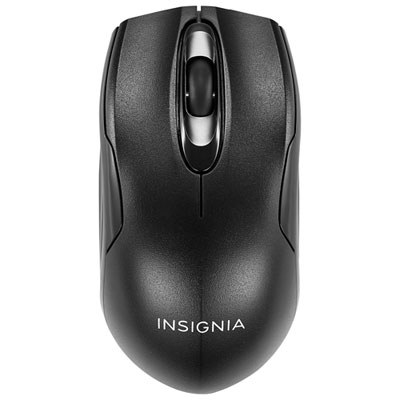
    Insignia Wireless Optical Mouse - Black - Only at Best Buy

    About this product

    A black wireless optical mouse featuring 2.4GHz connectivity and smart sleep mode for extended battery life.

    What customers like

    • Compact and lightweight
    • Long battery life
    • Smooth and reliable functionality
    • Affordable price
    • Easy setup and use
    (365)
    $15.99 Your price for this item is $15.99
  4. 4

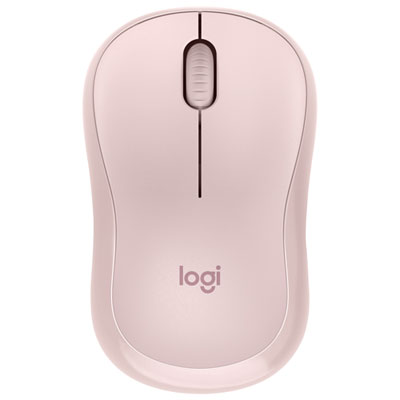
    Logitech M220 Silent 1000 DPI Wireless Optical Mouse - Rose

    About this product

    A wireless rose mouse offering silent clicks, 1000 DPI precision, and ambidextrous comfort for any user.

    What customers like

    • Compact and portable design
    • Long battery life
    • Comfortable and ergonomic grip
    • Attractive color options
    • Silent and quiet operation
    (1,078)
    $19.99
    SAVE $5
    Your price for this item is $19.99
  5. 5

    Insignia Wireless Ambidextrous Optical Mouse - Black - Only at Best Buy

    About this product

    An ambidextrous black wireless mouse with Bluetooth connectivity, silent buttons, and adjustable 1,600 DPI precision.

    What customers like

    • Easy Bluetooth connectivity and setup
    • Great value for the price
    • Comfortable ambidextrous design
    • Quiet and smooth operation
    • Compact and travel-friendly
    (7)
    $19.99 Your price for this item is $19.99
  6. 6

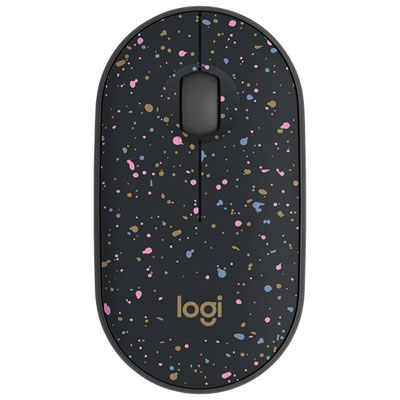
    Logitech M340 1000 DPI Wireless Optical tracking Mouse - Speckles

    About this product

    A lightweight wireless mouse with Silent Touch Technology and a speckled finish for quiet, comfortable use.

    What customers like

    • Comfortable and ergonomic fit
    • Attractive and stylish appearance
    • Compact and lightweight design
    • Quiet and silent operation
    • Good value and affordability
    (98)
    $17.99 Your price for this item is $17.99
  7. 7

    Insignia 1200DPI Wireless Optical Mouse - Black - Only at Best Buy

    About this product

    A contoured black wireless mouse offering 1200DPI sensitivity and easy USB nano receiver connectivity.

    (3)
    $19.99 Your price for this item is $19.99
  8. 8

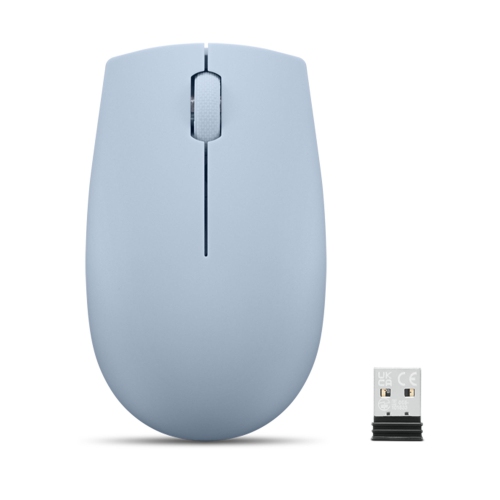
    LENOVO 300 Wireless Compact Mouse (Frost Blue) With Battery

    About this product

    A wireless compact mouse in frost blue, featuring reliable performance and included battery for convenience.

    What customers like

    • Attractive and elegant design
    • Affordable price and good value
    • Easy wireless setup and use
    • Lightweight and compact for portability
    • Responsive and accurate performance
    (32)
    $23.99 Your price for this item is $23.99
  9. 9

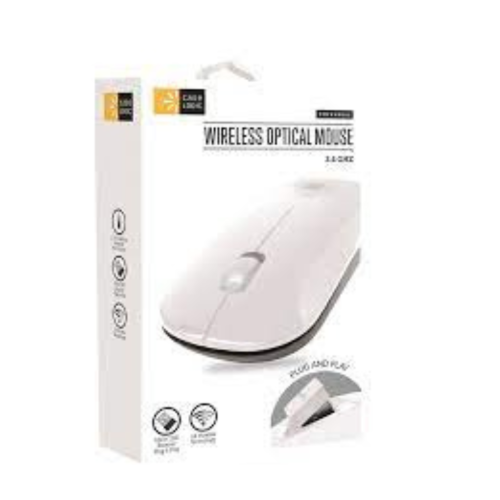
    CASE LOGIC - 2.4Ghz- Nano- Wireless Mouse

    About this product

    A wireless mouse offering a reliable 2.4GHz connection and easy plug-and-play setup for convenience.

    $18.99 Your price for this item is $18.99
  10. 10

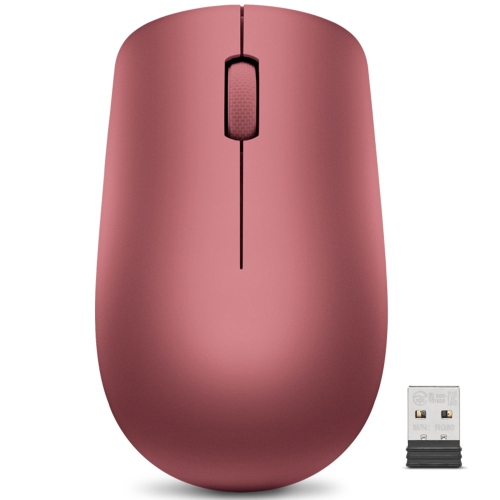
    LENOVO 530 Wireless Mouse (Cherry Red)

    About this product

    A sleek wireless mouse in cherry red, offering reliable performance for everyday computer use.

    What customers like

    • Comfortable and well-balanced fit
    • Easy plug-and-play setup
    • Good value for money
    • Attractive and stylish design
    • Responsive and accurate performance
    (77)
    $24.99 Your price for this item is $24.99

Everyday mouse comfort without paying for unnecessary extras

A good wireless mouse can make everyday computer use feel easier without taking up much of your budget. The Best Affordable Wireless Mice bring together practical options for everything from school assignments and household paperwork to busy workdays filled with spreadsheets, email, and video calls. Without a mouse cable trailing across the desk, there is more room for a notebook, a coffee mug, or the stack of papers that inevitably gathers beside a laptop. For students working between a kitchen table and a library desk, a compact mouse is an easy addition to a backpack. For someone setting up a home office, a fuller shape with a comfortable grip may matter more than portability. Affordable does not have to mean bare-bones: depending on the model, useful extras can include quiet buttons, adjustable pointer sensitivity, and side buttons for navigating between webpages. The best value comes from choosing features that suit your routine rather than paying for capabilities you are unlikely to use.

Comfort and connection type are worth a close look when comparing wireless mice. A slim design slips neatly into a laptop sleeve, but it may not provide the palm support you prefer during a long afternoon at your desk. Consider the mouse’s dimensions, weight, and shape, along with whether its button placement suits your dominant hand. An ambidextrous body can be useful for a shared family computer, although side buttons may still favour right-handed use. Bluetooth models can connect to compatible computers without occupying a USB port, which is particularly helpful on laptops with limited connections. Models that use a USB receiver need a compatible port or an appropriate adapter, and a built-in receiver storage compartment is handy when packing up. Some mice offer both connection methods or let you switch between paired devices, making it simpler to move from a work laptop to a personal computer. Check operating system compatibility as well, especially if you want to customize buttons: basic clicking and scrolling may work even when optional software features are unavailable on your device.

Battery life, tracking, and scrolling can have just as much influence on daily satisfaction as the shape of the mouse. A model with replaceable batteries lets you swap in a fresh battery when needed, while a rechargeable option means remembering to keep its charging cable within reach. Advertised battery life typically depends on usage and settings, so an automatic sleep mode or an accessible power switch can be useful. For everyday browsing and documents, dependable tracking is usually more valuable than an exceptionally high sensitivity rating. Adjustable sensitivity gives you room to find a pointer speed that feels natural, particularly when moving between a laptop screen and a larger monitor. A mouse pad can help provide consistent tracking on surfaces where some sensors struggle, such as glass or glossy tabletops. Quiet clicks are a thoughtful feature for shared offices, late-night study sessions, or a living-room workstation, while a comfortable scroll wheel makes lengthy documents less tedious to navigate. An affordable wireless mouse can also be a practical gift for a student, a family member with a new laptop, or anyone who finds a trackpad awkward for precise tasks. Match the size and connection to their setup, and it becomes the sort of modest upgrade they can appreciate every time they sit down to work.

Read More

FAQ

Some products may be subject to Environmental Handling Fees (EHF) depending on your province. Learn more about EHFs.