Best Gaming Monitors for Ps4

Find the best gaming monitors for PS4 to bring your favourite games to life with crisp visuals and responsive performance. Ranked by user review ratings, this selection helps you compare highly rated options for your gaming setup. Look for features such as Full HD resolution, low input lag, and HDMI connectivity to make the most of your PS4.

Read More

What to look for in gaming monitors for PS4

1. Screen Size and Resolution

A 24-inch or 27-inch Full HD monitor is a practical choice for the original PS4 and PS4 Slim, which support gaming output up to 1080p. For PS4 Pro, a 4K monitor can display higher-resolution output in supported games.

2. Refresh Rate

PS4 consoles support gaming output up to 60Hz, so a 60Hz monitor can meet their current needs. A 120Hz or 144Hz monitor will not increase the PS4’s frame rate, but may be useful if you also play on a compatible PC.

3. Response Time and Input Lag

Look for low input lag to help your on-screen actions feel responsive and a fast pixel response time to reduce motion blur. These are different measurements, so check reviews that test both rather than relying only on an advertised response time.

4. HDMI Connectivity and Audio

Choose a monitor with an HDMI input that supports your intended resolution at 60Hz; for PS4 Pro at 4K and 60Hz, look for HDMI 2.0 or later. Built-in speakers or a headphone output can make audio setup easier, since not every gaming monitor includes speakers.
  1. 1

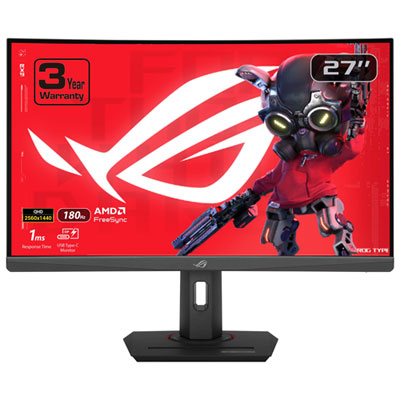
    ASUS ROG Strix 27" Curved 1440p QHD VA LED Gaming Monitor (XG27WCS) - 1ms GTG - 180Hz

    About this product

    A curved black gaming monitor with 1440p WQHD resolution, 180Hz refresh rate, and 1ms response time.

    What customers like

    • Vivid, accurate colors and strong contrast
    • Excellent QHD resolution and image clarity
    • Great value and feature set for the price
    • High 180Hz refresh rate and fast 1ms response time
    • Immersive curved design with adjustable, sturdy stand
    (252)
    $349.99 Your price for this item is $349.99
  2. 2

    Alienware 32" Curved 4K UHD QD-OLED Gaming Monitor (AW3225QF) - 0.03ms - 240Hz - HDR - Lunar Light

    About this product

    A curved QD-OLED display delivering 4K UHD visuals, 240Hz refresh rate, and ultra-fast 0.03ms response time.

    What customers like

    • Versatile connectivity and easy setup
    • Ultra-fast 240Hz refresh rate and low response time
    • Immersive curved design with strong build quality
    • Stunning 4K QD-OLED display
    • Exceptional color accuracy and HDR support
    (913)
    $1,349.99 Your price for this item is $1349.99
  3. 3

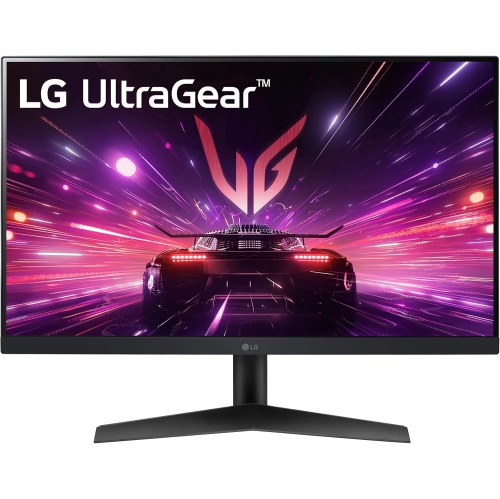
    LG Ultragear 24" Ips Gaming Monitor (24Gn60R-B) - Amd Freesync Premium - 1Ms Gtg - 144Hz

    About this product

    A black IPS gaming monitor featuring 1ms response, 144Hz refresh rate, HDR10, and AMD FreeSync Premium.

    What customers like

    • Fast 1ms response time
    • Easy setup and controls
    • Affordable price
    • Vibrant and accurate colours
    • Smooth 144Hz refresh rate
    (461)
    $205.99
    SAVE $94
    Your price for this item is $205.99
  4. 4

    LG 27" 1080p HD IPS LCD Gaming Monitor (27G414B) - G-Sync/FreeSync - 144Hz - HDR10

    About this product

    A black IPS gaming monitor with 144Hz refresh rate, G-Sync, FreeSync, and built-in stereo speakers.

    What customers like

    • Lightweight and space-saving
    • Sleek and modern design
    • Smooth gameplay with high refresh rate
    • Crisp and vibrant picture quality
    • Easy and simple setup
    (42)
    $184.99 Your price for this item is $184.99
  5. 5

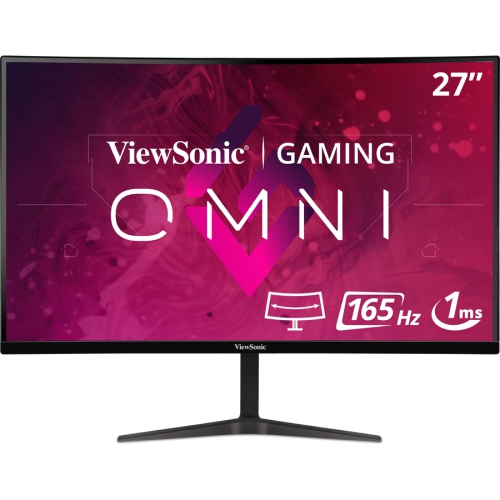
    VIEWSONIC 27" Curved 1440P Qhd Mva Lcd Gaming Monitor (Vx2718-2Kpc-Mhd) - Adaptive-Sync - 165Hz

    About this product

    A curved black gaming monitor featuring WQHD resolution, 165Hz refresh rate, and adaptive sync technology.

    What customers like

    • Smooth gaming performance with high refresh rate
    • Easy setup and user-friendly design
    • Curved screen enhances viewing experience
    • Great value for the price
    • Excellent picture and display quality
    (28)
    $267.99
    SAVE $49
    Your price for this item is $267.99
  6. 6

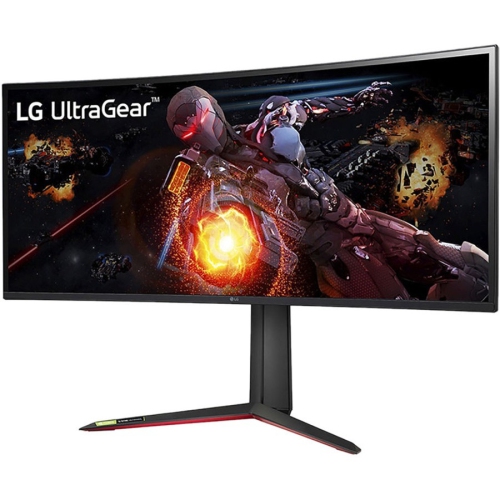
    LG Ultragear 34Gp950G-B Widescreen Gaming Lcd Monitor

    About this product

    A curved UW-QHD gaming monitor in matte black with Nano IPS, 1ms response, and adaptive sync.

    What customers like

    • Immersive ultrawide and curved design
    • Excellent picture and color quality
    • Fast refresh rate and low input lag
    • Strong HDR and G-Sync Ultimate support
    • Great for both gaming and productivity
    (127)
    $2,082.68 Your price for this item is $2082.68
  7. 7

    Samsung Odyssey Neo G8 32" 4K UHD Curved VA LED Gaming Monitor (LS32BG852NNXGO) - FreeSync - 1ms GTG - 240Hz - Quantum HDR 2000 - Black/White

    About this product

    A curved 4K UHD gaming monitor with 240Hz refresh rate, 1ms response time, and matte screen finish.

    What customers like

    • Excellent color accuracy and HDR performance
    • Easy assembly and adjustable stand
    • Ultra-fast 240Hz refresh rate and 1ms response time
    • Stunning 4K picture quality
    • Immersive curved display enhances gaming
    (636)
    $1,399.99 Your price for this item is $1399.99
  8. 8

    HP Inc. 24.5" 1080P HD Ips Gaming Monitor (22J05Aa#aba) - Freesync Premium Pro - 1Ms Gtg - 165Hz - Displayhdr 400

    About this product

    A high-performance gaming monitor featuring 165Hz refresh rate, 1ms response time, and AMD FreeSync Premium Pro.

    What customers like

    • Convenient headset holder and compact, sleek design
    • Excellent gaming performance with smooth 165Hz refresh rate
    • Versatile connectivity options and accessible ports
    • Vibrant and sharp picture quality with accurate colors
    • User-friendly setup and customizable features
    (4)
    $255.00
    SAVE $143
    Your price for this item is $255
  9. 9

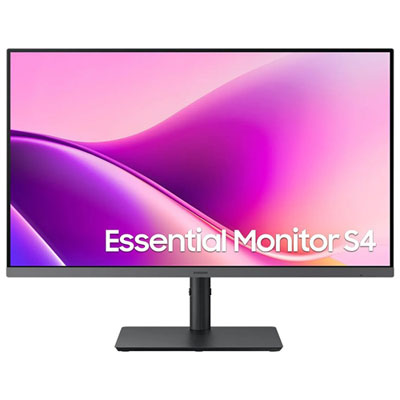
    Samsung Essential S4 27" 1080p HD IPS LED Gaming Monitor (LS27F434UANXZA) - 100Hz

    About this product

    A black IPS LED monitor offering 1080p HD visuals, 100Hz refresh rate, and 5ms response time.

    (4)
    $279.99 Your price for this item is $279.99
  10. 10

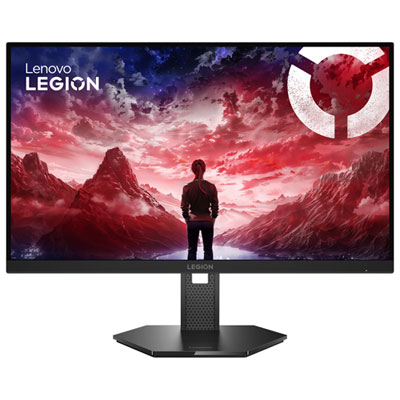
    Lenovo Legion 27" 4K UHD IPS LED Gaming Monitor (67D1GAC1US) - G-Sync/FreeSync - 320Hz - HDR10 - Exclusive Retail Partner

    About this product

    A raven black gaming monitor offering 4K UHD clarity, 320Hz refresh rate, and G-Sync FreeSync support.

    (4)
    $409.99 Your price for this item is $409.99

Why 60Hz performance matters more than headline specs

The best gaming monitors for PS4 pair a compatible HDMI connection with low input lag, clear motion and a screen size that suits the playing space. For a standard PS4 or PS4 Slim, a 1080p monitor is usually the most straightforward match for the console’s gaming output. PS4 Pro can make use of a 4K monitor in supported games, although the resolution and rendering method vary by title. Across the PS4 family, gaming output tops out at 60Hz, so a monitor advertised at 144Hz or higher does not make the console deliver more than 60 frames per second. Many games run at 30 frames per second regardless of the display attached. Higher-refresh-rate monitors can still be useful when the same screen also serves a compatible gaming computer, but HDMI compatibility and performance at 60Hz matter more for PS4 use. A 24-inch 1080p display often suits a compact desk, keeping the whole playing field comfortably in view without requiring much head movement. A 27-inch screen provides a larger picture for a deeper desk or a slightly more relaxed seating position, though 1080p pixels become easier to notice at close range as screen size increases. At 4K, a larger display can retain finer detail in supported content, from small interface text to distant scenery. A 1440p monitor needs closer attention because PS4 does not output a native 1440p signal: the display must accept and scale a compatible 1080p or, on some models with PS4 Pro, 4K input. That scaling can affect sharpness, so resolution alone does not tell the whole story. For setups centred on the higher-resolution console, Best Monitors for PS4 Pro brings the focus to that use case. The strongest match is not necessarily the display with the largest specification numbers, but one that handles the console’s actual signal well and fits the way it will be used.

Picture quality and responsiveness shape different parts of the playing experience, and both deserve attention in a PS4 gaming monitor. Low input lag helps a steering correction, a timed jump or a quick camera adjustment feel closely connected to the controller. Pixel response time describes how quickly pixels change, rather than how long the display takes to show an input. An advertised 1 ms response time is therefore not a guarantee of low input lag or perfectly clear motion; measurement methods and monitor settings differ. Aggressive response-time settings can also create bright or dark trails around moving objects, making balanced performance at 60Hz more useful than a headline figure. IPS panels generally offer consistent colour and wide viewing angles, which suit colourful adventures, shared viewing and desks where the screen also handles everyday computer work. VA panels typically deliver stronger contrast and deeper-looking blacks, bringing more depth to shadowy interiors and nighttime scenes, although some show more smearing during dark transitions. TN panels can offer fast pixel transitions but usually have narrower viewing angles, so the picture may shift more noticeably when viewed from the side. HDR support is another distinction worth looking beyond on the specification sheet. PS4 consoles support HDR in compatible games, but a monitor’s ability to accept an HDR signal does not, on its own, ensure striking highlights or detailed shadows. Brightness, colour range and contrast control all contribute to the result. A well-balanced standard dynamic range picture can be more satisfying than weak HDR performance. In a bright room, a matte screen surface can soften reflections from windows and lamps, while sensible brightness adjustment helps keep the picture comfortable as daylight fades. For fast-paced games, readable detail during movement matters; for story-led games, believable colour and shadow detail may carry more weight. Variable refresh rate features should not be a deciding factor for PS4 alone, since the console does not support that functionality.

The physical design of a gaming monitor makes a noticeable difference once it becomes part of a bedroom desk, shared living space or dedicated gaming corner. A stable stand helps keep the screen steady when the desk is bumped, while height and tilt adjustment make it easier to place the picture at a comfortable viewing position. Stand depth matters just as much as screen width on a shallow surface: there still needs to be room for a controller, charging cable and perhaps a keyboard for a connected computer. Many monitors use moulded plastic housings with metal reinforcement in the stand or mounting points; secure joints, a solid base and protected cable routing are more useful signs of everyday durability than decorative styling. VESA mounting compatibility can free up desk space with a suitable arm, provided the mounting pattern and weight limits match. HDMI is the essential video connection for PS4, and a PS4 Pro setup intended for 4K at 60Hz needs a monitor input and cable that support that signal. Extra HDMI inputs can simplify switching between the console and another device without repeatedly reaching behind the screen. Audio also needs a place in the setup, since not every monitor includes speakers, and built-in speakers may sound thin in a larger room. A monitor headphone output or a compatible headset connected through the controller can suit quieter evening sessions. For a student, a household sharing a television or someone setting up a smaller gaming space, a monitor offers a dedicated screen that can also support computer tasks. As a gift, it is most useful when matched to the recipient’s console version, desk dimensions and existing audio equipment. Routine care is simple but important: power off the display before cleaning, use a clean microfibre cloth, and follow the manufacturer’s directions for any cleaning solution rather than spraying liquid directly onto the panel. Keeping vents clear and cables free from strain helps protect the setup through regular use, while a comfortable viewing distance makes longer sessions easier to settle into.
Read More

FAQ

Some products may be subject to Environmental Handling Fees (EHF) depending on your province. Learn more about EHFs.