Best USB Hub for Mac
Connect more of your essentials with the best USB hubs for Mac, ranked by user review ratings. Whether you need extra ports for peripherals, external storage, or memory cards, explore options that help keep your workspace connected and organized. Compare port types, transfer speeds, and power delivery features to find a hub that suits your Mac and your everyday needs.
What to look for in USB hubs for Mac
1. Mac Compatibility
2. Port Selection
3. Data and Display Support
4. Power and Charging
-
1
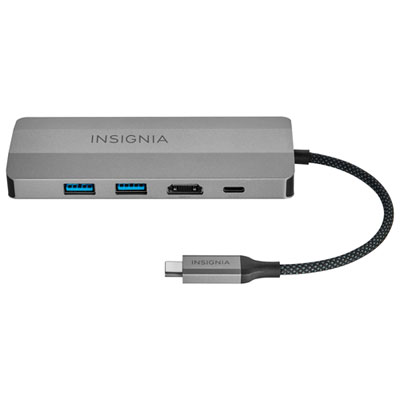
Insignia 7-Port USB-C Hub (NS-PH571MS23-C) - Only at Best Buy
About this product
A versatile grey iron hub offering seven ports, including USB-C, USB-A, Ethernet, HDMI, and DisplayPort outputs.
What customers like
(223)$79.99 Your price for this item is $79.99 -
2
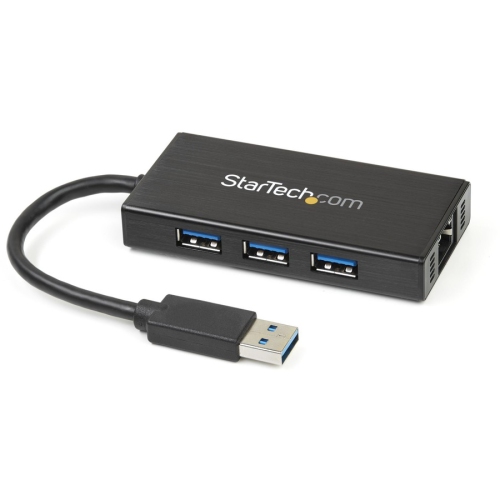
STARTECH 3-Port Portable USB 3.0 Hub With Gigabit Ethernet Adapter Nic (St3300Gu3B)
About this product
A compact hub offering three USB 3.0 ports and a dedicated Gigabit Ethernet connection for laptops.
(2)$72.99Your price for this item is $72.99SAVE $13 -
3
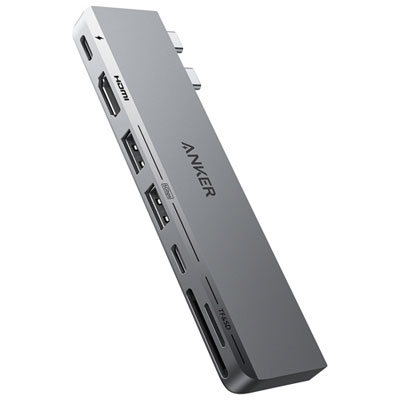
Anker PowerExpand Direct 7-in-2 USB-C Hub for MacBook (A8354HA1-5)
About this product
A sleek grey hub offering seven versatile ports, including HDMI, USB-A, USB-C, and SD card readers.
(9)$59.99 Your price for this item is $59.99 -
4

STARTECH 4 Port USB Hub - USB 3.0 - USB A to 3X USB A And 1X USB C
About this product
A compact USB 3.0 hub adding three USB-A and one USB-C port for fast, versatile connectivity.
(8)$57.99Your price for this item is $57.99SAVE $10 -
5
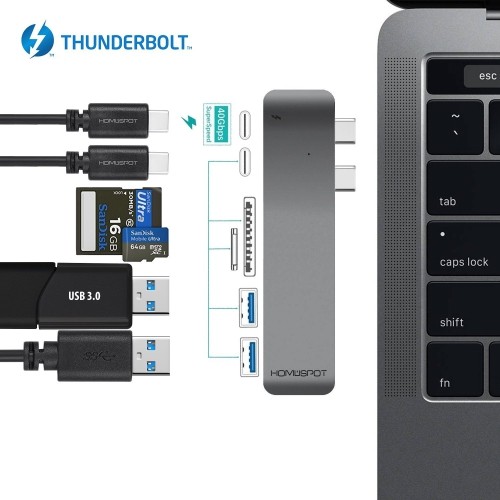
HOMESPOT Thunderbolt 3 USB C Hub Docking for Macbook Pro 2016 2017, Type-C Duo Hub 6 Port - 40GBs Thunderbolt 3, Pass-Through
About this product
A versatile USB-C hub offering Thunderbolt 3, USB 3.0, SD card readers, and 100W power delivery.
(3)$49.99Your price for this item is $49.99SAVE $20 -
6
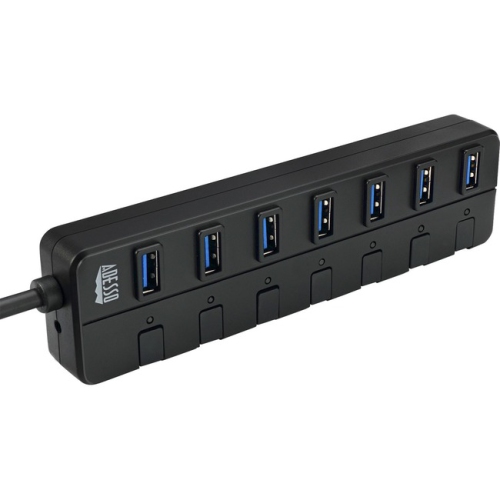
ADESSO Auh-3070P 7-Ports USB 3.0 Hub With 5V2A Power Adaptor (Auh-3070P)
About this product
A versatile USB 3.0 hub offering seven ports and a 5V2A power adaptor for PC and Mac.
$54.99Your price for this item is $54.99SAVE $9 -
7
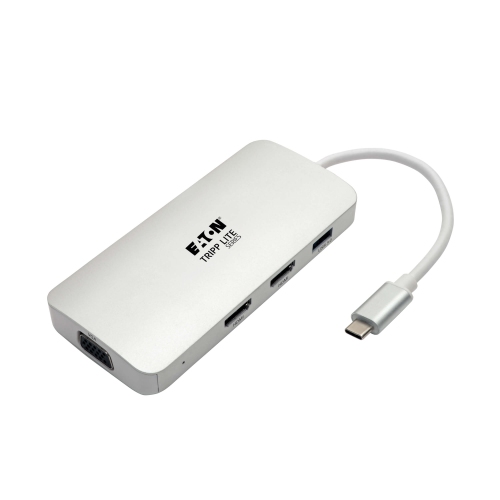
TRIPP LITE USB C Docking Station W/USB Hub, 2X HDMI, VGA, Pd Charging 1080P, USB Type C, USB-C, USB Type-C
About this product
A versatile USB-C docking station offering dual HDMI, VGA, USB hub, and 60W Power Delivery charging.
$57.99Your price for this item is $57.99SAVE $10 -
8

STARTECH Add Four USB 3.0 (5GBps) Ports to Your Macbook Using This Apple Style Hub 4 Port Portable USB 3.0 Hub Wi In Silver
About this product
A compact and portable silver USB hub that adds four USB 3.0 ports to your MacBook.
$44.68Your price for this item is $44.68SAVE $10 -
9
STARTECH Add Seven USB 3.0 (5GBps) Ports to Your Macbook Using This Apple Style Hub 7 Port Compact USB 3.0 Hub Wi In Silver
About this product
A sleek silver aluminum hub that adds seven high-speed USB 3.0 ports to your MacBook.
$84.68Your price for this item is $84.68SAVE $10 -
10

STARTECH.COM Startech 3 Port USB C Hub With Gigabit Ethernet And Power Delivery - USB-C to 3X USB-A - USB 3.0 Hub - USB Port Expander Hb30C3Agepd
About this product
A versatile USB-C hub offering three USB-A ports, Gigabit Ethernet, and Power Delivery support.
$106.37Your price for this item is $106.37SAVE $10
FAQ
Choose a USB hub that matches your Mac’s available ports and the accessories you want to connect. Common options include USB-A ports for peripherals, USB-C data ports, HDMI for a display, Ethernet for wired networking, and memory card readers. Check the hub’s macOS compatibility and whether its USB-C ports support data, charging, or video.
USB-C describes the connector, while Thunderbolt is a connection standard that uses that connector on compatible Macs. USB-C hubs typically use USB standards, while Thunderbolt hubs offer higher connection bandwidth and support for Thunderbolt accessories. Check the standards supported by both your Mac and the hub, as a USB-C connector alone does not indicate Thunderbolt compatibility.
A hub with HDMI, DisplayPort, or a video-capable USB-C port can connect a compatible external monitor. Supported resolutions, refresh rates, and display counts depend on your Mac model, the hub, and the cable. Many USB hubs that use Multi-Stream Transport cannot provide separate extended desktops across multiple monitors on macOS, so check Mac-specific display support.
Some USB-C hubs support USB Power Delivery pass-through charging, allowing you to connect a compatible charger to the hub while using its other ports. Not every USB-C port accepts charging input, so look for a port labelled for Power Delivery. The power available to your MacBook depends on the charger, cable, and hub, which may reserve some power for its own operation.
Most standard USB hubs work with macOS without additional software for basic USB connections. Certain features, such as DisplayLink-based video output or some Ethernet adapters, may require a driver or app. Check the hub’s documentation for macOS version requirements and any software needed for the features you plan to use.
Top selling and popular products
Discover more categories related to Best USB Hub for Mac



Some products may be subject to Environmental Handling Fees (EHF) depending on your province. Learn more about EHFs.