Best Keyboards Under $50

Find the best keyboards under $50 for everyday typing, studying, or working from home. Ranked by user review ratings, this selection makes it easy to compare budget-friendly options and find a keyboard that fits your needs without stretching your budget.

Read More

What to look for in keyboards under $50

1. Connection Type

Wired USB keyboards offer a straightforward connection without batteries, while wireless models help reduce desk clutter. For wireless options, check whether your device supports Bluetooth or has a compatible USB port for the included receiver.

2. Size and Layout

Choose a full-size keyboard if you regularly use a number pad, or a compact model to leave more room for your mouse. Check the key layout, including English or bilingual labelling, to match your typing preferences.

3. Typing Comfort

Consider key spacing, typing noise and adjustable tilt for everyday comfort. Many keyboards under $50 use membrane keys, while some offer low-profile designs or mechanical switches with a different typing feel.

4. Compatibility and Features

Confirm support for your operating system, especially if you need shortcut keys to work as expected. Compare useful extras such as media controls, backlighting and spill resistance, and check whether wireless models include batteries.
Citrus catapult arrow
  1. 1

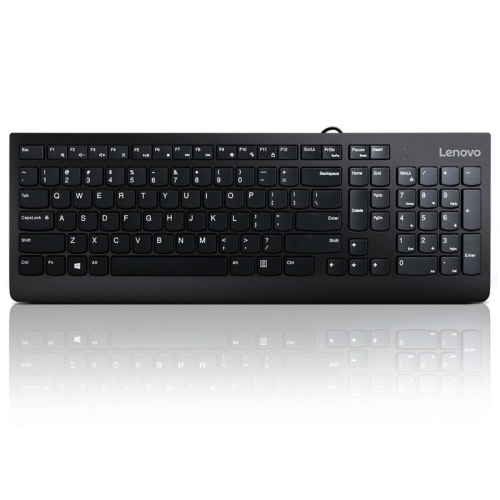
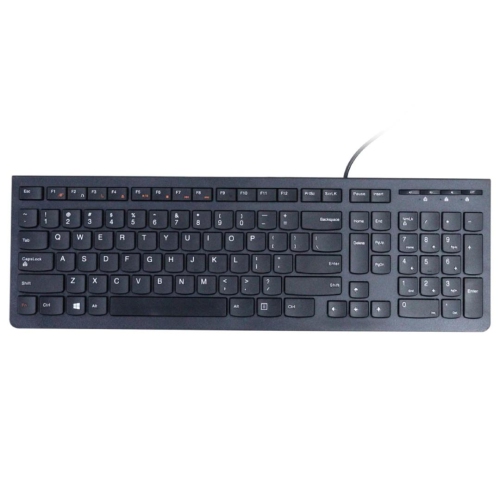
    LENOVO 300 USB Keyboard - Us English

    About this product

    A reliable USB keyboard featuring a US English layout for comfortable and efficient typing.

    What customers like

    • Durable and sturdy build
    • Quiet and smooth typing experience
    • Affordable and budget-friendly
    • Comfortable and responsive key feel
    • Lightweight and compact design
    (131)
    $31.68 Your price for this item is $31.68
  2. 2

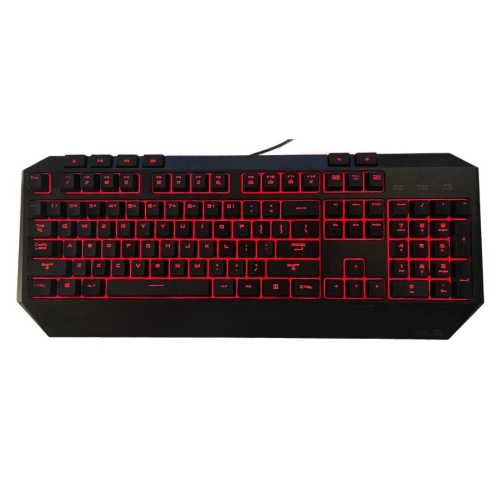
    ASUS Refurbished (Good) Wi Gaming USB Backlit Keyboard V2 (0K001-00410300) In Red

    About this product

    A refurbished wired gaming keyboard featuring vibrant red backlighting and reliable USB connectivity.

    $21.99
    SAVE $8
    Your price for this item is $21.99
  3. 3

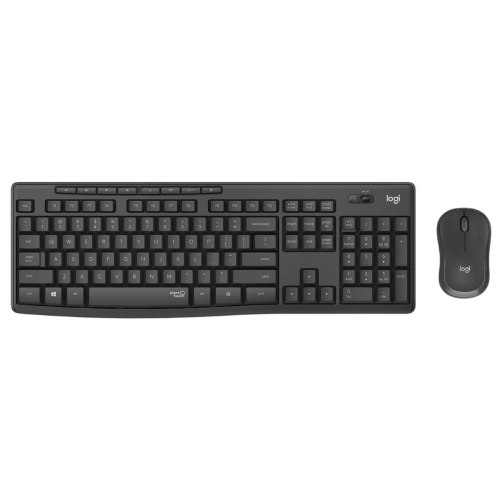
    LOGITECH Refurbished (Good) Mk295 Silent Wireless Keyboard And Mouse Combo - Graphite

    About this product

    A refurbished Logitech wireless keyboard and mouse combo in graphite with silent typing technology.

    $31.49
    SAVE $13
    Your price for this item is $31.49
  4. 4

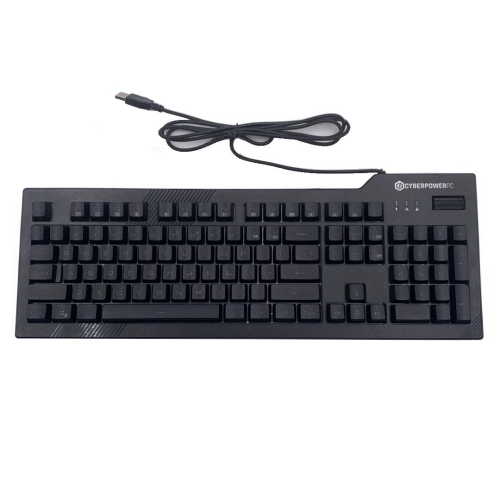
    CYBERPOWER Refurbished (Good) PC Kb-161-306 Wired Gaming Keyboard Led Backlit

    About this product

    A wired gaming keyboard featuring LED backlighting, ideal for immersive computer gaming sessions.

    (1)
    $17.99
    SAVE $7
    Your price for this item is $17.99
  5. 5

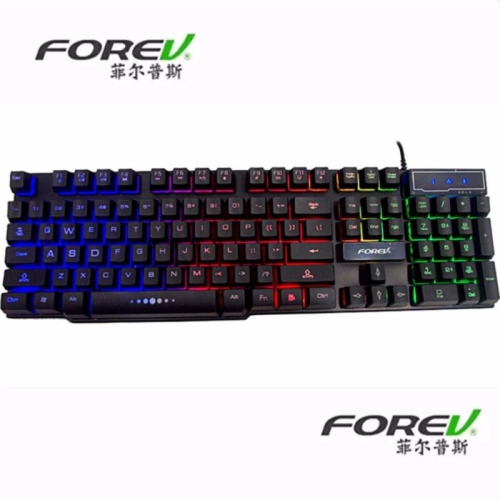
    FOREV Fv-Q1 Wired Led Lit Gaming Keyboard In Black

    About this product

    A wired black gaming keyboard featuring LED backlighting and convenient multimedia hotkeys for enhanced gameplay.

    $24.99 Your price for this item is $24.99
  6. 6

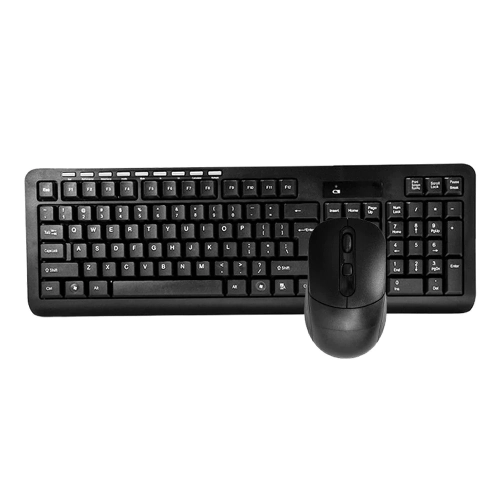
    FOREV Fv-300 Wireless Keyboard Mouse Combo In Black

    About this product

    A wireless black keyboard and 1600DPI optical mouse combo with waterproof keyboard design.

    $26.99 Your price for this item is $26.99
  7. 7

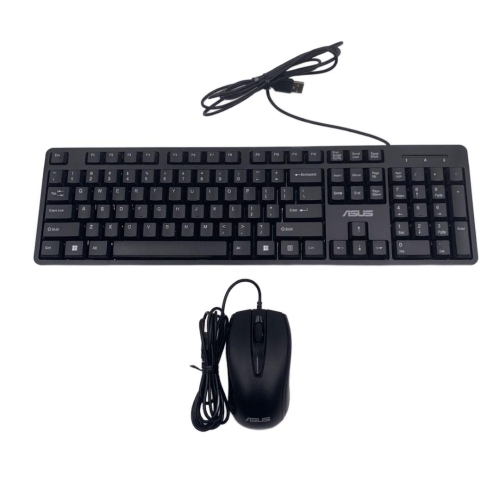
    ASUS Refurbished (Good) K49 Wired Keyboard And Mouse Jm3 Combo USB

    About this product

    A refurbished wired keyboard and mouse combo with USB connectivity for reliable everyday computer use.

    $19.99
    SAVE $10
    Your price for this item is $19.99
  8. 8

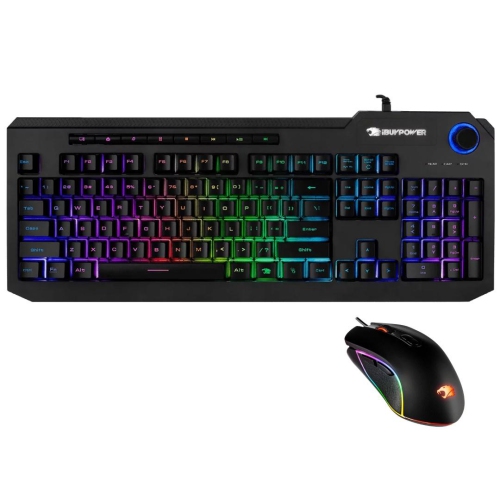
    IBUYPOWER Refurbished (Good) Ares M2 Wired RGB Gaming Keyboard & Mouse Combo

    About this product

    A refurbished wired RGB keyboard and mouse combo designed for responsive gaming performance.

    $41.99
    SAVE $18
    Your price for this item is $41.99
  9. 9

    LENOVO Refurbished (Good) Wired USB Slim Keyboard Lxh-Ekb-10Ya

    About this product

    A refurbished Lenovo wired USB slim keyboard that is sleek and functional for everyday use.

    $17.99
    SAVE $7
    Your price for this item is $17.99
  10. 10

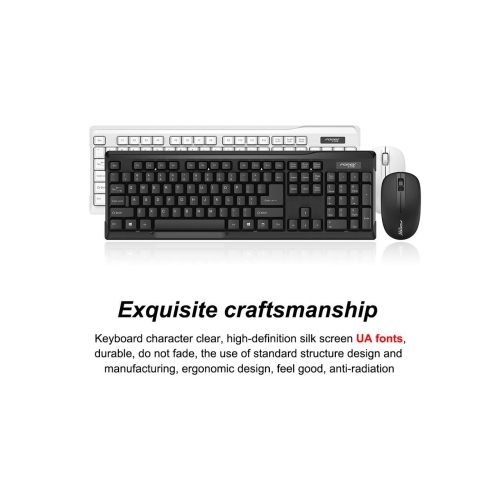
    PROSONIC CANADA INC. Hk6800 Wireless Gaming Keyboard And Mouse

    About this product

    A wireless gaming keyboard and mouse combo designed for responsive performance and seamless connectivity.

    $24.98
    SAVE $15
    Your price for this item is $24.98

How keyboard layouts and key feel affect everyday comfort

The best keyboards for everyday use combine a comfortable layout, dependable connectivity, and keys that suit the way someone types. For office work, homework, email, and casual gaming, practical details often matter more than elaborate extras: clearly marked keys, a stable base, accessible shortcuts, and enough room to move a mouse comfortably. A full-size keyboard includes a dedicated number pad, making it useful for entering spreadsheet figures, completing calculations, or managing household records. A tenkeyless layout removes that number pad while generally retaining separate arrow keys and a navigation cluster, leaving more space beside the keyboard without greatly changing familiar typing habits. Smaller layouts reduce the footprint further, although functions such as Home, End, and the arrow keys may require a key combination. That distinction becomes noticeable when editing a long document or moving between cells in a worksheet. Physical fit also extends beyond the keyboard’s width. A slim profile can feel familiar to laptop users, while taller keys provide a different sense of travel beneath the fingertips. Key spacing, the shape of the keycaps, and the placement of frequently used controls all influence comfort during longer sessions. Someone who types reports may prefer a conventional layout with clearly separated sections; someone sharing a small desk with textbooks may appreciate a compact design that leaves the work surface usable. Printed legends deserve attention, especially for households that type in both English and French. The physical layout and operating system language settings work together, and changing a software setting does not change the characters printed on the keys. For a shared household computer, a familiar layout can make moving between users easier. For a laptop connected to an external display, a separate keyboard allows the screen and typing surface to sit at different heights, creating a more flexible workspace for studying, writing, or administrative tasks.

Key feel and connection type shape the everyday experience just as much as size. Membrane keyboards typically use a flexible membrane and rubber domes beneath the keys, often producing a softer, quieter typing feel suited to shared desks and calls. Scissor-switch designs, commonly associated with slim keyboards, use a stabilizing mechanism that supports shorter key travel. Mechanical keyboards use individual switches and can feel quite different depending on the switch design: linear switches move smoothly, tactile switches provide a noticeable bump, and clicky switches add an audible click. Mechanical construction alone does not guarantee quiet operation, greater comfort, or better gaming performance. Sound also depends on the case, keycaps, desk surface, and how firmly the keys are pressed. A keyboard that feels satisfying in a private room may be distracting beside a sleeping child or an open microphone. Shoppers interested in individual-switch designs can explore Mechanical Keyboards Under $50 for that typing style. Wired USB connections offer a straightforward setup without separate keyboard batteries or charging, though the computer needs a compatible port and the cable must reach it comfortably. Wireless keyboards can leave the desk clearer, but Bluetooth and USB-receiver connections have different requirements. Bluetooth relies on a compatible host device, while a receiver-based connection occupies a USB port and requires keeping track of the receiver. A small receiver storage compartment can be helpful when moving between a desk and a bag, if the keyboard includes one. Battery type, an accessible power switch, and a charge or battery indicator affect day-to-day convenience. Operating system compatibility also matters: basic typing may work while certain media controls, shortcut keys, or customization features behave differently. For gaming, clear information about simultaneous key recognition is useful because movement and other actions often involve several keys held together. For writing and office tasks, predictable key response, legible markings, and convenient volume controls may make a greater difference than lighting effects or extra programmable buttons.

Materials, construction, and care help determine how well a keyboard handles repeated use. Plastic housings are common and can keep a keyboard light enough to carry, but a comfortable desk setup also depends on rubber feet that grip the surface and a base that does not rock during typing. Adjustable feet can change the angle, although a steeper position is not automatically more comfortable. A relaxed posture generally leaves the shoulders loose, elbows near the body, and wrists reasonably straight rather than sharply bent upward. Keycap surfaces vary from smooth to lightly textured, and frequently used keys can develop a polished appearance over time. ABS plastic is widely used for keycaps; some designs use PBT, which generally resists surface shine better. Neither material alone determines the quality of the whole keyboard. The clarity of the legends, consistency of the keys, sturdiness of the cable connection, and security of the battery cover are all practical durability details. Cleaning should follow the manufacturer’s directions, with the keyboard unplugged or switched off first. Loose dust and crumbs can often be removed with a soft brush, while approved wiping methods help clean contact surfaces without allowing liquid into the case. Keycaps should not be pulled off unless the design supports removal, since slim key mechanisms can be delicate. A spill-resistant description does not mean waterproof, and drinks are still better kept away from the typing area. For travel between classes or workspaces, a protective sleeve or separate bag compartment can help prevent pressure on the keys and strain on a cable. As a gift, a keyboard is most useful when it matches the recipient’s computer, workspace, and habits rather than simply looking impressive. A student may value a compact footprint, a frequent spreadsheet user may rely on a number pad, and someone working near others may appreciate subdued typing noise. Across these uses, a well-matched keyboard feels unobtrusive: the controls are where the hands expect them, the connection is easy to manage, and routine tasks flow without unnecessary adjustments.
Read More

FAQ

Some products may be subject to Environmental Handling Fees (EHF) depending on your province. Learn more about EHFs.