24 Inch Monitor 1440p
Experience impressive clarity and vibrant visuals with a 24 Inch Monitor 1440p, perfect for elevating your home office, gaming setup, or creative workspace. Enjoy sharp image quality and enhanced detail that make every task more enjoyable, whether you're working, streaming, or playing your favorite games. With a compact form factor, a 24 Inch Monitor 1440p fits seamlessly into any desk space while delivering outstanding performance for everyday needs. Explore a range of options designed to suit your style and requirements.
Sort

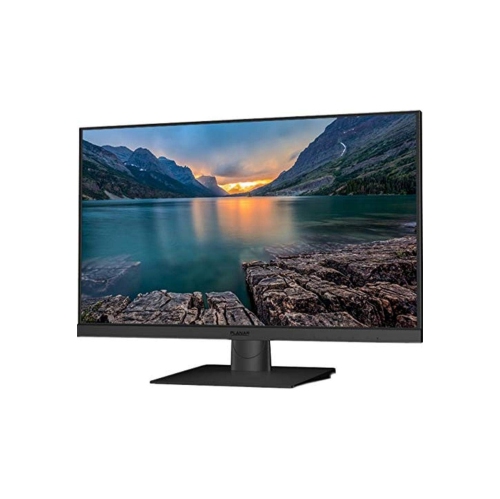
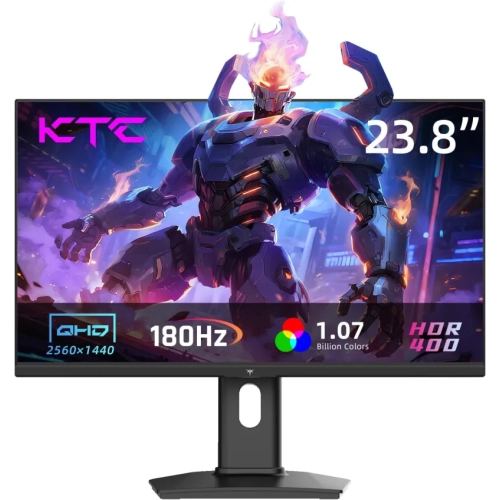
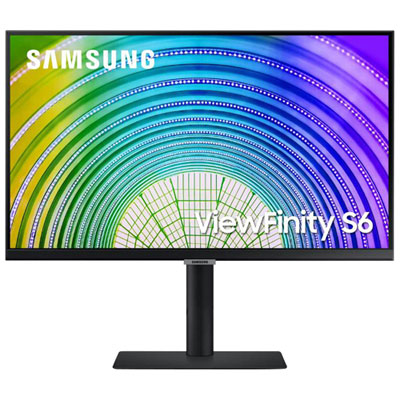
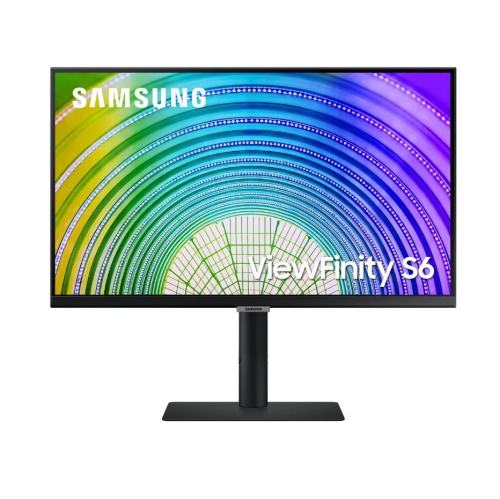
Sharper text and finer detail without a larger screen
A 24-inch 1440p monitor combines a compact screen with a native resolution of 2560 × 1440 pixels, also known as QHD. In the usual 16:9 format, that resolution provides approximately 78% more pixels than Full HD, giving text, photographs and interface details a finer appearance at the same screen size. A true 24-inch QHD panel has a pixel density of about 122 pixels per inch, compared with roughly 92 pixels per inch for a 24-inch Full HD display. That extra density can make a difference when reading small spreadsheet labels, reviewing a detailed diagram or keeping a document open beside a browser window. The appeal is not simply fitting more onto a screen; it is having a detailed picture without needing a larger monitor on the desktop. This format suits home offices, student workstations and gaming setups where space also needs to accommodate a keyboard, notebook, microphone or drawing tablet. Screen size is measured diagonally, however, so the monitor’s overall width, stand depth and adjustment range still matter when judging its fit. Some displays described as 24-inch have a viewable diagonal of 23.8 inches, making the listed dimensions useful for planning a precise arrangement. At the same resolution and scaling setting, a 24-inch display provides the same digital workspace as a larger QHD screen, but text and controls appear physically smaller. Display scaling can enlarge menus and lettering for comfortable reading, although it reduces how much content fits onscreen at once. For someone who spends hours moving between email, documents and reference material, that balance between sharpness and readable text is especially important. Looking at 1440p Monitors across different screen sizes helps put the compact format in context: a smaller panel prioritizes pixel density and desktop fit, while a larger panel makes the same content easier to view from farther away.
The way a 24-inch 1440p monitor handles colour, motion and reflections shapes its suitability for different tasks just as much as resolution does. IPS panels are often chosen for consistent colour and wide viewing angles, useful when sharing a screen with a colleague or turning a display slightly toward a nearby reference area. VA panels generally offer stronger native contrast, which can give dark scenes more depth, although motion handling varies by model. For photo editing, illustration or design coursework, colour gamut coverage and measured colour accuracy are more meaningful than a description such as “vivid.” A panel’s bit depth, calibration options and brightness adjustment also deserve attention when accurate-looking images are important. For everyday reading, a matte screen finish can soften distracting reflections from a window or overhead light, but positioning the display to avoid direct glare remains helpful. Gaming introduces another set of considerations. A higher refresh rate can make movement look smoother, while pixel response performance affects how clearly moving objects retain their edges. Advertised response-time figures are not always measured under comparable conditions, so they should not be treated as a complete picture of motion clarity. Adaptive sync can reduce tearing when supported by both the monitor and the connected system. Running games at 1440p also requires more graphics processing than running them at 1080p, even on a smaller screen; a 24-inch panel does not reduce that workload simply because its physical dimensions are compact. Players who favour detailed strategy maps, simulation interfaces or crisp scenery may value QHD differently from those who prioritize the highest possible frame rates. For mixed use, the same display might handle a morning of research, an afternoon video call and an evening game. Comfortable brightness control, readable text and suitable motion performance make that transition more useful than any single headline specification.
Connections, adjustment features and construction determine how comfortably a compact QHD monitor fits into daily life. HDMI and DisplayPort connections are common ways to carry a video signal, but the supported resolution and refresh rate depend on the monitor input, computer output and cable together. A USB-C connection can simplify a laptop setup when it supports video, and some monitors also provide power delivery; the presence of a USB-C socket alone does not guarantee either function. Charging wattage matters for laptops that draw more power, while a built-in USB hub can keep a keyboard, mouse or other accessories connected at the desk. Integrated speakers may be convenient for calls and casual listening, although separate speakers or headphones offer other options for audio. The stand deserves similar attention. Height adjustment helps bring the screen into a comfortable viewing position without relying on a stack of books, and tilt or swivel adjustment makes small changes easier throughout the day. A pivoting stand can turn the display into portrait orientation for long documents or code, provided the software supports rotation. Compatible VESA mounting points allow an appropriate monitor arm to free up work surface space, with the arm’s mounting pattern and weight limits matched to the display. In a two-screen arrangement, thin bezels can reduce the visual interruption between screens, while similar pixel densities help text look more consistent as windows move across them. Many monitor housings use moulded plastic, with metal reinforcement or metal components in the stand; stable footing and secure hinges matter more than a decorative finish. Cable routing also helps prevent leads from pulling against ports when the screen is repositioned. Routine care is straightforward: switch off and unplug the monitor before cleaning, use a clean microfibre cloth and follow the manufacturer’s directions for suitable cleaning solutions. Avoid spraying liquid directly onto the panel or pressing hard against its surface. With suitable connections, comfortable adjustment and careful handling, a 24-inch 1440p monitor can serve as a focused main display or a detailed companion screen without taking over the desktop.
Top selling and popular products
-
 Your price for this item is $2237.68
-
 Your price for this item is $320.68
-
 Your price for this item is $469
-
 Your price for this item is $149.99
-
 Your price for this item is $265.99
-
 Your price for this item is $229.99
-
 Your price for this item is $1138.68
-
 Your price for this item is $355.68
Discover more categories related to 24 Inch Monitor 1440p
Top Collections:
Best Black Friday Deals This Year, Best Black Friday Deals On Electronics, Kindle Devices, Pokemon Centers, Best Black Friday Deals On Apple Products, Best Cameras for Sports Photography, Dyson Airwrap, Pokémon 30th Celebration Cards, Apple iPhone 17 Pro, Canon G7X Cameras
Some products may be subject to Environmental Handling Fees
(EHF) depending on your province.
Learn more about EHFs.