Best Laptops for Video Editing Under $700
Find the best laptops for video editing under $700, ranked by customer review ratings to help you compare budget-friendly options. Whether you’re trimming clips, creating social media content, or learning the basics of editing, look for a capable processor, ample memory, and fast SSD storage to support your workflow without stretching your budget.
What to look for in laptops for video editing under $700
1. Processor and Graphics
2. Memory and Upgrade Options
3. Storage Capacity and Ports
4. Display and Editing Needs
-
1

APPLE Refurbished (Good) - Macbook Pro With Touch Bar 13.3" - Space (Intel Core I5 2.3Ghz/256GB/8GB Ram) - (2018 Model) English In Grey
About this product
A refurbished grey laptop featuring an Intel Core i5 processor, 256GB SSD, 8GB RAM, and Touch Bar.
What customers like
(1,765)$699.77Your price for this item is $699.77SAVE $299 -
2

APPLE Refurbished (Good) - Macbook Pro W/ Touch Bar 13.3" - Space (Intel Core I5 1.4Ghz/256GB SSD/8GB Ram) - En (2019 Model) In Grey
About this product
A refurbished grey laptop featuring a 13.3" display, Intel Core i5, 256GB SSD, and 8GB RAM.
What customers like
(1,475)$699.77Your price for this item is $699.77SAVE $999 -
3
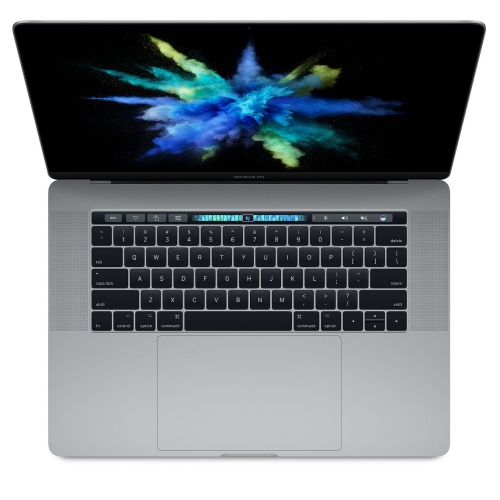
APPLE Refurbished (Good) - Macbook Pro 15.4" With Touch Bar - Intel Core I7 3.1Ghz / Radeon Pro 555 / 16GB Ram / 256GB SSD - 2017
About this product
A refurbished laptop featuring a 15.4" Touch Bar, Intel Core i7, Radeon Pro 555, and 16GB RAM.
What customers like
(1,143)$649.77Your price for this item is $649.77SAVE $349 -
4

APPLE Refurbished (Good) - Macbook Pro With Touch Bar 15.4" - Space (Intel Core I9 2.3 Ghz/512GB/16Bg Ram) - (2019 Model) Eng In Grey
About this product
A refurbished grey laptop featuring an Intel Core i9 processor, 512GB SSD, 16GB RAM, and Touch Bar.
What customers like
(626)$699.77Your price for this item is $699.77SAVE $600 -
5
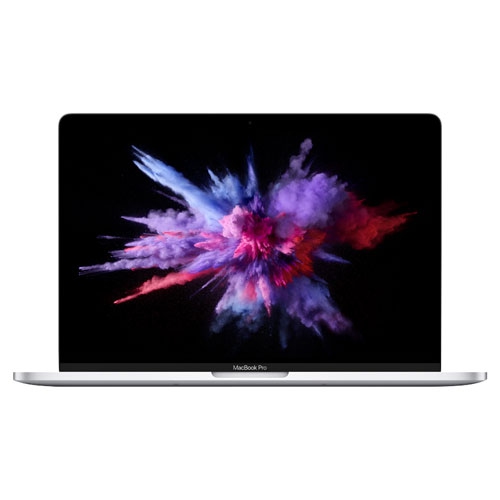
APPLE Refurbished (Good) - Macbook Pro W/ Touch Bar 13.3" - (Intel Core I5 1.4Ghz/256GB SSD/8GB Ram) - En (2019 Model) In Silver
About this product
A refurbished silver laptop featuring a 13.3" display, Intel Core i5, 256GB SSD, and 8GB RAM.
What customers like
(418)$699.77Your price for this item is $699.77SAVE $799 -
6
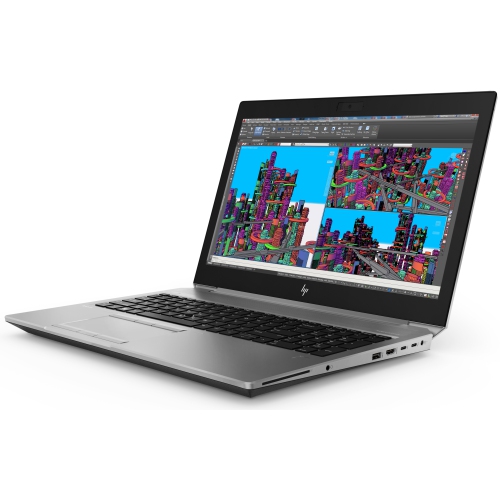
HP Refurbished (Good) - Zbook Studio G5 15.6" Workstation Laptop - Intel Core I7-8850H - 32GB Ram - 256GB SSD - Windows 10 Pro
About this product
A refurbished workstation laptop featuring an Intel Core i7 processor, 32GB RAM, 256GB SSD, and Windows 10 Pro.
(1)$699.00 Your price for this item is $699 -
7
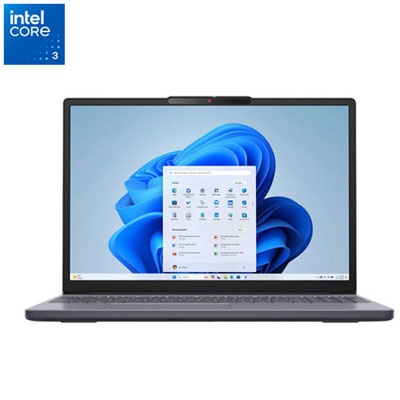
Open Box - Lenovo IdeaPad Slim 3i 15.3" Laptop - Intel Core 3-100U - 8GB DDR5 - 512GB SSD - Windows 11 Home - Luna Grey
About this product
A Luna Grey laptop featuring Intel Core 3-100U, 8GB RAM, 512GB SSD, and WUXGA display.
(1)$629.99 Your price for this item is $629.99 -
8
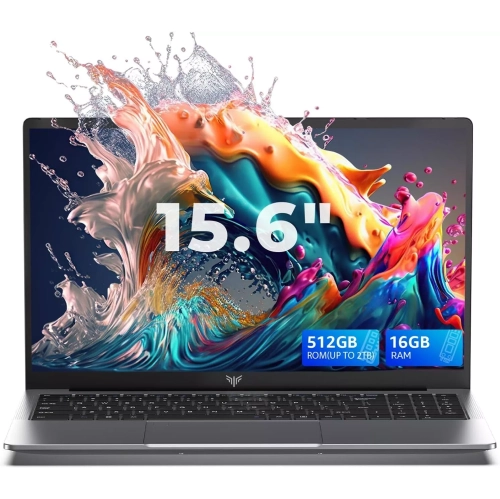
ACEMAGIC - Lx15 15.6" Laptop - Intel Processor N150 (4C/4T, Up to 3.6Ghz) - 5000Mah Battery - Windows 11 Pro - 16GB Ddr4 - 512GB SSD - Wifi 5
About this product
A powerful laptop featuring an AMD Ryzen 4300U, 16GB RAM, 512GB SSD, and a bezel-free FHD display.
(1)$519.00Your price for this item is $519SAVE $580
FAQ
Look for a recent multi-core processor and 16 GB of RAM where available. Some entry-level laptops include 8 GB of RAM, so check whether the memory is upgradeable or soldered in place. Compare the laptop’s specifications with the requirements of your preferred editing software.
Integrated graphics share system memory with the processor, while dedicated graphics have their own video memory. Editing applications vary in how they use graphics hardware for effects, playback and exporting. Check the software’s supported graphics features before choosing a laptop.
An SSD is a useful starting point for storing your operating system, editing software and active projects. Video footage, proxy files and editing caches all require storage space. Check whether the laptop supports an additional internal drive or an external SSD, and keep a separate backup of important footage.
USB-A and USB-C ports can connect external drives and accessories, while HDMI or a USB-C port with video output can connect an external display. An SD card reader is useful for importing footage from compatible cameras. USB-C capabilities vary, so check the listed data transfer and display support.
Editing applications have specific operating system requirements, and some are available only for Windows or macOS. Support for formats such as H.264, HEVC and ProRes also varies by application, software version and hardware. Check compatibility with your camera’s footage, including its resolution, frame rate and bit depth.
Top selling and popular products
Discover more categories related to Best Laptops for Video Editing Under $700



Some products may be subject to Environmental Handling Fees (EHF) depending on your province. Learn more about EHFs.