Best Video Editing Laptops Under $1000
Find the best video editing laptops under $1000 for your next creative project, ranked by user review ratings. Whether you’re trimming clips, putting together a vlog, or editing a short film, compare options with the processing power, memory, and storage to suit your workflow. Explore the list to find a laptop that fits your editing needs and your budget.
What to look for in video editing laptops under $1000
1. Processor and Graphics
2. Memory and Upgrade Options
3. Storage Capacity and Speed
4. Display Quality
-
1

APPLE Refurbished (Good) - Macbook Pro W/ Touch Bar 13.3" - Space (Intel Core I5 1.4Ghz/128GB SSD/8GB Ram) - En (2019 Model) In Grey
About this product
A refurbished grey laptop featuring a Touch Bar, Intel Core i5 processor, 128GB SSD, and 8GB RAM.
What customers like
(2,492)$699.77Your price for this item is $699.77SAVE $300 -
2

APPLE Refurbished (Good) - Macbook Pro 13.3" Laptop (Intel Core I5 2Ghz/256GB SSD/8GB Ram) - Space - En (2016 Model) In Grey
About this product
A refurbished grey laptop featuring an Intel Core i5 processor, 256GB SSD, and 8GB RAM.
What customers like
(2,467)$549.77Your price for this item is $549.77SAVE $650 -
3
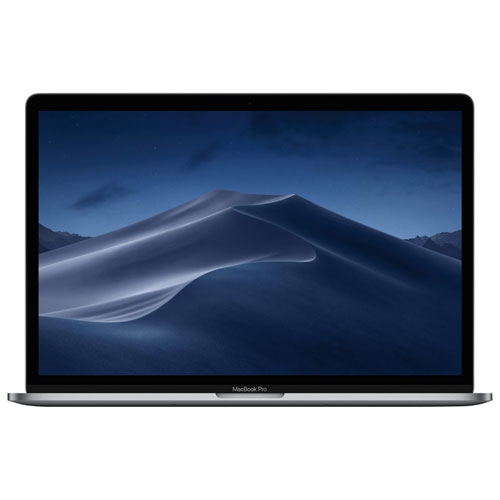
APPLE Refurbished (Good) - Macbook Pro With Touch Bar 15.4" - Space (Intel Core I7 2.6 Ghz/256GB/16Bg Ram) - (2019 Model) Eng In Grey
About this product
A refurbished grey laptop featuring an Intel Core i7 processor, 16GB RAM, and 256GB storage.
What customers like
(707)$599.77Your price for this item is $599.77SAVE $1899 -
4

APPLE Refurbished (Good) - Macbook Pro With Touch Bar 15.4" - Space (Intel Core I9 2.3 Ghz/512GB/16Bg Ram) - (2019 Model) Eng In Grey
About this product
A refurbished grey laptop featuring an Intel Core i9 processor, 512GB SSD, 16GB RAM, and Touch Bar.
What customers like
(626)$699.77Your price for this item is $699.77SAVE $600 -
5
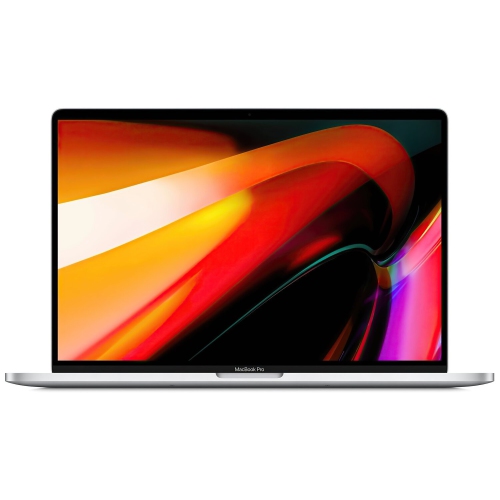
APPLE Refurbished (Good) - Macbook Pro W/ Touch Bar 16" - (Intel Core I9 2.3Ghz/1Tb SSD/16GB Ram) - En (2019 Model) In Silver
About this product
A powerful silver laptop featuring an Intel Core i9 processor, 1TB SSD, 16GB RAM, and Touch Bar.
What customers like
(290)$749.77Your price for this item is $749.77SAVE $649 -
6
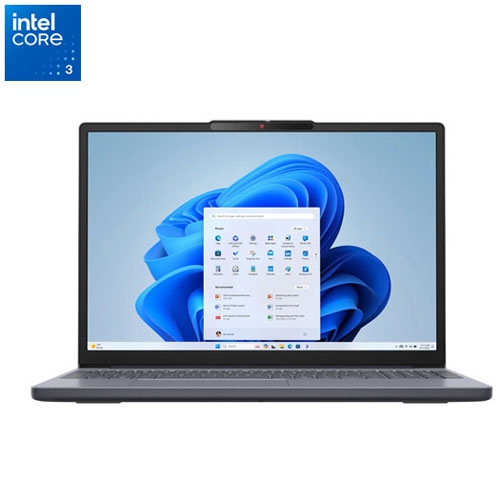
LENOVO Refurbished (Excellent) - Ideapad Slim 3I 15.3" Laptop - Intel Core 3-100U - 8GB Ddr5 - 512GB SSD - Windows 11 Home - Luna In Grey
About this product
A refurbished grey laptop featuring Intel Core 3-100U, 8GB RAM, 512GB SSD, and Windows 11.
(1)$569.99Your price for this item is $569.99SAVE $280 -
7
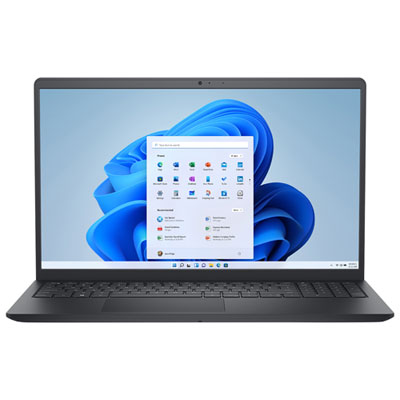
Dell 15.6" 120Hz Laptop - Intel Core 3 100U - 8GB DDR5 - 512GB SSD - Windows 11 Home - Carbon Black
About this product
A sleek carbon black laptop featuring an Intel Core 3 processor, 8GB RAM, and 512GB SSD storage.
What customers like
(244)$949.99 Your price for this item is $949.99 -
8
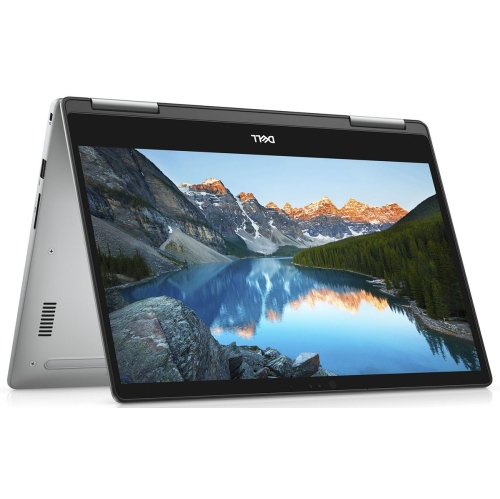
DELL (Refurbished - Good) - Inspiron 7573 15.6" Fhd Touchscreen 2-In-1 Laptop - Intel Core I5 8Th Gen - 12GB Ram - 256GB SSD - Windows 11
About this product
A versatile 2-in-1 laptop featuring a 1080p touchscreen, Core i7 processor, 16GB RAM, and 512GB SSD.
What customers like
(152)$499.95Your price for this item is $499.95SAVE $22
FAQ
Look for a recent multi-core processor and 16 GB of RAM as a practical starting point. Check your editing software’s system requirements, including its supported processors and graphics hardware. Upgradeable memory can be useful if your projects become more complex.
An SSD is a practical choice for your operating system, editing software and active projects. Video footage, audio files and project caches can take up considerable space, so consider how you will divide files between internal storage and external drives. Keep a separate backup of original footage and project files.
Look for an IPS panel, Full HD resolution or higher, and clearly stated colour-gamut coverage. Coverage close to 100% sRGB is useful for projects intended for online viewing. A matte finish can help reduce reflections, while display calibration helps establish consistent colour settings.
USB-A and USB-C ports let you connect external drives and accessories. HDMI or a USB-C port with video output supports an external monitor, while an SD card reader lets you import footage from compatible camera cards. Check each port’s specifications, as USB-C ports do not all support the same features.
Compare the software’s current requirements with the laptop’s operating system, processor, RAM and graphics specifications. Also check support for your camera’s video formats, any plug-ins you use and hardware-accelerated encoding. Some editing applications are limited to particular operating systems, so choose your software before narrowing down laptops.
Top selling and popular products
Discover more categories related to Best Video Editing Laptops Under $1000


Some products may be subject to Environmental Handling Fees (EHF) depending on your province. Learn more about EHFs.