Best Mac Keyboards
The right keyboard can make everyday typing, creative work, and multitasking more comfortable. Our selection of the best keyboards for Mac is ranked by user review ratings, helping you compare options through the experiences of other shoppers. From compact layouts to full-size designs, explore features such as wireless connectivity, shortcut keys, and adjustable backlighting to find the right fit for your workspace.
What to look for in Mac keyboards
1. Mac Compatibility
2. Typing Feel
3. Connectivity and Power
4. Size and Layout
-
1

Apple Magic Keyboard with Numeric Keypad - Silver/White
About this product
A sleek silver and white keyboard featuring a numeric keypad, rechargeable battery, and stable scissor-switch keys.
What customers like
(3,467)$159.00 Your price for this item is $159 -
2

APPLE - Magic Keyboard (Mla22Ll/a)
About this product
A sleek wireless keyboard featuring a built-in rechargeable battery and enhanced scissor mechanism for precise typing.
What customers like
(3,087)$219.99 Your price for this item is $219.99 -
3

Logitech Keys-To-Go 2 Keyboard for iPad/iPhone/Mac - Graphite - English
About this product
A slim graphite keyboard with scissor keys, built-in cover, and easy switching between three Apple devices.
What customers like
(76)$99.99 Your price for this item is $99.99 -
4
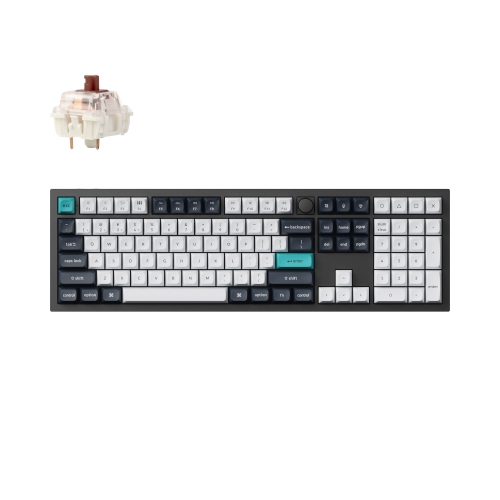
KEYCHRON Q6 Max Full-Size Wireless Mechanical Gaming Keyboard w Knob - RGB Backlight, Hot-Swappable Jupiter Switches, for Windows/mac - Carbon
About this product
A full-size brown wireless mechanical keyboard with Gateron Jupiter switches, aluminum frame, and customizable RGB lighting.
What customers like
(47)$349.99 Your price for this item is $349.99 -
5
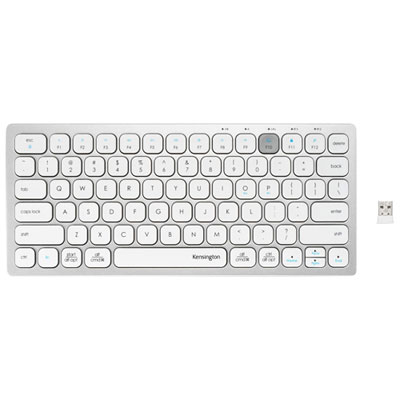
Kensington Dual Wireless Bluetooth Compact Keyboard - Silver - English
About this product
A compact silver keyboard offering dual wireless connectivity, scissor keys, and compatibility with multiple operating systems.
(4)$39.99 Your price for this item is $39.99 -
6
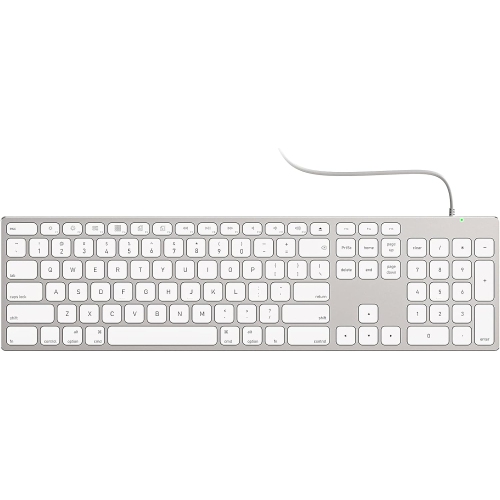
GENERIC Macos Supported USB Type A And Type C Wired Full Size Keyboard-Aluminum Body
About this product
An aluminum alloy wired keyboard with USB Type-A and Type-C compatibility, fully supporting MacOS functions.
(3)$99.95Your price for this item is $99.95SAVE $30 -
7
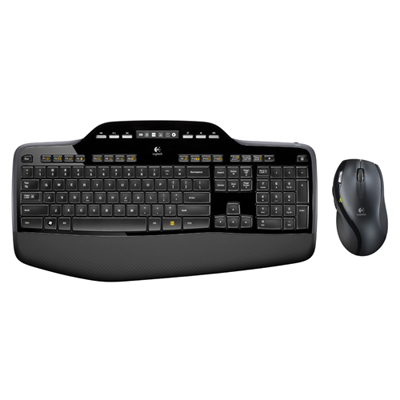
Logitech MK710 Performance Wireless Desktop Mouse & Keyboard Combo
About this product
A wireless keyboard and mouse combo featuring cushioned palm rest, concave keys, and long-lasting battery life.
What customers like
(2,812)$99.95 Your price for this item is $99.95 -
8
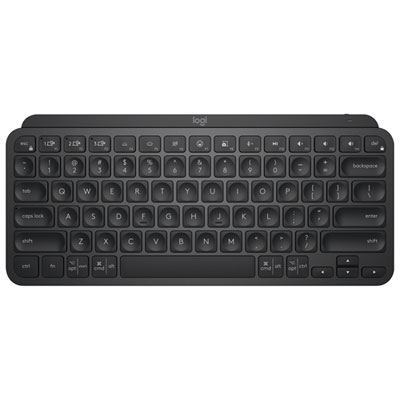
Logitech MX Keys Mini Bluetooth Backlit Ergonomic Keyboard - Black
About this product
A compact black Bluetooth keyboard with backlit, ergonomic design and tactile Perfect Stroke keys for comfortable typing.
What customers like
(693)$132.98Your price for this item is $132.98SAVE $17 -
9
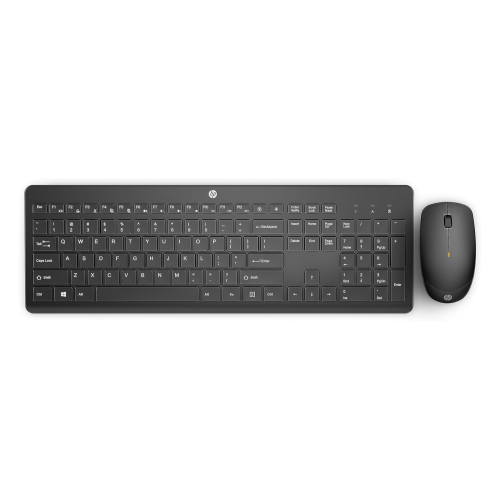
NA Wireless Keyboard - 2.4Ghz USB Connection - Low-Profile, Quiet Design - Windows & Mac Os - Laptop, PC Compatible - Shortcut Keys & Number Pad
About this product
A wireless keyboard featuring a low-profile, quiet design with shortcut keys and number pad for versatile use.
What customers like
(350)$62.00Your price for this item is $62SAVE $10 -
10
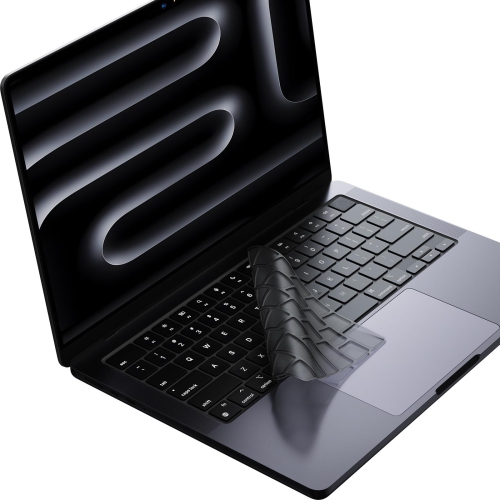
AURORA Premium Keyboard Cover Protector, Ultra Thin Keyboard Skin for M2 M3 M4 Macbook Air 15"/ Macbook Air 13.6", 2024 2023 2022 2021 Macbook Pro
About this product
An ultra-thin keyboard skin offering durable protection for recent MacBook Air and Pro models.
(1)$22.99Your price for this item is $22.99SAVE $23
FAQ
Look for macOS compatibility, clearly labelled Command and Option keys, and shortcuts for media playback and display brightness. Other useful features include backlit keys, programmable shortcuts, and the ability to switch between devices. Check whether any customization software supports your version of macOS.
Many USB and Bluetooth Windows keyboards work with a Mac for standard typing. The Windows key generally acts as Command, while Alt acts as Option. You can remap modifier keys in macOS System Settings, though some shortcut keys and customization features may require Mac-compatible software.
Mechanical keyboards use individual switches beneath the keys, with options that offer a smooth, tactile, or clicky feel. Scissor-switch keyboards typically have shorter key travel and a laptop-like typing feel. Both types can support macOS, so your choice can depend on your preferred key feel and typing sound.
A wired keyboard connects through USB and does not need separate battery charging. A wireless keyboard connects through Bluetooth or a USB receiver and keeps a cable off your desk during use. Check your Mac’s available ports and the keyboard’s connection requirements, as some setups need an adapter.
Some Mac-compatible keyboards support pairing with multiple devices, such as a Mac, iPad, and iPhone. These keyboards typically use dedicated buttons or key combinations to switch between paired devices. Check the supported operating systems and pairing options, since not every wireless keyboard includes this feature.
Top selling and popular products
Discover more categories related to Best Mac Keyboards
Some products may be subject to Environmental Handling Fees (EHF) depending on your province. Learn more about EHFs.