Best Wacom Tablets

Bring your creative ideas to life with top-rated drawing tablets for digital art, illustration, and photo editing. Ranked based on user review ratings, this selection makes it easy to explore favourites among fellow creators and compare options for your workflow, skill level, and budget.

Read More

What to look for in Wacom tablets

1. Tablet Type

A pen tablet lets you draw on its surface while viewing your work on a connected monitor, while a pen display lets you draw directly on the screen. Most Wacom pen tablets and pen displays require a compatible computer, so check whether the model suits your setup.

2. Pen Performance

Compare pressure sensitivity, tilt support and pen features to find a drawing experience that suits your style. Customizable pen buttons and tablet shortcuts, where available, can make frequently used tools easier to access.

3. Size and Display Quality

Choose an active drawing area that balances comfortable hand movement with desk space and portability. For pen displays, compare screen resolution, brightness and colour coverage, especially if you work on detailed illustrations or colour-sensitive projects.

4. Compatibility and Connectivity

Check that the tablet supports your computer’s operating system and preferred creative software. Review its port, cable and power requirements, and look for wireless connectivity if you want more flexibility with a pen tablet.
  1. 1

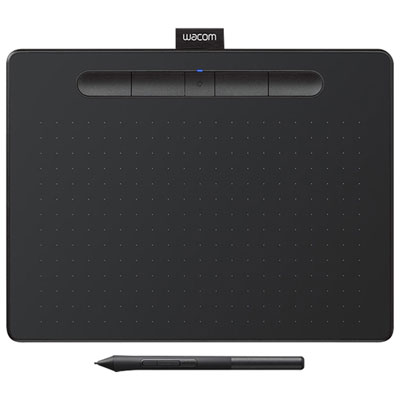
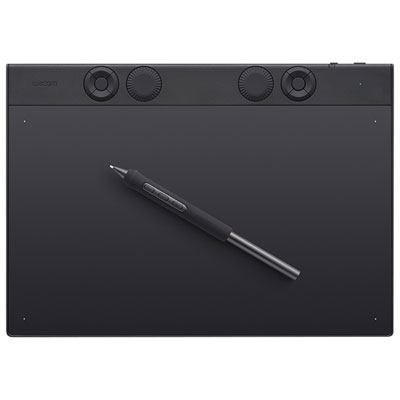
    Wacom Intuos 8.5" x 5.3" Graphic Tablet with Stylus (CTL6100WLK0) - Black

    About this product

    A black Bluetooth graphic tablet with an accurate stylus and 4,096 pressure levels for creative precision.

    What customers like

    • Easy and quick setup
    • Long battery life and wireless connectivity
    • Precise and responsive stylus
    • Excellent compatibility with creative software
    • Lightweight and portable design
    (625)
    $279.99 Your price for this item is $279.99
  2. 2

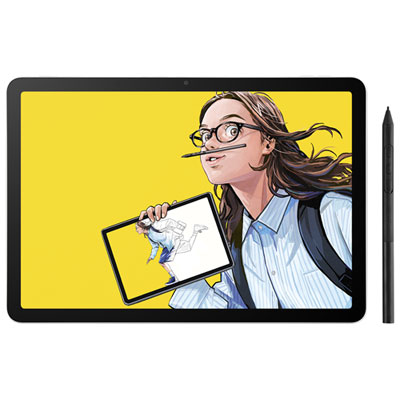
    Wacom MovinkPad 10.47" x 7.17" Graphic Tablet with Stylus (DTHA116CL0Z)

    About this product

    A lightweight creative tablet with Android 14, an anti-glare display, built-in storage, and stylus support.

    What customers like

    • Standalone Android use with plenty of apps
    • Responsive and precise pen performance
    • Portable and lightweight design
    • Easy to use and good value
    • Paper-like, glare-free screen
    (46)
    $699.99 Your price for this item is $699.99
  3. 3

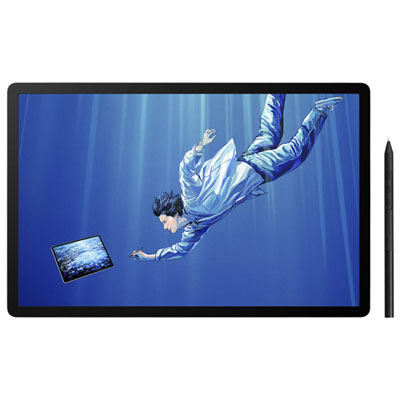
    Wacom MovinkPad Pro 14 14" 3K OLED Graphic Tablet with Wacom Pro Pen 3 Stylus

    About this product

    A standalone creative tablet with a 3K OLED display, textured glass, built-in Android, and pressure-sensitive stylus.

    (11)
    $1,539.99 Your price for this item is $1539.99
  4. 4

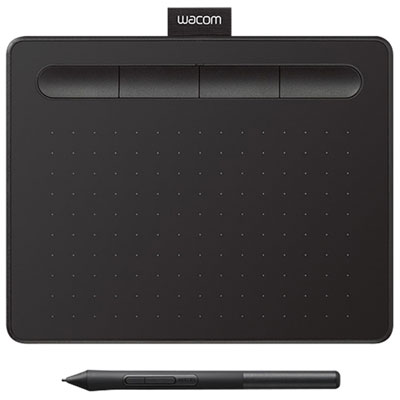
    Wacom Intuos 6.0" x 3.7" Graphic Tablet with Stylus (CTL4100)

    About this product

    A precise graphic tablet with stylus and 4,096 levels of pressure sensitivity for digital art.

    What customers like

    • Great drawing feel
    • Affordable
    • Good design
    • Easy to use
    • Versatile
    (1,486)
    $89.99 Your price for this item is $89.99
  5. 5

    Wacom Intuos Pro Pen 10.4" x 5.8" Graphic Tablet with Stylus (PTK670K0A) - Black

    About this product

    A black graphic tablet with advanced stylus, 36 customizable settings, and USB or Bluetooth connectivity.

    What customers like

    • Highly customizable with adjustable settings
    • Accurate pressure sensitivity and tracking
    • Easy to use and beginner friendly
    • Versatile connectivity with USB and Bluetooth
    • Reliable and long lasting build quality
    (27)
    $549.99 Your price for this item is $549.99
  6. 6

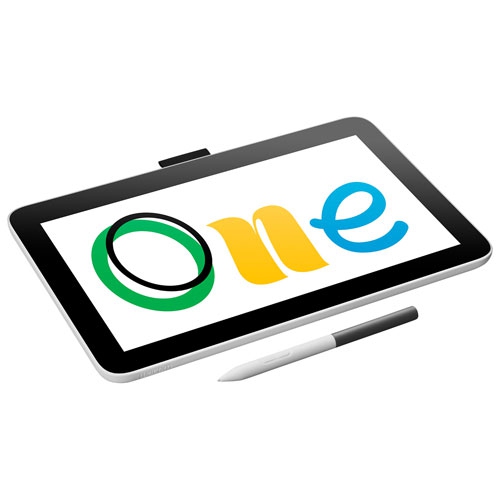
    WACOM One Pen Display 12" Graphic Tablet

    About this product

    A 12" graphic tablet with an HD screen, battery-free pen, and customizable shortcut buttons for artists.

    What customers like

    • Compact and lightweight
    • Great build quality
    • Smooth drawing experience
    • Affordable price
    • Easy to use
    (56)
    $319.99
    SAVE $90
    Your price for this item is $319.99

Pen precision that suits the way you draw

A quick sketch in the margin can become the start of something much bigger when you have the right tools at hand. The Best Wacom Tablets selection brings together options for people who want a more natural way to draw, paint, retouch photos, or put handwritten ideas on screen. For an illustrator, that might mean building up fine strands of hair with light, controlled strokes; for a photography enthusiast, it could mean carefully brushing adjustments around the edge of a portrait. Students, designers, animators, and hobbyists can all benefit from the precision of a pen, especially for tasks that feel awkward with a mouse. The most useful choice is not necessarily the largest or the most feature-rich. It is the one that suits your workspace, works with your software, and feels comfortable through the kind of projects you actually enjoy. Someone making small character sketches after dinner may have very different needs from someone spending hours refining detailed artwork across multiple monitors.

Start by considering whether you prefer a pen tablet or a pen display. A pen tablet lets you draw on a surface while watching your work appear on a separate screen. This setup can take a little practice, but it keeps your hand from covering the image and allows you to position your monitor at a comfortable viewing height. A pen display lets you work directly on the image, which can feel more familiar if you are used to drawing on paper. Check the specifications carefully, as many drawing devices require a compatible computer rather than functioning as standalone tablets. Active drawing area matters, too: a compact surface is easier to fit beside a laptop or tuck into a bag, while a larger area gives you room for broader arm movements and detailed layouts. Think about the space available for your keyboard, cables, and other everyday tools before choosing a size. For pen displays, screen resolution, brightness, viewing angles, and colour performance are worth comparing, particularly if your work involves subtle shading or preparing artwork for print.

Pen performance and everyday comfort deserve as much attention as size. Pressure sensitivity can help translate a light touch into a delicate line and a firmer stroke into a heavier mark, provided your software supports those controls. Tilt support, where available, can add a familiar shading motion with compatible brushes. Rather than choosing on pressure-level numbers alone, consider how the pen feels in your hand, whether it needs charging, and how easily you can access replacement nibs. Customizable buttons and shortcut controls can make frequent actions, such as changing brush size or undoing a stroke, less disruptive. Connection requirements are another practical detail: confirm operating system support, available ports, power needs, and any adapters your setup may require. If you expect to work for long stretches, leave room for a supportive drawing position and check whether a suitable stand is included or sold separately. A well-arranged desk can make the difference between enjoying one more sketch and stopping because your wrist or neck needs a break.

A drawing tablet can also be a thoughtful gift for someone who already fills notebooks with illustrations, experiments with photo editing, or talks about trying digital art. Matching it to their existing computer and favourite creative software is more important than guessing which advanced features they might eventually use. For a beginner, straightforward controls and an appropriately sized drawing area can make those first sessions less intimidating. For an experienced creator, added workspace, direct-on-screen input, or accessible shortcuts may be more valuable. Check what comes in the box, including the pen, cables, nibs, and any software offers, since inclusions and licence terms vary. With the essentials in place, there is room for everything from practising lettering on a quiet weekend to polishing a portfolio piece or turning a family photo into a personal illustrated gift.

Read More

FAQ

Some products may be subject to Environmental Handling Fees (EHF) depending on your province. Learn more about EHFs.