Best Webcam for Laptop

The best webcams for laptops can bring sharper video and clearer audio to video calls, online classes, and livestreams. Explore options ranked by customer review ratings to find a webcam that suits your setup. Compare video resolution, microphone features, and laptop compatibility to choose with confidence.

Read More

What to look for in webcams for laptops

1. Resolution and Frame Rate

A 1080p webcam delivers clear video for everyday calls, while a 4K model can capture finer detail if your software and connection support it. Look for 60 fps support at your preferred resolution if smoother motion matters for presentations or streaming.

2. Laptop Compatibility

Check that the webcam supports your laptop’s operating system and has a compatible USB-A or USB-C connection. Some models need an adapter, and advanced features may require additional software.

3. Microphone and Image Adjustment

Built-in microphones offer convenient audio for video calls, while noise reduction can help limit background sound. Autofocus and automatic light adjustment can help keep your face clear as you move or the lighting changes.

4. Mounting and Privacy

Choose a mount that fits your laptop screen securely without covering the display or interfering with the lid. An adjustable angle helps with framing, and a physical privacy shutter lets you cover the lens when it is not in use.
  1. 1

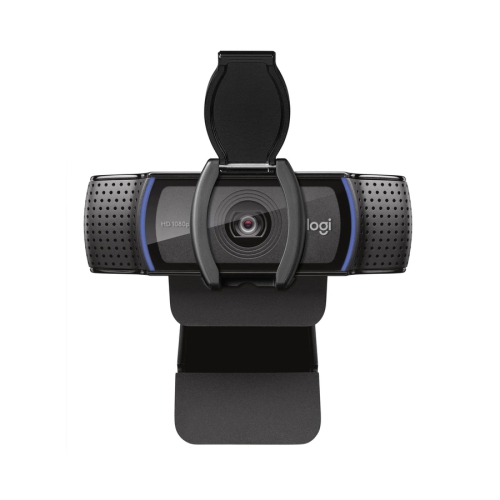
    LOGITECH Vc 30 Fps Auto Focus HD 1080P Webcam (960-001384)

    About this product

    A high-definition webcam with auto focus and 30 fps for clear video calls.

    What customers like

    • Easy to set up and use
    • Clear video and picture quality
    • Reliable performance for office and remote work
    • Good built-in microphone and sound clarity
    • Privacy door and camera lens cover for security
    (32)
    $132.27
    SAVE $13
    Your price for this item is $132.27
  2. 2

    LOGITECH C920S Webcam - 2.1 Megapixel - 30 Fps - USB 3.1

    About this product

    A high-definition webcam delivering 2.1 megapixel clarity and 30 fps video via USB 3.1 connection.

    What customers like

    • Easy setup and user-friendly software
    • Effective privacy shutter and cover
    • Versatile mounting and adjustment options
    • Strong low-light performance
    • Excellent video and audio quality
    (6,766)
    $123.44
    SAVE $12
    Your price for this item is $123.44
  3. 3

    Logitech C920S Pro 1080p 30fps HD Streaming & Gaming Webcam

    About this product

    A black HD webcam delivering crisp 1080p video at 30fps with an integrated privacy shutter.

    What customers like

    • Integrated privacy shutter for security
    • Performs well in low-light conditions
    • Clear stereo audio with dual microphones
    • Easy and quick setup
    • Excellent 1080p video quality
    (6,852)
    $79.99 Your price for this item is $79.99
  4. 4

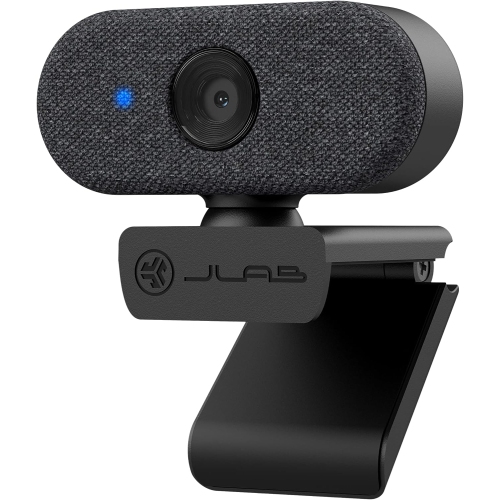
    JLAB Go Cam 1080P USB Webcam

    About this product

    A clip-on webcam delivering 1080p video at 30fps, with an omnidirectional microphone and auto-exposure.

    What customers like

    • Easy setup and plug-and-play use
    • Clear picture with accurate colours
    • Excellent microphone quality
    • Secure clip-on design
    • Sleek, minimalist appearance
    (23)
    $29.99
    SAVE $40
    Your price for this item is $29.99
  5. 5

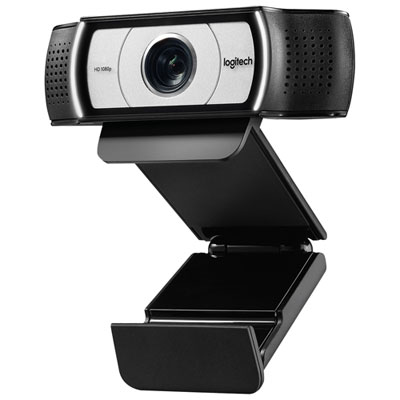
    LOGITECH Pro Webcam Ultra Wide-Angle

    About this product

    A ultra wide-angle webcam from LOGITECH that captures high-quality video and is currently on sale.

    What customers like

    • Wide field of view and ultra-wide-angle lens
    • Easy setup and plug-and-play functionality
    • Excellent image and video quality
    • Privacy shutter and lens cover included
    • Good built-in microphone and audio quality
    (1,176)
    $107.99 Your price for this item is $107.99
  6. 6

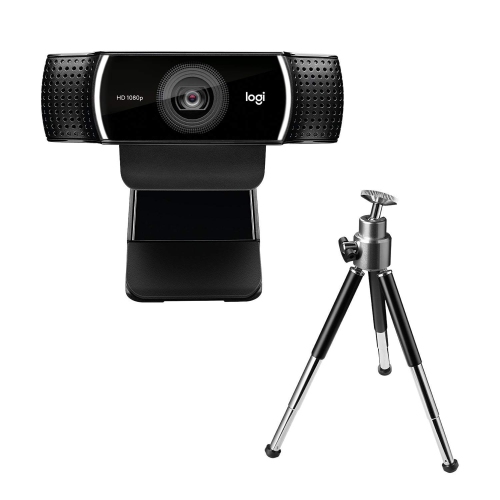
    Logitech C922 Pro Stream 1080p HD Streaming & Gaming Webcam

    About this product

    A black webcam offering Full HD 1080p video at 30fps with dual omnidirectional microphones for streaming.

    What customers like

    • Easy and quick setup
    • Great value for the price
    • Good microphone and sound performance
    • Excellent video and image quality
    • Sturdy build with useful accessories like tripod
    (4,356)
    $149.99 Your price for this item is $149.99
  7. 7

    LOGITECH C922 Webcam - 2 Megapixel - 60 Fps - USB 2.0

    About this product

    A high-definition webcam delivering 1080p video at 60 fps with USB 2.0 connectivity.

    What customers like

    • Easy and quick setup
    • Excellent picture and video quality
    • Versatile mounting and placement options
    • Good value for the price
    • Reliable autofocus and low-light performance
    (4,300)
    $114.99 Your price for this item is $114.99
  8. 8

    Logitech Pro HD 1080p Ultra-wide Angle Webcam with Built-in Microphone - Only at Best Buy

    About this product

    An ultra-wide angle black webcam with 1080p HD video and dual omnidirectional microphones for clear calls.

    What customers like

    • Clear 1080p HD video quality
    • Easy setup and installation
    • Wide-angle lens with ultra-wide field of view
    • Good built-in microphone and audio quality
    • Privacy shutter and lens cover for security
    (1,192)
    $149.99 Your price for this item is $149.99
  9. 9

    LOGITECH C270 Webcam - - USB 2.0 - 1 Pack(S) In Black

    About this product

    A black USB 2.0 webcam delivering clear video calls and easy plug-and-play connectivity.

    What customers like

    • Compact and portable design
    • Easy plug-and-play setup
    • Clear video and image quality
    • Affordable price
    • Good built-in microphone
    (5,585)
    $48.49 Your price for this item is $48.49
  10. 10

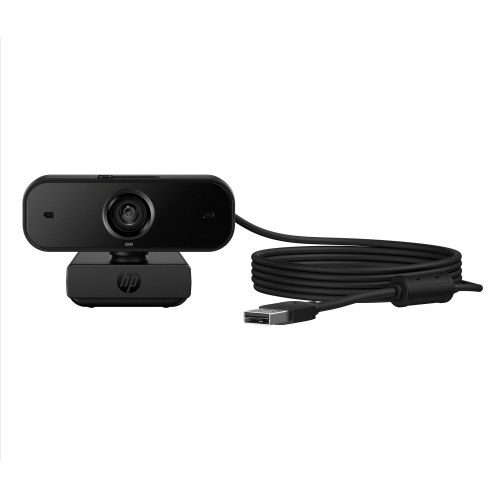
    HP 435 Fhd 1080P 60Fps Webcam With Built-In Microphone - - (77B10Aa#aba) In Black

    About this product

    A black webcam offering Full HD 1080p video at 60fps with dual noise-reducing microphones.

    (7)
    $58.99
    SAVE $10
    Your price for this item is $58.99

Better framing can make video calls feel more natural

A laptop webcam can make a noticeable difference to everyday video calls, whether you’re presenting to colleagues, joining an online class, or catching up with family across Canada. The Best Webcam for Laptop selection is a place to find options that suit your setup, from a compact camera you can tuck into a laptop bag to a higher-resolution model for a dedicated home office. An external webcam gives you more control over framing than a built-in camera, helping you avoid the familiar upward angle from a laptop sitting low on a desk. For someone who spends much of the day on screen, a clearer picture and a more natural camera position can make conversations feel more comfortable. Think about where you usually take calls, how often you move between spaces, and whether you need a straightforward upgrade or extra flexibility for presentations, streaming, and creative work.

Picture quality depends on more than the resolution printed on the box. Full HD can provide plenty of detail for everyday meetings, while a 4K webcam can offer additional room for cropping when supported by the camera and software. Your calling platform, connection speed, and settings may limit the resolution others actually see, so higher specifications do not always translate into a sharper call. Autofocus is useful when you lean forward or hold something up to the camera, while good exposure handling can help keep your face visible when daylight changes throughout the afternoon. A desk beside a bright window is a familiar challenge: without balanced lighting, your face may appear dark against the background. Look for features that suit those conditions, and remember that soft light in front of you can help even a modest webcam perform better. Field of view matters, too. A narrower view keeps attention on you, while a wider view can accommodate two people or show more of a workspace.

Compatibility and mounting deserve just as much attention as image quality. Check that a webcam supports your laptop’s operating system and has a connection that works with your available ports, whether that means USB-A, USB-C, or a suitable adapter. Basic video may work as soon as you plug it in, but advanced controls can require software with its own system requirements. A secure, adjustable clip is particularly helpful on a slim laptop screen, and a tripod-compatible mount offers more freedom to position the camera near eye level. If your laptop sits off to one side while you work on an external display, a longer cable can make a tidy, centred setup easier to achieve. Built-in microphones are convenient for casual calls, though a headset or separate microphone may provide clearer speech in a busy household. A physical privacy shutter is another practical detail, giving you a visible way to cover the lens between calls.

The right webcam can be a thoughtful gift for a student attending remote seminars, a new graduate preparing for virtual interviews, or a relative who loves long-distance family catch-ups. Someone teaching online may appreciate reliable autofocus for showing handwritten notes or small objects, while a creator may value smoother motion and more control over framing. For frequent travellers, compact size, a protective carrying case, and quick setup may matter more than an extensive set of adjustments. Picture the camera’s everyday routine: clipped above a screen for a morning meeting, packed away after a study session, or angled to fit everyone into a weekend family call. Matching the features to those ordinary moments helps you choose a webcam that is useful, comfortable to work with, and easy to make part of a laptop setup.

Read More

FAQ

Some products may be subject to Environmental Handling Fees (EHF) depending on your province. Learn more about EHFs.