Best Webcam for Twitch

Find the best webcams for Twitch to help you connect with your audience and bring your streams to life. Ranked based on user review ratings, this selection makes it easy to explore highly rated options for your setup. Compare resolution, frame rate, and low-light performance to find a webcam that suits your streaming style and budget.

Read More

What to look for in webcams for Twitch

1. Resolution and Frame Rate

A 1080p webcam is a good starting point for a clear face camera, while 60 fps can make movement look smoother. Check that the webcam supports your preferred resolution and frame rate together, as some models offer 60 fps only at lower resolutions.

2. Low-Light Performance

Look for a webcam that captures detail and natural skin tones in your room’s lighting. Good low-light performance and adjustable exposure can help, but a dedicated light can also improve image clarity.

3. Focus and Framing

Reliable autofocus helps keep you sharp as you move, while adjustable framing lets you control how much of your room appears on screen. A wider field of view suits group streams, whereas a tighter view keeps attention on you.

4. Streaming Compatibility and Mounting

Check compatibility with your operating system and streaming software, such as OBS Studio, along with the required USB connection. A stable monitor clip or tripod mount helps you position the webcam at eye level without blocking your display.
  1. 1

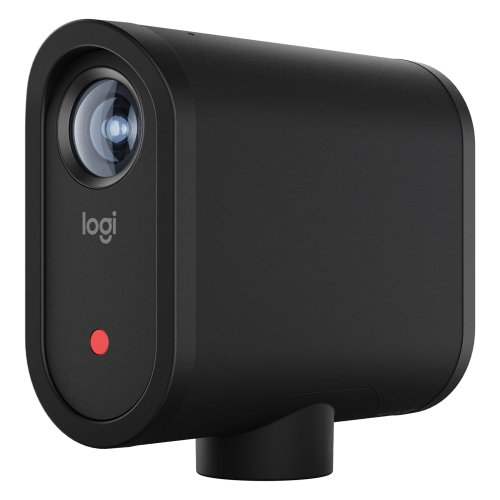
    LOGITECH Refurbished (Good) - Mevo Start Live Streaming Camera, 1080P HD Video Quality, Intelligent App Control, Stream Via Lte Or Wi-Fi -

    About this product

    A black wireless camera offering 1080p HD video, app control, and versatile streaming via Wi-Fi or LTE.

    (1)
    $529.99
    SAVE $70
    Your price for this item is $529.99
  2. 2

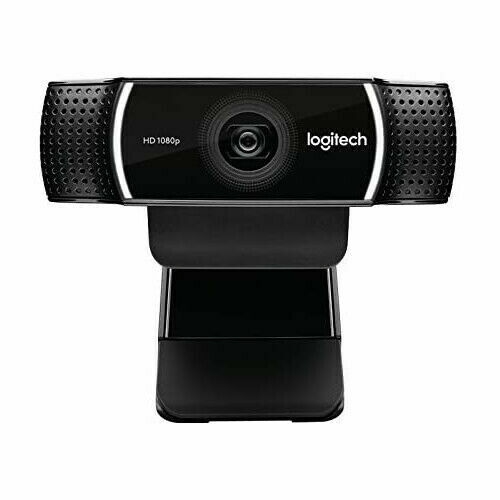
    LOGITECH -C922 Pro HD Stream Webcam - Brand New

    About this product

    A high-definition webcam delivering sharp video and clear audio, ideal for streaming and video calls.

    What customers like

    • Easy to set up and use
    • Versatile mounting and adjustment options
    • Clear built-in microphone
    • Reliable and durable design
    • Excellent video and image quality
    (74)
    $114.99
    SAVE $35
    Your price for this item is $114.99
  3. 3

    LOGITECH C920S Webcam - 2.1 Megapixel - 30 Fps - USB 3.1

    About this product

    A high-definition webcam delivering 2.1 megapixel clarity and 30 fps video via USB 3.1 connection.

    What customers like

    • Easy setup and user-friendly software
    • Effective privacy shutter and cover
    • Versatile mounting and adjustment options
    • Strong low-light performance
    • Excellent video and audio quality
    (6,773)
    $123.44
    SAVE $12
    Your price for this item is $123.44
  4. 4

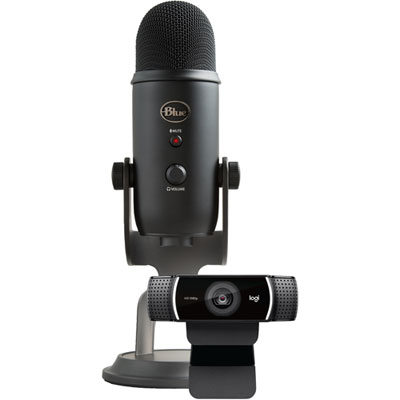
    Blue Microphones Pro Streamer Pack with Yeti USB Microphone & Logitech Webcam

    About this product

    A streaming bundle featuring a blue and black USB microphone with multiple pickup patterns and an HD 1080p webcam.

    What customers like

    • High quality
    • Suitable for beginners
    • Great price
    • Good bundle
    (630)
    $279.99 Your price for this item is $279.99
  5. 5

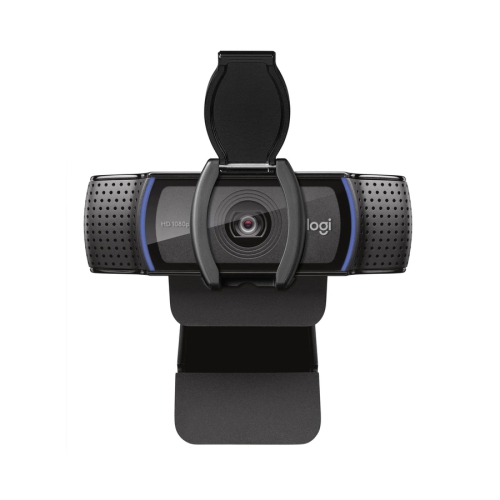
    Logitech C920S Pro 1080p 30fps HD Streaming & Gaming Webcam

    About this product

    A black HD webcam delivering crisp 1080p video at 30fps with an integrated privacy shutter.

    What customers like

    • Integrated privacy shutter for security
    • Performs well in low-light conditions
    • Clear stereo audio with dual microphones
    • Easy and quick setup
    • Excellent 1080p video quality
    (6,861)
    $99.99 Your price for this item is $99.99
  6. 6

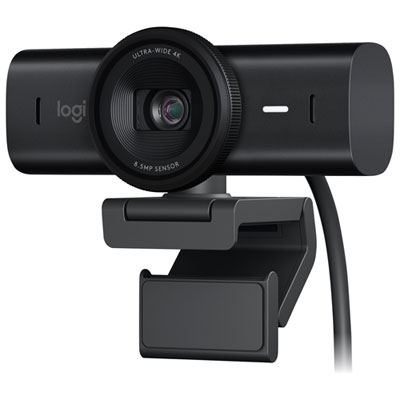
    Logitech MX Brio Ultra HD 4K Webcam - Black

    About this product

    A high-quality 4K webcam with advanced imaging technology and AI image enhancement for improved video calls.

    What customers like

    • Versatile mounting options
    • Excellent low-light performance
    • High-quality 4K video resolution
    • Clear and crisp audio quality
    • Convenient built-in privacy shutter
    (377)
    $299.99 Your price for this item is $299.99
  7. 7

    LOGITECH Pro Webcam Ultra Wide-Angle

    About this product

    A ultra wide-angle webcam from LOGITECH that captures high-quality video and is currently on sale.

    What customers like

    • Wide field of view and ultra-wide-angle lens
    • Easy setup and plug-and-play functionality
    • Excellent image and video quality
    • Privacy shutter and lens cover included
    • Good built-in microphone and audio quality
    (1,176)
    $107.99 Your price for this item is $107.99
  8. 8

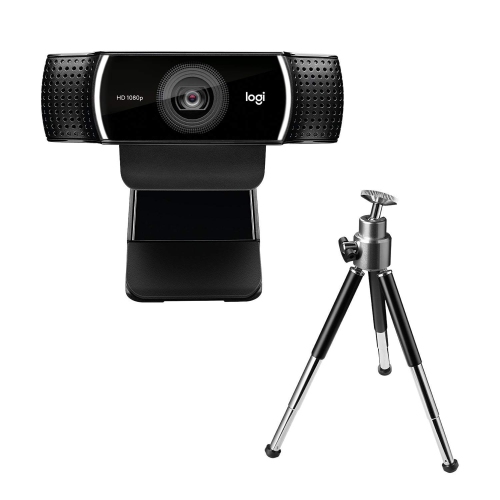
    Logitech C922 Pro Stream 1080p HD Streaming & Gaming Webcam

    About this product

    A black webcam offering Full HD 1080p video at 30fps with dual omnidirectional microphones for streaming.

    What customers like

    • Easy and quick setup
    • Great value for the price
    • Good microphone and sound performance
    • Excellent video and image quality
    • Sturdy build with useful accessories like tripod
    (4,356)
    $149.99 Your price for this item is $149.99
  9. 9

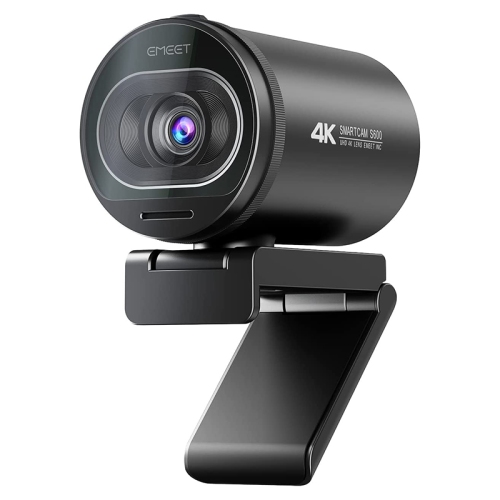
    EMEET Smartcam S600 4K Uhd Webcam

    About this product

    A 4K UHD webcam with dual noise-canceling microphones and smooth 60FPS video for clear communication.

    (12)
    $136.67 Your price for this item is $136.67
  10. 10

    LOGITECH C922 Webcam - 2 Megapixel - 60 Fps - USB 2.0

    About this product

    A high-definition webcam delivering 1080p video at 60 fps with USB 2.0 connectivity.

    What customers like

    • Easy and quick setup
    • Excellent picture and video quality
    • Versatile mounting and placement options
    • Good value for the price
    • Reliable autofocus and low-light performance
    (4,304)
    $98.99 Your price for this item is $98.99

Clearer streams depend on more than webcam resolution

The best webcam for Twitch is one that keeps your face clear, your movements smooth, and your framing consistent throughout a live stream. For many seated gaming and chat setups, Full HD 1080p video at 60 frames per second is a useful balance of detail and fluid motion, provided the camera supports that combination and the computer can handle it alongside gameplay. A 1080p webcam running at 30 frames per second can also suit a mostly stationary presenter, particularly when the camera image appears as a small overlay beside the game. Higher resolution becomes more useful when the camera takes up a large part of the screen or when cropping is part of the layout. A 4K webcam can provide extra detail for a tighter crop in a lower-resolution output, but a 4K sensor does not automatically make every Twitch broadcast sharper. Lighting, focus, compression, and broadcast settings all affect what viewers actually see. Sensor performance and lens quality also influence how clearly a camera captures facial detail without excessive grain or heavy smoothing. The practical difference shows up in familiar moments: leaning towards the microphone to answer a chat message, reacting quickly during a match, or holding a painted miniature close to the lens. Autofocus can help maintain clarity as the distance changes, while a fixed-focus design can work well when the chair and camera stay in the same positions within its intended focus range. For close-up demonstrations, minimum focusing distance matters as much as headline resolution. Creators who show artwork, collectibles, or craft projects benefit from a camera that can resolve detail at the distance they actually use. Shoppers browsing Webcams for Streaming can consider these differences in relation to their usual broadcast layout, whether that means a compact face camera in the corner or a full-screen view for conversation. The right fit depends less on a single maximum specification than on how reliably the webcam handles the stream’s everyday demands.

Lighting and camera controls play a large role in making a Twitch webcam look natural on screen. A face lit softly from the front is generally easier to capture than one illuminated mainly by a bright monitor, especially when the game switches between dark scenes and white menus. Those changes can cause automatic exposure and white balance to shift, making skin tones appear brighter, darker, warmer, or cooler during the same conversation. Adjustable exposure, white balance, and brightness controls offer more consistency when the lighting stays in a fixed position. Exposure also interacts with motion: a camera that lengthens exposure to brighten a dim room may show more blur when someone waves or turns their head. Strong low-light performance is helpful, but it cannot fully replace well-placed light. Dynamic range matters when a bright lamp or window sits behind the chair, since a camera must balance that bright area against a less brightly lit face. Field of view determines how much of the room enters the picture. A narrower view can keep attention on a single streamer and leave shelves or doorways outside the frame, while a wider view suits two people sharing a desk or a creator demonstrating something beside their chair. Very wide views may stretch faces near the edges, so framing matters as well as coverage. Digital zoom and adjustable framing can help refine the composition, though cropping uses only part of the captured image and can reduce visible detail. Automatic tracking may be useful for someone who stands to present projects, whereas a stable, unchanging frame often feels more appropriate for seated gameplay. Built-in microphones can handle basic conversation, but keyboard taps, computer fans, and room echo may be noticeable depending on microphone placement and processing. A separate microphone allows sound and camera positions to be adjusted independently. Webcam video compatibility with broadcast software is equally important, including whether the desired resolution, frame rate, and image controls are accessible through the intended connection and operating system.

Physical fit makes a webcam easier to live with during long broadcasts and ordinary computer use. A monitor clip should sit securely on the display without covering useful screen space or pressing awkwardly against a thin bezel. An adjustable hinge or swivel can bring the lens closer to eye level, creating a more direct view than a camera aimed sharply upwards from the desk. For a multi-monitor setup, independent mounting can help position the webcam near the screen used for chat rather than leaving the presenter looking far off to one side. A tripod socket offers flexibility for tabletop stands and mounting arms, but thread compatibility, weight limits, and clearance still matter. Compact housings suit shared desks and portable setups, while more substantial mounts can help maintain a fixed angle when cables move. Plastic and metal construction each vary in quality; a firm hinge, secure clip, and well-supported cable connection are more useful indicators of everyday durability than the housing material alone. Cable length should comfortably reach the computer without pulling on the mount, and the connector must match a suitable port or compatible adapter. Some high-resolution, high-frame-rate modes require more USB bandwidth than basic video modes, so the connection specification deserves attention alongside the camera’s advertised capabilities. A physical privacy shutter provides a visible way to cover the lens between sessions, although covering the camera does not necessarily mute its microphone. Routine care is straightforward: remove dust gently, clean the lens according to the manufacturer’s directions, and avoid abrasive cloths or household cleaners that could damage coatings. Storing a portable webcam in a protective pouch can help prevent scratches and keep its cable from being bent tightly at the connector. These practical qualities matter to first-time streamers, regular gaming broadcasters, musicians, artists, and anyone who alternates between live content and video calls. A webcam can also make a thoughtful gift for an aspiring creator when their computer compatibility, mounting space, and intended use are known. Clear video, dependable positioning, and accessible controls contribute to a setup that stays comfortable and predictable through both short check-ins and longer Twitch sessions.
Read More

FAQ

Some products may be subject to Environmental Handling Fees (EHF) depending on your province. Learn more about EHFs.