Single-hand Keyboards
Single-hand keyboards are revolutionizing the way we interact with our devices, offering a compact and efficient solution for gamers, digital artists, and multitaskers alike. Perfect for those who value speed and precision, these keyboards are designed to fit comfortably in one hand while optimizing your workspace. Whether you're looking to enhance your gaming setup or streamline your workflow, single-hand keyboards provide the versatility and functionality you need. Explore a range of options that cater to various preferences and discover how these innovative tools can elevate your digital experience.
Sort
![HLD Mechanical Feeling One-Handed Left Handed Keyboard [Led Backlit] Portable Mini Gaming Keypad](https://multimedia.bbycastatic.ca/multimedia/products/500x500/134/13484/13484538.jpg)
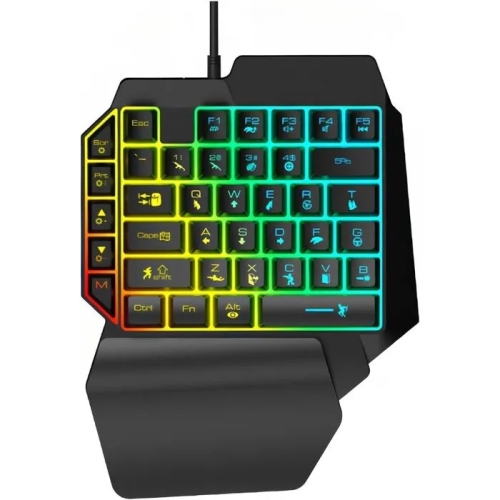
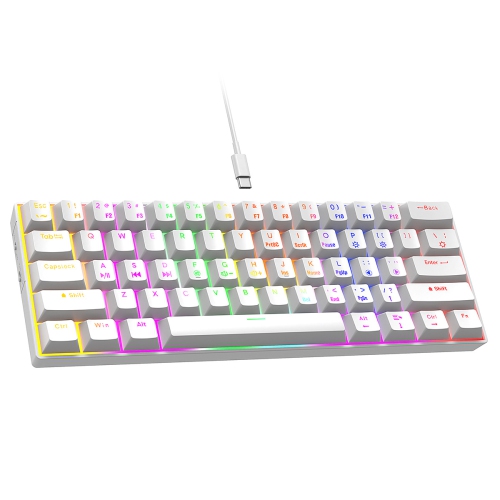
Compact one-handed control for gaming and accessible workspaces
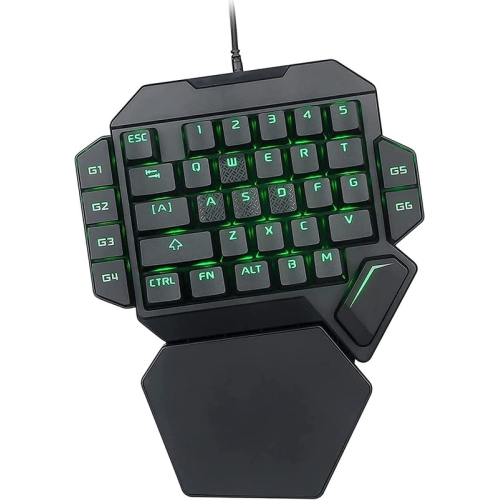
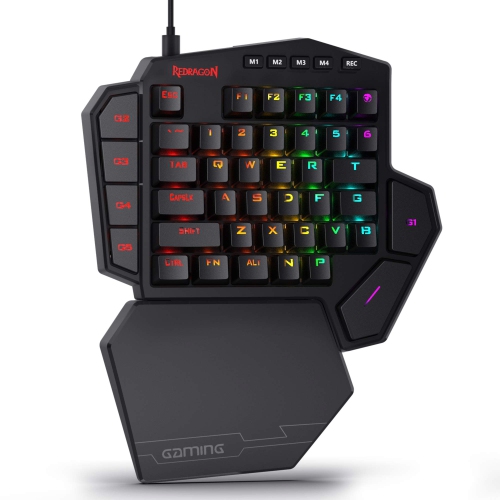
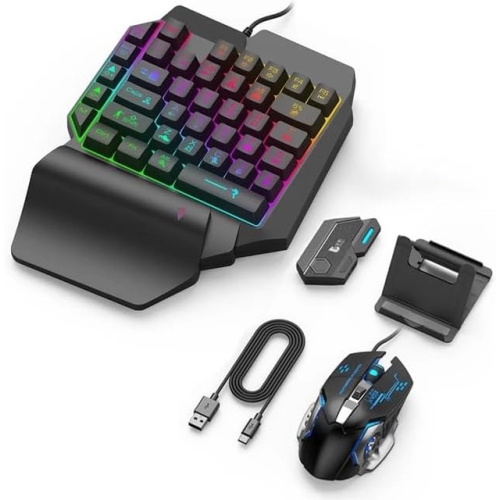
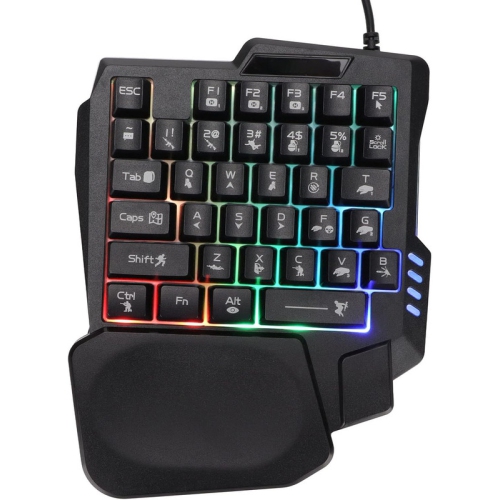
Single-hand keyboards are compact input devices designed to be operated with one hand, making them a practical choice for gaming, specialised computer setups, accessibility needs, and space-conscious desks. Unlike a standard full-size keyboard, a single-hand model usually places the most frequently used keys within a smaller, more concentrated area. Gaming keypads are often built with approximately 30 to 40 keys, allowing players to control movement, abilities, shortcuts, and other commands with one hand while keeping the other hand free for a mouse. Their compact footprint can also leave more room for broad mouse movements, which is useful in fast-paced games where quick, controlled aiming matters. Many gaming-oriented designs include programmable keys, custom profiles, adjustable backlighting, wrist support, and mechanical or membrane switches with different response characteristics. A programmable layout can be especially helpful for assigning several commands to a single control, while a thumb-operated button, dial, or directional control can reduce the need to reach across a conventional keyboard. Before choosing a model, consider the games or applications it will be used with, the number and placement of keys, compatibility with the computer, and whether configuration software is available for creating and saving profiles. Some users prefer a firm, tactile key press that provides clear feedback, while others favour a quieter and lighter action for longer sessions. If the keyboard will be used during the cooler months in a home office, bedroom, or gaming space, a comfortable wrist rest and a layout that keeps the hand in a relaxed position can make a noticeable difference over several hours.
Single-hand keyboards can also support people who have limited mobility, reduced reach, or a temporary injury affecting one arm or hand. Accessibility-focused designs may include a full set of typing functions arranged for either the left or right hand, mirrored layouts, integrated mouse controls, adjustable key assignments, or large, clearly separated keys that are easier to identify by touch and sight. A left-handed layout places commonly used controls where the left hand can reach them naturally, while a right-handed layout does the same for the opposite side. Some keyboards can be switched between orientations, which may be useful in a shared household or when a person’s needs change over time. It is worth checking the exact arrangement of letters, numbers, modifier keys, navigation controls, and mouse functions, since the term “single-hand keyboard” can describe very different designs. Users who primarily type documents may need access to punctuation, editing commands, numbers, and keyboard shortcuts, while someone using a device for gaming may place greater importance on rapid key access and custom commands. Programmable layers offer another flexible option: one physical key can perform different functions depending on the selected layer, helping fit more controls into a compact surface. Some people create mirrored or split-keyboard layouts through compatible firmware, using one half of a keyboard and remapping it for one-handed typing. When evaluating these options, look for straightforward setup instructions, broad operating-system compatibility, reliable connection methods, and a layout that matches the user’s natural hand position. A single-hand keyboard can be a thoughtful gift for a gamer building a more focused desk setup, a student looking for a compact study accessory, or someone adapting their workstation for comfort and accessibility. It can also be useful for creators, programmers, streamers, and office workers who regularly use shortcuts or need to operate a computer while keeping the other hand occupied with a controller, stylus, phone, or other tool.
The best choice depends on how the keyboard will be used each day rather than on its size alone. For gaming, examine the number of dedicated keys, key rollover, anti-ghosting performance, response style, backlighting, and the ability to store separate profiles for different games. A stable base is important when repeated commands are made quickly, and a detachable or adjustable wrist rest may help keep the hand aligned during longer play sessions. For typing and accessibility, focus on legibility, spacing, hand orientation, programmable functions, and whether essential controls can be reached without excessive stretching. Connection type is another important consideration: wired models can provide a consistent connection and avoid battery charging, while wireless models can help keep a desk uncluttered and make it easier to move between work areas. Check the cable length or wireless range, charging method, software requirements, and whether the keyboard works with the intended computer or gaming platform. Size should be measured against the available desk space, especially when the keyboard will sit beside a mouse, laptop, monitor stand, or other accessories. People who enjoy a clean, uncluttered workspace may also appreciate the compact proportions of Minimalist Keyboards, although the essential consideration remains whether the controls are comfortable and practical for the intended user. Single-hand keyboards can take a short adjustment period, so features such as remapping, onboard memory, clear labels, and a consistent key layout can make the transition easier. Whether it is used for competitive play, everyday typing, creative work, or a more accessible workstation, a well-chosen single-hand keyboard brings important controls closer together while giving the user more freedom to arrange a computer setup around their own habits, reach, and comfort.
Single-hand keyboards can also support people who have limited mobility, reduced reach, or a temporary injury affecting one arm or hand. Accessibility-focused designs may include a full set of typing functions arranged for either the left or right hand, mirrored layouts, integrated mouse controls, adjustable key assignments, or large, clearly separated keys that are easier to identify by touch and sight. A left-handed layout places commonly used controls where the left hand can reach them naturally, while a right-handed layout does the same for the opposite side. Some keyboards can be switched between orientations, which may be useful in a shared household or when a person’s needs change over time. It is worth checking the exact arrangement of letters, numbers, modifier keys, navigation controls, and mouse functions, since the term “single-hand keyboard” can describe very different designs. Users who primarily type documents may need access to punctuation, editing commands, numbers, and keyboard shortcuts, while someone using a device for gaming may place greater importance on rapid key access and custom commands. Programmable layers offer another flexible option: one physical key can perform different functions depending on the selected layer, helping fit more controls into a compact surface. Some people create mirrored or split-keyboard layouts through compatible firmware, using one half of a keyboard and remapping it for one-handed typing. When evaluating these options, look for straightforward setup instructions, broad operating-system compatibility, reliable connection methods, and a layout that matches the user’s natural hand position. A single-hand keyboard can be a thoughtful gift for a gamer building a more focused desk setup, a student looking for a compact study accessory, or someone adapting their workstation for comfort and accessibility. It can also be useful for creators, programmers, streamers, and office workers who regularly use shortcuts or need to operate a computer while keeping the other hand occupied with a controller, stylus, phone, or other tool.
The best choice depends on how the keyboard will be used each day rather than on its size alone. For gaming, examine the number of dedicated keys, key rollover, anti-ghosting performance, response style, backlighting, and the ability to store separate profiles for different games. A stable base is important when repeated commands are made quickly, and a detachable or adjustable wrist rest may help keep the hand aligned during longer play sessions. For typing and accessibility, focus on legibility, spacing, hand orientation, programmable functions, and whether essential controls can be reached without excessive stretching. Connection type is another important consideration: wired models can provide a consistent connection and avoid battery charging, while wireless models can help keep a desk uncluttered and make it easier to move between work areas. Check the cable length or wireless range, charging method, software requirements, and whether the keyboard works with the intended computer or gaming platform. Size should be measured against the available desk space, especially when the keyboard will sit beside a mouse, laptop, monitor stand, or other accessories. People who enjoy a clean, uncluttered workspace may also appreciate the compact proportions of Minimalist Keyboards, although the essential consideration remains whether the controls are comfortable and practical for the intended user. Single-hand keyboards can take a short adjustment period, so features such as remapping, onboard memory, clear labels, and a consistent key layout can make the transition easier. Whether it is used for competitive play, everyday typing, creative work, or a more accessible workstation, a well-chosen single-hand keyboard brings important controls closer together while giving the user more freedom to arrange a computer setup around their own habits, reach, and comfort.
Top selling and popular products
-
 Your price for this item is $39.98
 -
 Your price for this item is $49.72
 -
 Your price for this item is $159
 -
 Your price for this item is $219.99
 -
 Your price for this item is $199.99
 -
 Your price for this item is $44.69
 -
 Your price for this item is $29.99
 -
 Your price for this item is $169.99
Discover more categories related to Single-hand Keyboards
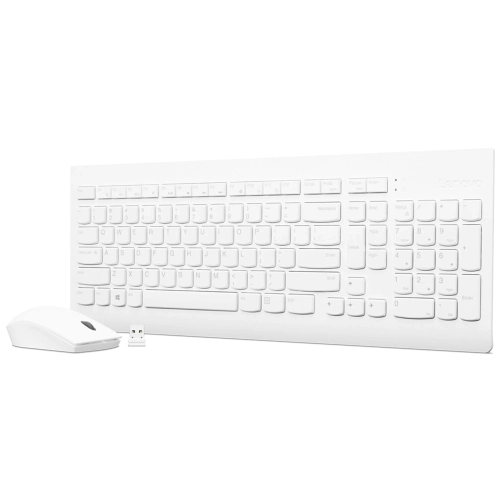
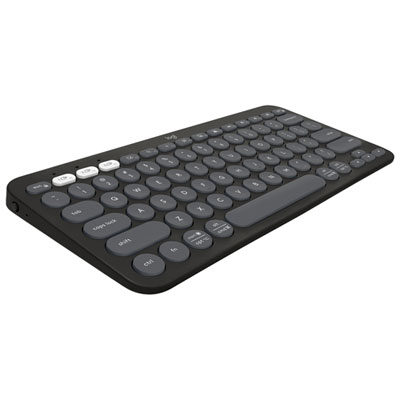
Top Collections:
Pokemon Centers, Kindle Devices, Best Budget Office Chairs, Apple iPhones 16, Canon G7X Cameras, iPhone 15 Apple, Alarm Clock, Refurbished Apple Laptops, Flip Phones, Best Laptops for Writers
Some products may be subject to Environmental Handling Fees
(EHF) depending on your province.
Learn more about EHFs.