Top 10 Gaming Computers

Find your next gaming setup with our top 10 gaming computers, ranked based on user review ratings. Whether you enjoy competitive matches, immersive adventures, or casual play, this list helps you compare highly rated options and narrow your search. Explore the features that matter to you, from graphics and processing power to storage, and choose a gaming computer that fits your play style and budget.

Read More

What to look for in gaming computers

1. Graphics Performance

Choose a graphics card suited to your monitor’s resolution and refresh rate, whether you play at 1080p, 1440p or 4K. Check performance in the games you play, especially if you want to enable demanding features such as ray tracing.

2. Processor and Memory

A capable processor helps maintain smooth gameplay, particularly in simulation games and competitive titles at high frame rates. Look for at least 16 GB of RAM for many current games, or consider 32 GB if you also stream or run several apps.

3. Storage Capacity

An SSD helps games load quickly and keeps your system responsive. A 1 TB drive offers a useful starting point for a gaming library, but check game installation sizes and whether the computer has space for additional storage.

4. Cooling and Upgrade Options

Look for effective cooling and good airflow to help maintain performance during longer gaming sessions. If you plan to upgrade a desktop, check its available slots, case clearance and power supply capacity, as some prebuilt systems use proprietary parts.
Citrus catapult arrow
  1. 1

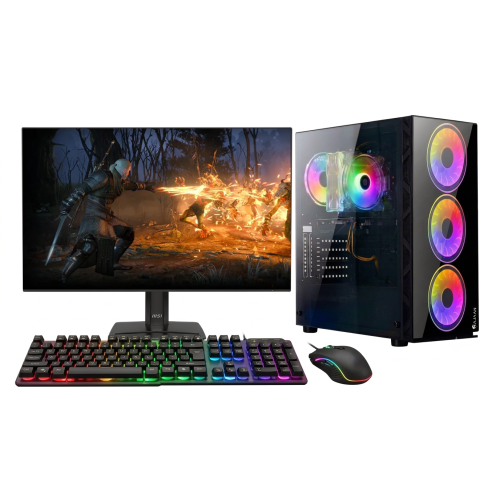
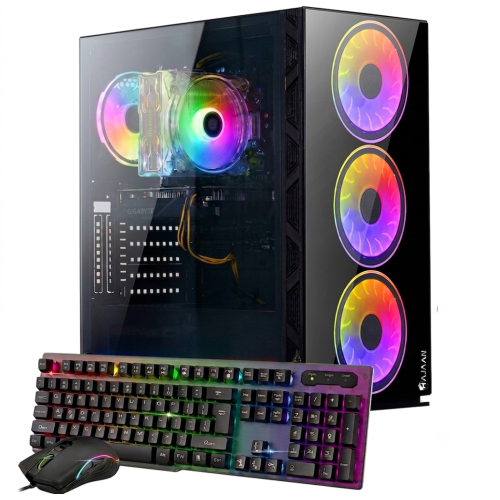
    HAJAAN Gaming PC - Rtx 3050, Amd Ryzen 7, 16GB Memory, 1Tb SSD, Win 11 + 27" Curved Monitor

    About this product

    A powerful gaming PC tower with AMD Ryzen 5 3600 processor, 32GB DDR4 RAM, and Nvidia GeForce GTX 1650 graphics.

    (1)
    $1,699.99
    SAVE $450
    Your price for this item is $1699.99
  2. 2

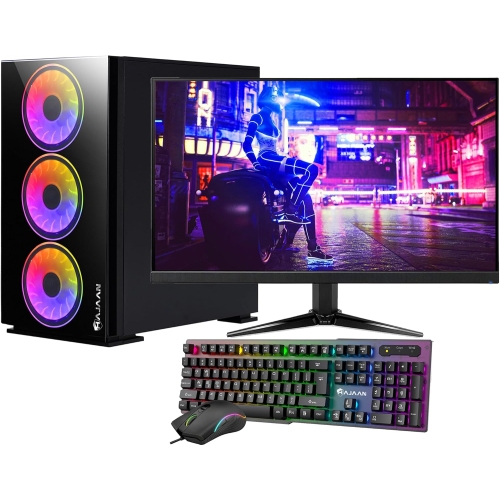
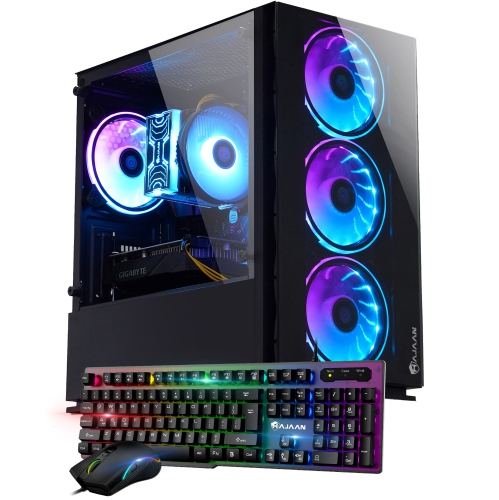
    HAJAAN Gaming PC - Rtx 3050, Amd Ryzen 7, 32GB Memory, 1Tb SSD, Win 11 + 27" Curved Monitor

    About this product

    A powerful desktop featuring an AMD Ryzen 5 processor, 16GB RAM, 512GB SSD, RX 580, and RGB lighting.

    (2)
    $1,799.99
    SAVE $500
    Your price for this item is $1799.99
  3. 3

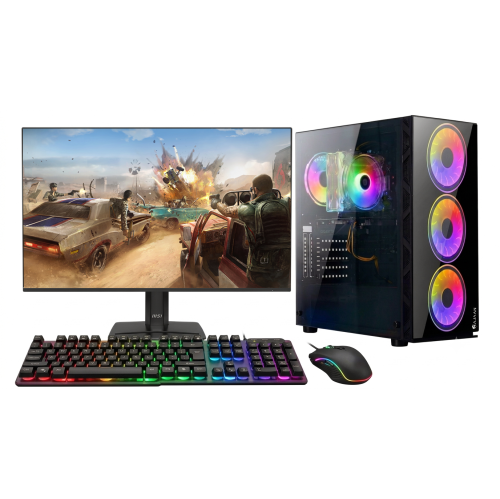
    HAJAAN Gaming PC - Rtx 3050, Amd Ryzen 7, 16GB Memory, 1Tb SSD, Win 11 + 24" Monitor

    About this product

    A powerful gaming desktop featuring an Intel Core i3 processor, 16GB RAM, 512GB SSD, and Wi-Fi.

    (5)
    $1,549.99
    SAVE $400
    Your price for this item is $1549.99
  4. 4

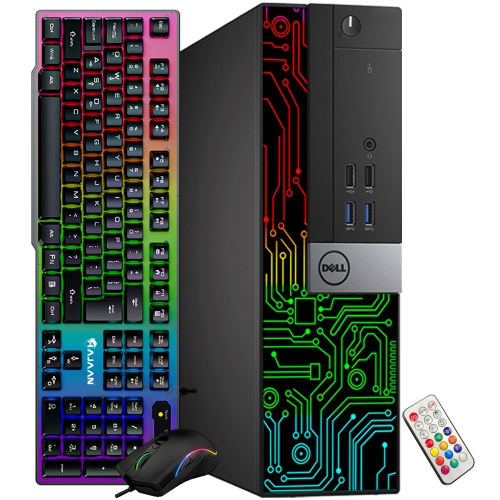
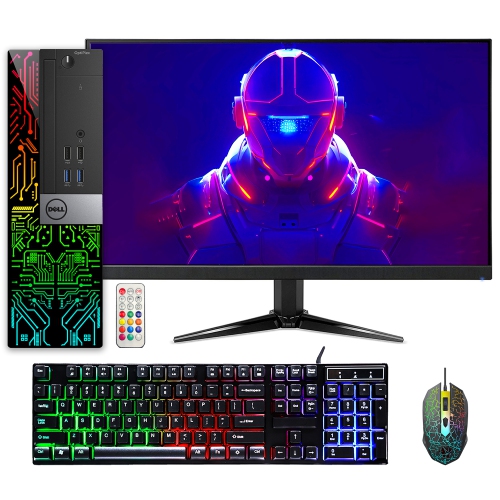
    DELL Refurbished (Good) - Gaming PC - Gt 1030, Intel Core I5, 16GB Memory, 256GB SSD + 1Tb HDD, Win 11 Pro

    About this product

    A refurbished desktop PC featuring an Intel Core i5, 16GB RAM, RGB LED front panel, and gaming accessories.

    (2)
    $439.99
    SAVE $20
    Your price for this item is $439.99
  5. 5

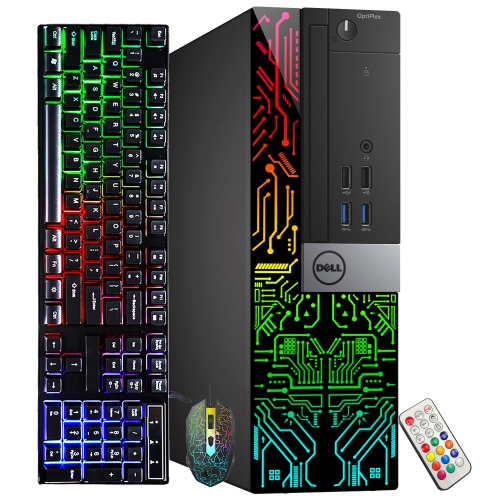
    DELL Refurbished (Good) - Optiplex Gaming PC - Gt 1030 2GB, Intel Core I5-6500, 16GB Memory, 512GB SSD, Win 10 Pro, RGB + 24" Monitor

    About this product

    A refurbished desktop gaming PC with i5 processor, 16GB RAM, GT 1030 graphics, and RGB lighting.

    (1)
    $649.99
    SAVE $60
    Your price for this item is $649.99
  6. 6

    DELL Refurbished (Good) - Optiplex Gaming PC Small Form Factor - Rx 550 4GB, Intel Core I5-9500, 16GB Memory, 512GB SSD, Win 11 Pro, RGB

    About this product

    A refurbished desktop featuring an Intel i5-9500, Radeon RX 550 4GB, 16GB RAM, and RGB lighting.

    (1)
    $584.99
    SAVE $85
    Your price for this item is $584.99
  7. 7

    QUOTED TECH Frontier Gaming PC - Rtx 5080, Amd Ryzen 7 9800X3D, 32GB Memory, 1Tb SSD, Ai-Ready, 3-Year Warranty

    About this product

    A powerful desktop featuring a Ryzen 7 7800X3D, RTX 5080, 32GB RAM, and 2TB SSD.

    (16)
    $4,999.99
    SAVE $500
    Your price for this item is $4999.99
  8. 8

    APPLE Refurbished (Good) - Macbook Pro W/ Touch Bar 16" - Space (Intel Core I7 2.6Ghz/512GB SSD/16GB Ram) - En (2019 Model) In Grey

    About this product

    A refurbished grey laptop featuring an Intel Core i7 processor, 512GB SSD, 16GB RAM, and Touch Bar.

    What customers like

    • Improved and comfortable keyboard
    • Excellent performance and processing power
    • Good value for a refurbished MacBook Pro
    • High-quality display with great color accuracy
    • Impressive sound and speaker quality
    (2,591)
    $783.85 Your price for this item is $783.85
  9. 9

    HAJAAN Gaming PC Tower - Rtx 4060 8GB, Amd Ryzen 7, 32GB Memory, 1Tb Storage, Win 11 Pro, 1-Year Warranty

    About this product

    A high-performance gaming desktop featuring an AMD Ryzen 7 processor, RTX 4060 graphics, RGB lighting, and Wi-Fi.

    (4)
    $1,799.99
    SAVE $500
    Your price for this item is $1799.99
  10. 10

    HAJAAN Gaming PC - Rtx 5060 Ti, Amd Ryzen 7, 32GB Memory, 1Tb SSD, Win 11 Pro

    About this product

    A high-performance RGB desktop tower featuring GeForce RTX 4060, Ryzen 7, 32GB RAM, and 1TB SSD.

    (11)
    $1,949.99
    SAVE $450
    Your price for this item is $1949.99

Why balanced hardware matters more than headline specifications

A top 10 gaming computers selection brings together systems suited to different ways of playing, from fast competitive matches to sprawling single-player adventures with richly detailed scenery. The strongest fit is not necessarily the machine with the highest specification in every category; it is the one whose graphics capability, processor, memory, and storage work well together for the games and display being used. The graphics processing unit, or GPU, does much of the work of rendering game visuals, making it a central consideration for resolution, visual effects, and frame rates. Playing at 1080p generally places less demand on graphics hardware than playing at 1440p or 4K, although demanding effects can still put a capable system to work at any resolution. A high-refresh-rate monitor also needs sufficiently high frame rates to make full use of its display capabilities. For someone who spends evenings tracking opponents across a competitive arena, consistent frame delivery and responsive controls may matter more than turning every visual setting to its maximum. For someone exploring detailed cities or open landscapes, sharper textures, lighting, and higher resolution may take priority. Ray tracing can add more realistic reflections and shadows in supported games, but it also increases the graphics workload. Upscaling and frame-generation features can improve the displayed frame rate in compatible titles, though results depend on the game and hardware, and generated frames do not improve input responsiveness in the same way as higher native frame rates. Graphics memory matters as well, particularly with detailed textures and higher resolutions, but its capacity alone does not establish how fast a graphics card will perform. These distinctions make gaming performance more useful than a single headline specification when comparing computers. Published game requirements provide a starting point, while benchmarks using the intended resolution and settings offer a clearer picture of the experience a system can deliver.

A gaming computer’s processor handles tasks such as game logic, simulation, and preparing work for the graphics hardware, alongside applications running in the background. Strong processor performance is especially useful in busy strategy games, large simulations, and competitive titles played at high frame rates. More processor cores can help with some workloads, but core count alone is not a reliable measure of gaming speed. Balanced component pairing helps prevent one part of the system from consistently holding another back. Memory gives games and active applications room to work: 16 GB can support many gaming setups, while 32 GB offers more headroom for demanding titles, voice chat, browser tabs, and content creation running together. Requirements vary, so the games and software someone actually uses should shape that choice. A solid-state drive keeps system startup, game launches, and loading screens responsive, although faster storage does not automatically translate into higher frame rates. Capacity deserves equal attention, since a library of large games, downloaded updates, saved clips, and personal files can fill a drive quickly. Additional storage slots can make expansion simpler, provided the motherboard and case support the intended drive. For players focused on a permanent desk setup, Best Gaming Desktop Computers offers a related selection centred on desktop systems. Full-sized towers typically provide more room for components and maintenance, while compact desktops can suit a smaller workspace without taking over the desk. Neither size guarantees better performance or quieter operation; cooling design, component choices, and power settings all influence the result. Prebuilt gaming desktops bring these parts together in an assembled system, but configurations can differ substantially even when their cases look similar. The exact processor, graphics card, memory arrangement, storage capacity, and power supply specifications are therefore more informative than appearance alone. For players who also stream, edit video, or work with creative software, the whole configuration matters beyond the gaming session.

The case and cooling system shape how a gaming desktop fits into everyday life. Steel and aluminium chassis provide structure, while mesh panels allow air to move through the enclosure and tempered-glass panels put internal lighting and components on display. Glass adds weight and needs careful handling, especially when a side panel is removed for cleaning or upgrades. A restrained case can blend into a shared office, while adjustable lighting can complement a dedicated gaming space; lighting itself does not improve performance. Physical fit includes more than the tower’s footprint. There should be space around ventilation openings, clearance for rear cables, and convenient access to power buttons, USB ports, and headset connections. Placing a tower inside a tightly enclosed cabinet can restrict airflow, and thick carpet can obstruct bottom-mounted vents. Air cooling and liquid cooling can both support powerful hardware when properly sized and installed. Noise depends on the complete design, including fan speed, airflow restrictions, and the workload, rather than the cooling type alone. Routine care helps keep the system working as intended: shut it down and unplug it before cleaning, follow the manufacturer’s directions, and keep accessible dust filters and vents clear. Upgrade potential also deserves attention, since graphics card clearance, motherboard connections, power supply capacity, and proprietary parts can determine which changes are practical later. Connectivity rounds out the setup. Ethernet can provide a consistent wired network connection, while Wi-Fi is useful where running a cable is impractical; neither connection can remove delays caused elsewhere on the network. Display outputs should match the monitor’s supported resolution and refresh rate, and enough USB connections make it easier to accommodate a keyboard, mouse, controller, and other accessories. Gaming computers can suit dedicated players, students who also need a capable general-purpose desktop, and people combining play with streaming or creative projects. As a gift, a system is most useful when it matches the recipient’s favourite games, monitor, desk space, and preferred accessories. A well-matched configuration keeps those everyday needs at the centre of the choice, delivering a setup that feels comfortable to use and has a clear role beyond its specification sheet.
Read More

FAQ

Some products may be subject to Environmental Handling Fees (EHF) depending on your province. Learn more about EHFs.