Windows 7 Office Software
Windows 7 Office Software offers reliable solutions for enhancing productivity and streamlining daily tasks in any workspace. Whether you're managing documents, creating presentations, or organizing data, these software options are designed to support your workflow on Windows 7 systems. Discover a variety of tools that help make office tasks more efficient and keep your projects on track with ease. Explore the selection of Windows 7 Office Software to find the right fit for your professional or personal needs.
Sort


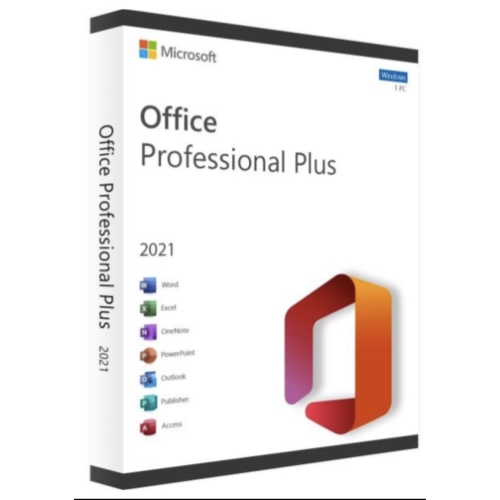
Windows 7 compatibility does not guarantee ongoing support
Windows 7 office software includes word-processing, spreadsheet, presentation, and related productivity programs designed to work with that operating system. These applications can serve familiar tasks such as preparing letters, organizing household expenses, creating classroom handouts, and maintaining older business documents. Compatibility depends on the exact software version, not simply the name of a suite or the type of work it performs. Some older commercial suites and older releases of open-source programs can run on Windows 7, but that does not mean they still receive updates or technical support. Windows 7 itself no longer receives regular security updates, so software that installs successfully should not automatically be considered secure or suitable for sensitive information. The distinction between compatibility and ongoing support is especially important for computers used for email attachments, shared documents, or online accounts. Hardware requirements also affect how comfortably a program runs. Processor requirements, installed memory, free storage, and whether the computer uses a 32-bit or 64-bit operating system all help determine the right fit. A lightweight application may handle short documents comfortably on an older desktop, while a large spreadsheet with formulas, linked files, and detailed charts can demand considerably more memory. Installation requirements deserve equal attention: software supplied on disc needs a compatible drive, while a download may still depend on an online installer or activation service. An older installer file alone does not establish that installation and activation will still work. For a computer kept mainly for an established workflow, a suitable suite is one whose documented requirements match the machine and whose features match the work. A clear interface, readable toolbars, keyboard shortcuts, and adjustable document views can be more useful in daily use than a long list of advanced functions that rarely get opened.
The most useful office software reflects the documents people actually create and exchange. A home user writing correspondence may mainly need reliable spellchecking, straightforward page formatting, and the ability to save a finished document as a PDF. Someone organizing expenses may place more value on spreadsheet formulas, sorting, filters, and charts that make a year of transactions easier to understand. Students and educators may need presentation tools, footnotes, tables, and page-number controls, while community volunteers might use templates for meeting agendas, sign-up sheets, and newsletters. These differences make the contents of a suite important: not every package includes the same applications, and an individual word processor does not replace a spreadsheet or presentation program. File compatibility is another practical consideration, especially when documents move between an older computer and newer systems. Common formats such as .docx, .xlsx, and .pptx are useful reference points, but opening a file is only part of the picture. Fonts, page breaks, chart styles, comments, and advanced formulas can appear or behave differently between programs and versions. A résumé that fits neatly on two pages on one computer may spill onto a third page elsewhere if a font is missing or spacing changes. A household budget with simple totals is generally less demanding than a workbook with macros, external data connections, or specialized functions. Macro-enabled documents also deserve particular caution because macros can execute code; files from unfamiliar sources carry risks beyond formatting problems. PDF export can help preserve the appearance of a document intended for reading or printing, although a PDF does not replace the editable source file. Canadian English proofing options, support for French accents, custom dictionaries, and flexible date and number formats are useful details for Canadian households and workplaces. For users working with a keyboard, screen magnification, or assistive technology, documented accessibility features and compatibility with existing tools are equally relevant to everyday usability.
Licensing and long-term access matter just as much as document features when choosing software for an older computer. A licence may cover one device, several devices, or a particular type of use, and personal, educational, and business permissions are not necessarily interchangeable. A perpetual licence generally grants use of a particular release under its terms; it does not promise indefinite updates, replacement downloads, or continuing access to an activation service. Subscription software can involve account access and periodic online checks, and its supported operating systems may change over time. When comparing legacy-compatible suites with Microsoft Office Products, the stated system requirements for the exact edition are more reliable than assumptions based on a familiar name. Legitimate installation media, clear licence documentation, and a trusted source help establish what the software permits and how it can be installed. For people maintaining an older document collection, durability means keeping files usable and recoverable rather than caring for a physical finish. Editable originals, separate backup copies, and finished PDFs each serve different purposes: originals preserve the ability to revise, backups protect against loss, and PDFs provide a convenient reading copy. Password protection and document permissions vary by program and file format, so their presence alone does not establish that a file has strong encryption. Software used without an internet connection may suit some established tasks, but offline use does not remove every risk, particularly when documents arrive through removable storage. For work involving confidential client records, banking details, or other sensitive information, a supported operating system and supported applications provide a stronger foundation than an unsupported setup. Where continued use of Windows 7 is necessary for a particular workflow, clear compatibility information, dependable file handling, understandable licence terms, and recoverable documents are practical priorities. Together, these considerations help distinguish software that merely opens on an older computer from software that fits its intended role.
Top selling and popular products
-
 Your price for this item is $199.99
-
 Your price for this item is $189.99
-
 Your price for this item is $144.99
-
 Your price for this item is $49.98
-
 Your price for this item is $49.99
-
 Your price for this item is $47.99
-
 Your price for this item is $334.99
-
 Your price for this item is $149.99
Discover more categories related to Windows 7 Office Software
Top Collections:
Best Black Friday Deals This Year, Best Black Friday Deals On Electronics, Kindle Devices, Pokemon Centers, Best Black Friday Deals On Apple Products, Best Cameras for Sports Photography, Dyson Airwrap, Pokémon 30th Celebration Cards, Apple iPhone 17 Pro, Canon G7X Cameras
Some products may be subject to Environmental Handling Fees
(EHF) depending on your province.
Learn more about EHFs.