Back To School Computer Monitors For Dorm Rooms
Find back-to-school computer monitors for dorm rooms that suit your desk space and study needs. Compare screen sizes, resolutions, and connection options to choose a monitor for reading course materials, writing assignments, and working across multiple windows. Check your laptop’s ports and available desk space to help narrow your options.



FAQ
Check which video outputs your laptop or desktop supports, then look for a monitor with compatible inputs, such as HDMI, DisplayPort or USB-C with video support. If the connections differ, you may need a compatible adapter or docking station. Check whether the required cable is included.
Some USB-C monitors support both video input and USB Power Delivery, allowing one cable to carry video and charge a compatible laptop. The monitor, laptop and cable must support the required functions, and the monitor’s power output should match your laptop’s charging requirements. A USB-C port alone does not guarantee video or charging support.
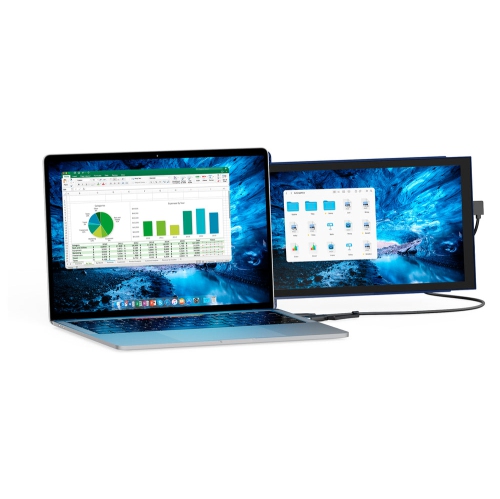
Connect the monitor, then open your laptop’s display settings and choose to extend the desktop rather than duplicate or mirror it. An extended desktop lets you place different windows on each screen, such as course materials on the monitor and notes on your laptop. You can also choose your main display and arrange the screens in settings.
Some monitors include speakers, while others require separate audio equipment. HDMI and DisplayPort can carry audio to supported monitors, as can USB-C connections that support video and audio. Depending on the monitor’s connections, you can use its headphone output or connect headphones or speakers directly to your computer.
Common accessories include a keyboard, mouse, webcam and cable clips. A compatible docking station can connect a laptop to the monitor and other peripherals. If you want to use a monitor arm, check the monitor’s mounting compatibility, the arm’s weight rating and your desk’s attachment requirements.
Top selling and popular products
Discover more categories related to Back To School Computer Monitors For Dorm Rooms
Some products may be subject to Environmental Handling Fees (EHF) depending on your province. Learn more about EHFs.