Best Convertible Laptops for Drawing

Bring your ideas to life with the best convertible laptops for drawing, ranked by user review ratings. With flexible designs that switch between laptop and tablet modes, these versatile devices let you move from typing to sketching with ease. Compare touchscreen features, compatible pen options, and display quality to find the right fit for your creative workflow.

Read More

What to look for in convertible laptops for drawing

1. Active Pen Support

Choose a convertible laptop with active pen support for precise sketching and illustration. Look for pressure sensitivity, palm rejection and tilt support, and check whether a compatible pen is included or sold separately.

2. Display Quality

A sharp display with accurate colours helps you see fine details and assess your artwork. Compare resolution, brightness and colour gamut coverage, then choose a screen size that balances drawing space with portability.

3. Performance and App Compatibility

Check the system requirements for your preferred drawing apps, especially if you work with large canvases or many layers. A recent processor, at least 16 GB of RAM and an SSD are useful starting points, while demanding 3D projects may benefit from dedicated graphics.

4. Convertible Design and Comfort

Look for a 360-degree hinge that lets the laptop fold into tablet mode and stays steady while you draw. Consider its weight, warmth during use and battery life, particularly if you plan to sketch away from a desk.
Citrus catapult arrow
  1. 1

    About this product

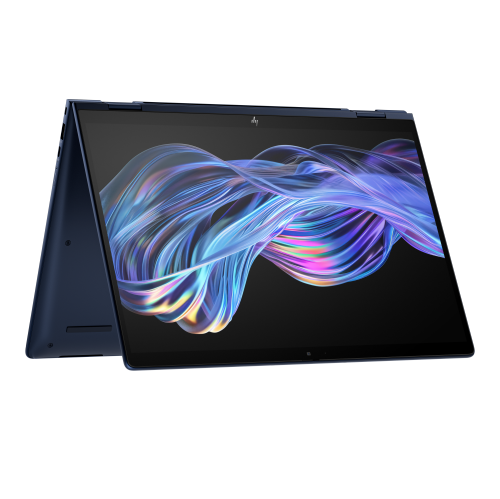
    A versatile 2-in-1 touchscreen laptop with Intel Core Ultra 7, 32GB RAM, and 1TB SSD.

    (4)
    $3,199.99
    SAVE $300
    Your price for this item is $3199.99
  2. 2

    About this product

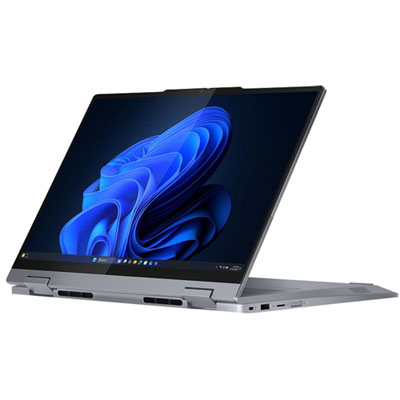
    A versatile Luna Grey 2-in-1 laptop featuring a 14" touchscreen, Intel Ultra 5 processor, and 16GB RAM.

    (2)
    $1,599.99
    SAVE $100
    Your price for this item is $1599.99
  3. 3

    About this product

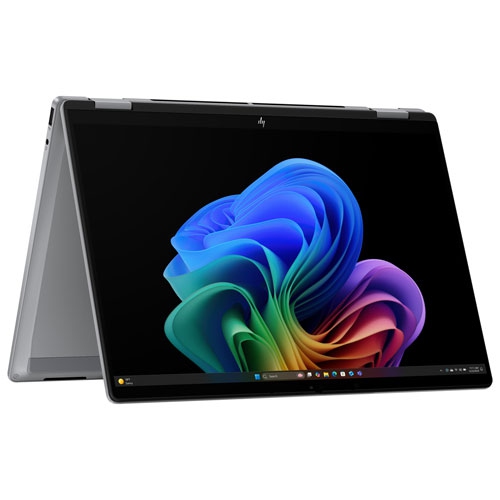
    A versatile silver 2-in-1 laptop featuring an AMD Ryzen AI 5 processor, 16GB RAM, and touchscreen display.

    (1)
    $1,164.97
    SAVE $335
    Your price for this item is $1164.97
  4. 4

    About this product

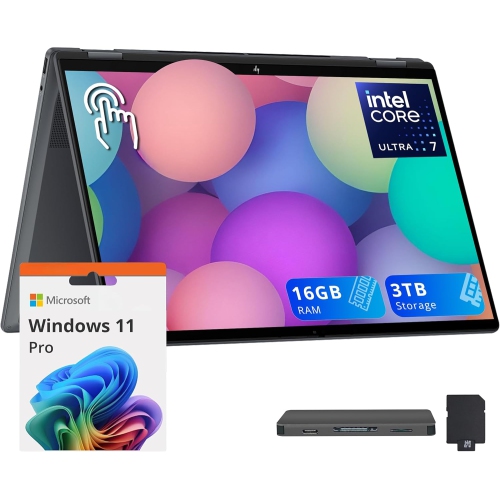
    A versatile 2-in-1 laptop with a 16" 2K touchscreen, Intel Core Ultra 7, and 3TB storage.

    (1)
    $1,779.00
    SAVE $950
    Your price for this item is $1779
  5. 5

    About this product

    A powerful grey laptop featuring the M1 chip, 256GB SSD, 8GB RAM, and Touch Bar.

    What customers like

    • Comfortable and responsive keyboard
    • Sleek and durable build quality
    • High-quality vibrant display
    • Powerful and fast M1 chip performance
    • Excellent battery life
    (6,034)
    $1,500.00 Your price for this item is $1500
  6. 6

    About this product

    A versatile 2-in-1 laptop featuring a 14" IPS glass display, Intel Core Ultra 7, and 16GB RAM.

    (5)
    $1,949.99 Your price for this item is $1949.99
  7. 7

    About this product

    A versatile 2-in-1 laptop with a 14" touchscreen, Intel Core i7, 16GB RAM, and 1TB storage.

    What customers like

    • Long battery life
    • Versatile 2-in-1 design with touchscreen
    • Fast performance and quick boot-up
    • Excellent multitasking and memory capacity
    • Lightweight and sturdy build
    (1,042)
    $789.00 Your price for this item is $789
  8. 8

    About this product

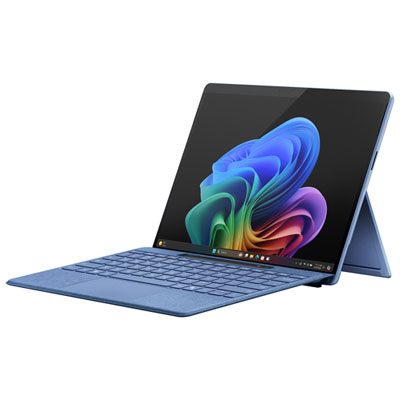
    A sapphire ultra-portable tablet featuring Snapdragon X Elite, 16GB RAM, OLED display, and advanced AI capabilities.

    What customers like

    • Sleek and attractive design
    • Stunning OLED display with vivid colors
    • Excellent battery life and portability
    • Versatile tablet and laptop functionality
    • Fast performance with powerful processor
    (162)
    $2,599.99 Your price for this item is $2599.99
  9. 9

    About this product

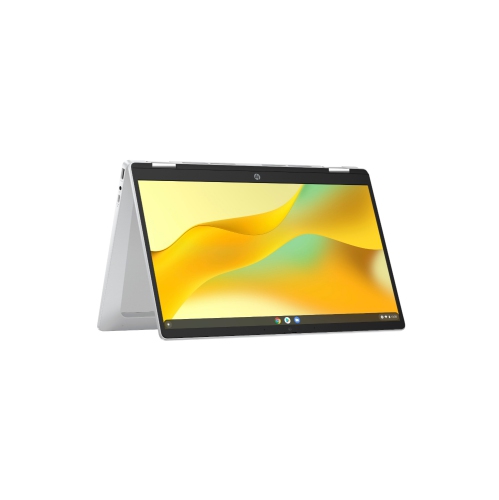
    A versatile 2-in-1 Chromebook with a 14" Full HD touchscreen for seamless productivity and entertainment.

    What customers like

    • Long battery life with quick recharge
    • Fast performance and quick response time
    • Clear and bright Full HD touchscreen
    • Lightweight and portable design
    • Easy setup and user-friendly interface
    (66)
    $465.89
    SAVE $60
    Your price for this item is $465.89
  10. 10

    About this product

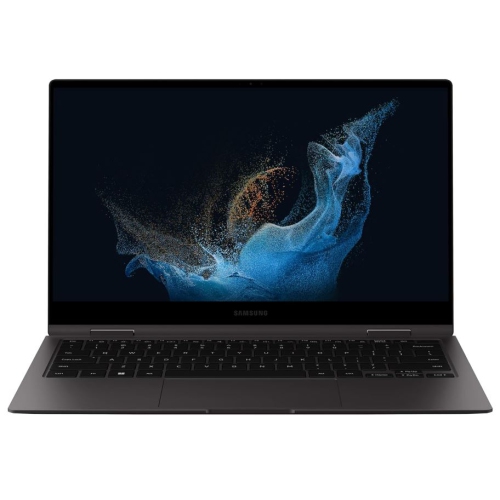
    A versatile graphite 2-in-1 laptop featuring 5G connectivity, AMOLED touchscreen, 16GB RAM, and S-Pen support.

    (3)
    $1,199.00
    SAVE $301
    Your price for this item is $1199

Best Convertible Laptops for Drawing
The best convertible laptops for drawing combine accurate pen input, a clear touchscreen, and enough computing power for the artwork being created. Their appeal is the ability to move between sketchbook and laptop without transferring a project to another device: a screen folded back for drawing can return to an upright position for typing annotations, arranging reference images, or preparing files for a client. A traditional convertible uses a 360-degree hinge that keeps the keyboard attached, while some other 2-in-1 designs use a detachable keyboard or a screen that pulls forward into a supported drawing position. The distinction matters during everyday use. An attached keyboard keeps the complete computer together between classes or studio sessions, but the folded device can feel substantial when held in one hand. A supported screen position may be more comfortable for detailed work at a desk, particularly when tracing a long curve or refining small lettering. For direct screen drawing, active stylus compatibility is more important than touch capability alone. A touchscreen that responds to a finger does not necessarily support the pressure-sensitive pen input used for expressive brushwork. With compatible hardware and software, pressure sensitivity lets a light touch produce a delicate line and a firmer stroke create a heavier mark; tilt support can help mimic shading with the side of a pencil. Palm rejection helps artists rest a hand on the display without adding unwanted marks, although its behaviour varies by application and settings. Pen tracking near the edges, accuracy during slow diagonal strokes, and the gap between the pen tip and the visible line all contribute to how natural drawing feels. Stylus compatibility, charging requirements, replacement nib options, and whether a pen is included are useful details to confirm for any convertible laptop. These features suit illustration students, hobby sketchers, comic artists, and designers who want handwritten notes, rough concepts, and finished artwork in the same workspace.

Screen quality shapes both the drawing experience and the finished result. A higher-resolution display can make fine outlines, small text, and intricate details easier to distinguish, while a larger screen leaves more room for toolbars beside the canvas. A compact convertible is easier to carry to a lecture or tuck into a bag, whereas a larger model can feel less cramped when a reference photograph and a layered illustration sit side by side. Resolution alone does not establish colour accuracy: colour gamut coverage, calibration, brightness, and the way creative software manages colour also matter. OLED displays typically deliver deep blacks and strong contrast, while a good IPS display can provide consistent colour and wide viewing angles. Neither panel type automatically guarantees an accurate match between a drawing on screen and its printed version. For print-focused work, a colour-managed workflow and suitable display settings help reduce surprises when subtle skin tones or muted backgrounds leave the digital canvas. A higher refresh rate can make on-screen movement and ink appear smoother, but pen responsiveness also depends on the digitizer, application, brush complexity, and overall system performance. Brightness and reflections deserve attention, too: a glossy touchscreen may look crisp at a desk yet catch overhead lights when folded flat in a classroom. Inside the laptop, the processor and memory support tasks such as brush rendering, layer handling, and switching between creative applications. Large canvases, numerous layers, and textured brushes place greater demands on a system than quick gesture sketches. Dedicated graphics can benefit supported 3D, animation, and accelerated creative tasks, but they are not essential for every form of two-dimensional drawing. Fast solid-state storage helps with loading projects and saving large files, while sufficient storage capacity leaves room for reference libraries and exported versions. For work that extends beyond illustration into layout, typography, and visual communication, 2-in-1 Laptops for Graphic Artists brings together a closely related category. The most useful balance is one that supports the artist’s actual applications rather than relying on a single impressive specification.

Comfort, construction, and care become especially noticeable once drawing sessions stretch beyond a few minutes. A firm hinge helps keep the canvas steady under normal pen pressure, and a chassis with limited flex can feel more reassuring when the computer moves regularly between a desk, a sofa, and a classroom. Metal housings often provide a rigid feel, while well-built plastic housings can also be durable; material alone is not a substitute for sound hinge construction and careful handling. Device weight, balance, and the angle of the screen affect how comfortably a convertible fits into a drawing routine. Working with the display slightly raised can reduce the need to bend over a flat canvas, provided a suitable stand supports the laptop securely and leaves ventilation openings clear. Shortcut placement matters as well. When the keyboard is folded out of reach, programmable pen buttons, on-screen controls, or a separate compatible keyboard can make repeated actions such as undoing a stroke and changing brush size less disruptive. Battery life varies with brightness, power settings, and workload, so extended painting or animation sessions can draw more power than note-taking. Convenient charging and the right ports are helpful for connecting an external display, transferring reference photographs, or backing up finished work. Wi-Fi supports file sharing and online collaboration, while local copies allow drawing to continue without a connection when the software permits it. For transport, a padded sleeve and secure pen storage help protect the screen and keep the stylus from disappearing into the bottom of a bag. A clean, soft microfibre cloth removes everyday marks; cleaning methods should follow the device maker’s directions, with liquid kept away from openings. Worn or damaged pen nibs should be replaced, and screen protectors need to be compatible with the display and pen system because they can change clarity and drawing feel. As a gift for an art student or an enthusiastic digital illustrator, a convertible laptop is most thoughtful when it matches the recipient’s preferred software, pen requirements, and working space. That practical fit supports everything from a quick character sketch to a carefully finished portfolio piece.
Read More

FAQ

Some products may be subject to Environmental Handling Fees (EHF) depending on your province. Learn more about EHFs.