Monitors for Dual Setup
Enhance your workspace and boost productivity with monitors for dual setup, perfect for multitasking at home or in the office. Whether you're managing multiple projects, editing content, or enjoying immersive entertainment, a dual monitor arrangement offers the flexibility and expanded screen space you need. Explore a wide selection of monitors designed to help you create an efficient and comfortable workstation tailored to your needs.
Sort


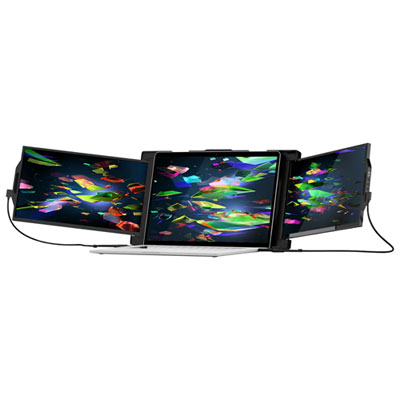
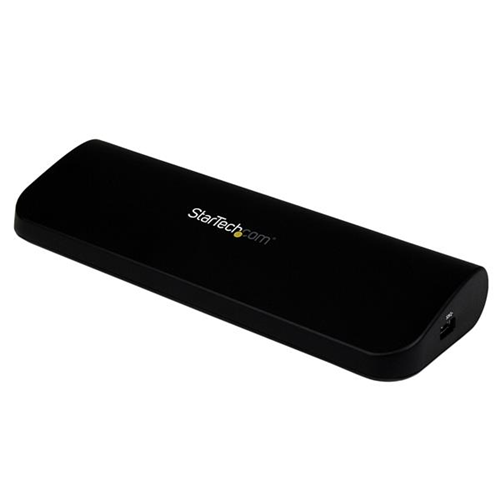
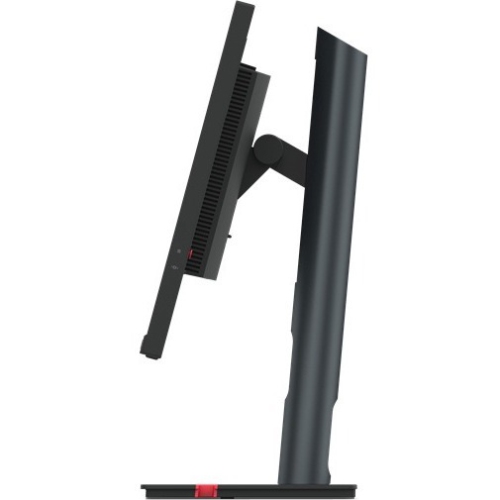
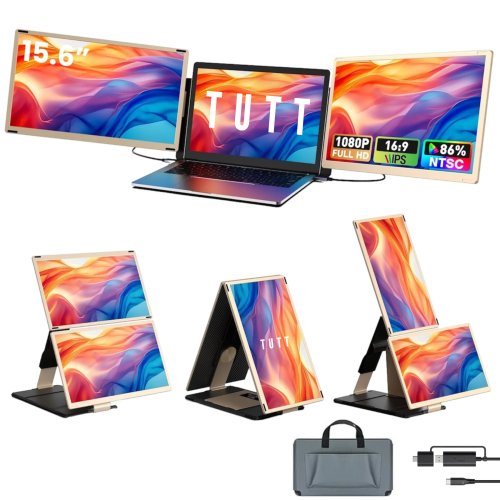
A dual-screen workspace for smoother, more focused multitasking
Monitors for a dual setup can turn a crowded, single-screen workspace into a more comfortable and productive command centre. With two displays side by side, you can keep a video call, email inbox, reference document, or project notes visible while working on the main screen without constantly switching between windows. This arrangement is useful for students comparing research sources, professionals managing spreadsheets and presentations, creators working with timelines and editing tools, programmers viewing code beside a live preview, and home office users balancing communication with focused tasks. A dual-monitor arrangement can also make everyday activities feel less cramped: a recipe can remain open while following instructions, a sports score can sit beside a game, or a family member can keep a work calendar visible while handling other tasks. When selecting Monitor Dual Screens, begin by considering the available desk width, viewing distance, computer compatibility, and the type of work that will appear on screen. A 24-inch to 27-inch display is often a practical range for two monitors because it provides ample workspace without overwhelming a standard desk. Larger screens can create an impressive panoramic desktop, but they may require a deeper surface and more careful positioning. Resolution matters as well. Full HD can suit everyday office work and general browsing, while QHD provides additional clarity and room for detailed layouts. 4K UHD can be valuable for high-resolution photography, video work, design, fine text, and anyone who prefers crisp images, though the computer must have the graphics capability and suitable connections to drive both displays at the desired resolution and refresh rate. Matching screen sizes, resolutions, aspect ratios, and panel characteristics creates a more seamless view across the desk, while mixing displays can be a sensible choice when one screen is dedicated to colour-sensitive work and the other handles communication or reference material.
Connectivity is one of the most important considerations in a dual-monitor setup because the right ports can make installation straightforward and reduce cable clutter. Check the computer’s available HDMI, DisplayPort, USB-C, or Thunderbolt connections, then compare them with the inputs and outputs on each monitor. Some displays include a DisplayPort output or Thunderbolt connection that supports daisy-chaining, allowing the computer to connect to the first monitor and the second monitor to connect through it with one additional video cable. This can create a cleaner-looking desk, but daisy-chaining depends on the computer, operating system, graphics hardware, cables, and monitor specifications, so compatibility should be confirmed before purchase. USB-C can be especially convenient for compatible laptops because one cable may carry video, data, and power, reducing the need for a separate charging lead. A monitor with power delivery can help keep a laptop charged at the desk, with higher wattage generally better suited to larger, more demanding laptops. Built-in USB hubs can provide convenient access to keyboards, mice, storage devices, webcams, and other accessories, while an integrated KVM switch may allow one keyboard and mouse to control two connected computers. This is useful for people who move between a work laptop and a personal desktop, or for households sharing a flexible workstation. It is also worth checking whether the computer can extend the desktop across two screens rather than mirror the same image, since extended mode is what provides the additional workspace most people expect from a dual setup. Refresh rate and response time deserve attention for gaming, animation, and fast-moving content, while brightness, contrast, viewing angles, and colour coverage influence comfort and image quality during long sessions. A matte or anti-glare finish can help limit distracting reflections from windows and lamps, particularly in a bright room. Look for compatible cables in the box, or plan for any required adapters, as the best-looking display arrangement can be undermined by a missing connection or a cable that does not support the selected resolution and refresh rate.
Comfort and adjustability can make just as much difference as technical specifications. Stands with height, tilt, swivel, and pivot adjustment make it easier to align the two screens so the bezels meet naturally at eye level. VESA mount compatibility provides another option for arranging displays on monitor arms, which can free desk space and make it easier to position one screen directly in front of the user and the other at a slight angle. Rotating one monitor into portrait orientation can be particularly helpful for reading long documents, reviewing web pages, writing code, monitoring chat, or keeping a tall list of tasks visible. The main display is usually best placed straight ahead, with the secondary display close enough that turning the head does not become tiring. Small adjustments to chair height, screen distance, and brightness can make a noticeable difference during a full day of work or study. A dual setup can be a thoughtful gift for a remote worker, university student, budding creator, gamer, or anyone preparing a home office as the weather warms and routines shift, and it can remain useful during the cooler months when more time is spent indoors. Before choosing, measure the desk and check the stand footprint, confirm that the computer supports two displays, and consider whether built-in speakers, a webcam, USB connectivity, or height adjustment would simplify the recipient’s space. For a clean, cohesive arrangement, two matching monitors are an easy choice; for a more tailored workspace, combining a larger primary display with a vertically oriented secondary screen can make the setup feel purpose-built. Whether the goal is managing busy workdays, keeping study materials in view, editing creative projects, or enjoying games and media with extra room for controls, the right pair of monitors can make the desk feel calmer, clearer, and easier to use.
Connectivity is one of the most important considerations in a dual-monitor setup because the right ports can make installation straightforward and reduce cable clutter. Check the computer’s available HDMI, DisplayPort, USB-C, or Thunderbolt connections, then compare them with the inputs and outputs on each monitor. Some displays include a DisplayPort output or Thunderbolt connection that supports daisy-chaining, allowing the computer to connect to the first monitor and the second monitor to connect through it with one additional video cable. This can create a cleaner-looking desk, but daisy-chaining depends on the computer, operating system, graphics hardware, cables, and monitor specifications, so compatibility should be confirmed before purchase. USB-C can be especially convenient for compatible laptops because one cable may carry video, data, and power, reducing the need for a separate charging lead. A monitor with power delivery can help keep a laptop charged at the desk, with higher wattage generally better suited to larger, more demanding laptops. Built-in USB hubs can provide convenient access to keyboards, mice, storage devices, webcams, and other accessories, while an integrated KVM switch may allow one keyboard and mouse to control two connected computers. This is useful for people who move between a work laptop and a personal desktop, or for households sharing a flexible workstation. It is also worth checking whether the computer can extend the desktop across two screens rather than mirror the same image, since extended mode is what provides the additional workspace most people expect from a dual setup. Refresh rate and response time deserve attention for gaming, animation, and fast-moving content, while brightness, contrast, viewing angles, and colour coverage influence comfort and image quality during long sessions. A matte or anti-glare finish can help limit distracting reflections from windows and lamps, particularly in a bright room. Look for compatible cables in the box, or plan for any required adapters, as the best-looking display arrangement can be undermined by a missing connection or a cable that does not support the selected resolution and refresh rate.
Comfort and adjustability can make just as much difference as technical specifications. Stands with height, tilt, swivel, and pivot adjustment make it easier to align the two screens so the bezels meet naturally at eye level. VESA mount compatibility provides another option for arranging displays on monitor arms, which can free desk space and make it easier to position one screen directly in front of the user and the other at a slight angle. Rotating one monitor into portrait orientation can be particularly helpful for reading long documents, reviewing web pages, writing code, monitoring chat, or keeping a tall list of tasks visible. The main display is usually best placed straight ahead, with the secondary display close enough that turning the head does not become tiring. Small adjustments to chair height, screen distance, and brightness can make a noticeable difference during a full day of work or study. A dual setup can be a thoughtful gift for a remote worker, university student, budding creator, gamer, or anyone preparing a home office as the weather warms and routines shift, and it can remain useful during the cooler months when more time is spent indoors. Before choosing, measure the desk and check the stand footprint, confirm that the computer supports two displays, and consider whether built-in speakers, a webcam, USB connectivity, or height adjustment would simplify the recipient’s space. For a clean, cohesive arrangement, two matching monitors are an easy choice; for a more tailored workspace, combining a larger primary display with a vertically oriented secondary screen can make the setup feel purpose-built. Whether the goal is managing busy workdays, keeping study materials in view, editing creative projects, or enjoying games and media with extra room for controls, the right pair of monitors can make the desk feel calmer, clearer, and easier to use.
Top selling and popular products
-
 Your price for this item is $34.95
 -
 Your price for this item is $129.99
 -
 Your price for this item is $69.99
 -
 Your price for this item is $69.99
 -
 Your price for this item is $99.99
 -
 Your price for this item is $124
 -
 Your price for this item is $256.68
 -
 Your price for this item is $300
Discover more categories related to Monitors for Dual Setup


Top Collections:
Pokemon Centers, Kindle Devices, Best Budget Office Chairs, Apple iPhones 16, Best Laptops for Writers, iPhone 15 Apple, Canon G7X Cameras, Refurbished Apple Laptops, Alarm Clock, Motorola Razr Phones
Some products may be subject to Environmental Handling Fees
(EHF) depending on your province.
Learn more about EHFs.