Cyber Monday Deals Coming Soon
Our Cyber Monday Sale returns in December 2026. In the meantime, shop our current top deals below.

Cyber Monday Deals On PlayStations
Get ready for the ultimate gaming experience with our Cyber Monday deals on PlayStation. Whether you're a casual gamer or a hardcore enthusiast, this is your chance to score big savings on all things PlayStation. From consoles to accessories, games to virtual reality experiences, we've got everything you need to take your gaming to the next level. Don't miss out on these incredible deals—it's time to level up and immerse yourself in the world of PlayStation. Remember, our Low Price Guarantee means you can shop confidently knowing that you'll find the best price at Best Buy, all year round. We encourage you to check our website frequently for the most up-to-date information on our latest offers and savings opportunities.
![SQUARE ENIX Marvel's Avengers for Playstation 4 [Videogames] Ps 4 Great game](https://multimedia.bbycastatic.ca/multimedia/products/500x500/165/16558/16558362.jpeg)
![UBISOFT South Park: The Fractured But Whole [Playstation 4] Is game si awesome best sequel love south park !!!!](https://multimedia.bbycastatic.ca/multimedia/products/500x500/139/13913/13913615.jpeg)
![BANDAI NAMCO Tekken 7 - Day 1 Edition [Playstation 4] I love this game! Best looking and best Tekken yet !!](https://multimedia.bbycastatic.ca/multimedia/products/500x500/148/14881/14881097.jpeg)
![SONY Dualsense Chroma Pearl Wireless Controller Playstation 5 [] I love shopping at best buy best products for the best prices](https://multimedia.bbycastatic.ca/multimedia/products/500x500/198/19875/19875356.jpeg)

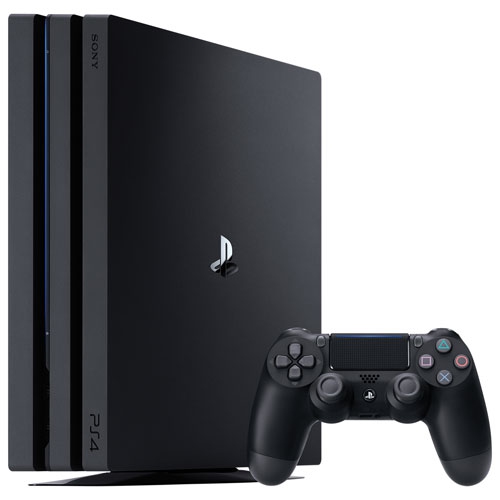
The right PlayStation setup starts with how you play
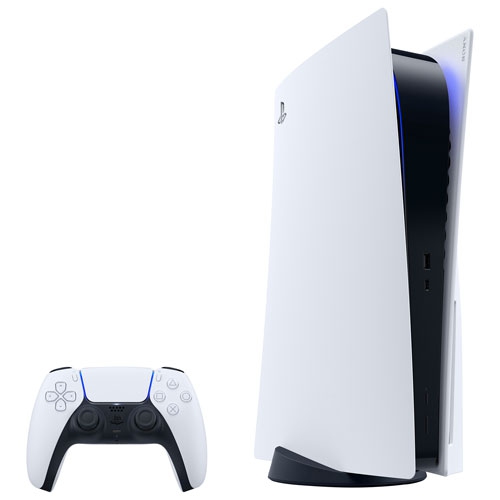
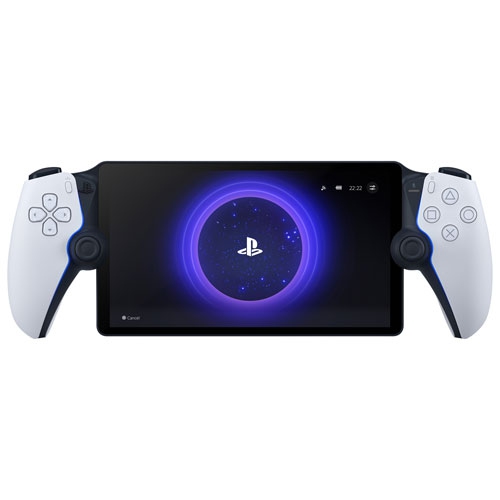
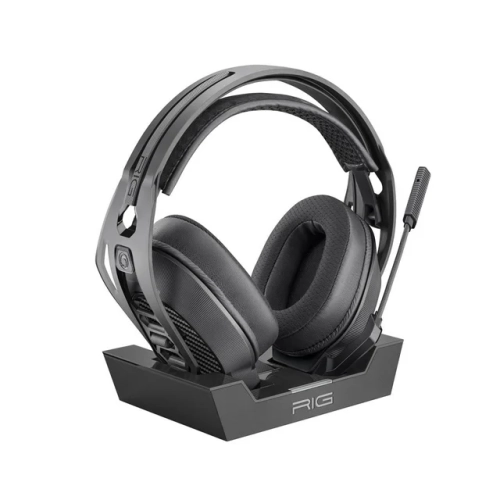
The experience also depends on how the console fits into the room and connects to the screen. A television across the living room creates a different arrangement from a monitor on a desk, particularly when it comes to viewing distance, cable routing, and access to charging connections. Console dimensions should account for the full installed footprint, including any required stand, rear cable clearance, and ventilation space specified by the manufacturer. A snug shelf may look tidy but leave too little room around the vents, while a stable, open position makes connections easier to reach and routine cleaning simpler. Display resolution, refresh rate, and high-dynamic-range support can influence picture quality, but the console, game, screen, and connection all need to support the relevant features. A higher-resolution screen alone does not guarantee that every game will run at the same level of detail or frame rate. Clear dialogue and directional sound can be equally important, whether audio comes through television speakers, a compatible sound system, or a headset. Headset fit is especially noticeable during longer sessions: adjustable headbands, ear-cup depth, cushioning, and overall weight affect comfort, particularly for players who wear glasses. Microphone controls are useful in shared rooms, where muting a conversation should not mean leaving the game. Controller comfort is similarly personal. Grip shape, button spacing, weight, and supported accessibility settings all influence how naturally the controls sit in the hands. Textured surfaces can help maintain a steady grip, while programmable inputs or compatible adaptive accessories may make certain actions easier for some players. Wireless connections reduce the number of cables crossing a seating area, although battery life and charging routines remain part of daily use. A wired network connection can offer consistent connectivity where practical; Wi-Fi performance depends on router placement, distance, and household traffic. For an upstairs gaming space or a busy family room, those connection details can make a noticeable difference to downloads and online play.
Materials and care contribute to how well gaming equipment holds up to regular handling. Console enclosures commonly use rigid plastics around internal metal components, while controllers combine plastic shells with buttons, triggers, and grip surfaces that receive repeated contact. Headsets may include fabric, foam, or synthetic coverings, each with its own cleaning requirements. A soft, dry cloth is generally suitable for exterior dusting when the equipment is powered off, but the manufacturer’s instructions should govern any cleaning method. Liquids should not be sprayed directly onto electronics, and vent openings should remain clear without pushing dust further inside. Keeping drinks away from the setup, storing headsets where their bands are not stretched, and unplugging cables by the connector rather than the cord all help reduce avoidable wear. Physical games need their own care: returning discs to their cases helps protect the reading surface from scratches and keeps them from disappearing beneath controllers or paperwork. Storage accessories can keep a shared space organized, provided their dimensions and mounting method suit the equipment. Charging accessories also need the correct compatibility, rather than merely a connector that appears to fit. As gifts, gaming products are most useful when they match the recipient’s existing system, preferred game format, and way of playing. Someone who enjoys cooperative games with a partner may appreciate the ability to add another compatible controller, while a player who chats with friends may get more everyday use from comfortable audio equipment. Age ratings and content descriptions help adults assess games for younger recipients, and account settings can support limits on communication and play time. Initial setup may involve system updates, game installations, account sign-in, and parental permissions before play begins. Leaving time for those steps helps a gifted console become a ready-to-use entertainment setup rather than a lengthy download screen. With the right compatibility and a comfortable place to play, console gaming can support everything from a quick match between daily tasks to an evening spent exploring a detailed fictional world.
Top selling and popular products
-
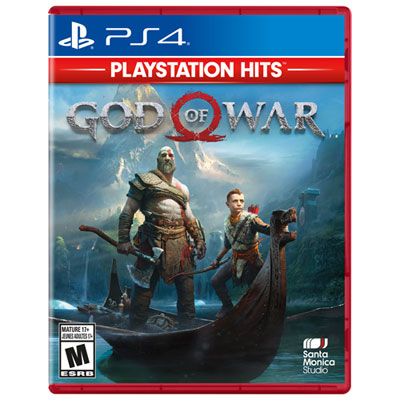 Your price for this item is $19.99
 -
![ROCKSTAR Dead Emption 2 [Playstation 4] In Red](https://multimedia.bbycastatic.ca/multimedia/products/500x500/139/13916/13916462.jpeg) Your price for this item is $39.74
Your price for this item is $39.74 -
 Your price for this item is $19.99
 -
![ACTIVISION CLASSICS Call Of Duty: Modern Warfare for Playstation 4 [Videogames]](https://multimedia.bbycastatic.ca/multimedia/products/500x500/176/17630/17630751.jpeg) Your price for this item is $79.99
Your price for this item is $79.99 -
 Your price for this item is $49.99
 -
![NAUGHTY DOG Uncharted: The Nathan Drake Collection [Playstation 4]](https://multimedia.bbycastatic.ca/multimedia/products/500x500/152/15268/15268955.jpeg) Your price for this item is $31.95
Your price for this item is $31.95 -
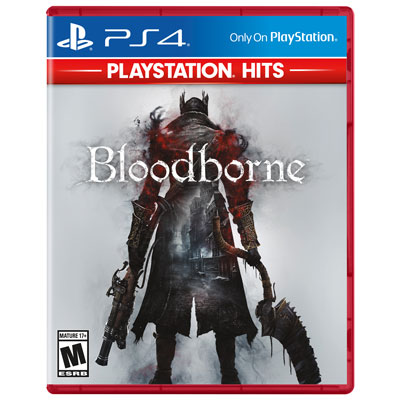 Your price for this item is $19.99
 -
![PLAYSTATION Until Dawn Hits for 4 [Videogames]](https://multimedia.bbycastatic.ca/multimedia/products/500x500/165/16558/16558327.jpeg) Your price for this item is $29.99
Your price for this item is $29.99