Tax Software for Small Businesses
Are you a small business owner looking for reliable and efficient tax software solutions? Look no further! Our extensive collection of tax software for small businesses offers a range of options to help streamline your financial operations. From user-friendly interfaces to advanced features, these software programs are designed to simplify the process of managing your taxes, ensuring accuracy and compliance. With our wide selection, you'll find the perfect tax software solution to meet your specific needs and help you maximize deductions while minimizing headaches.
Sort

Business structure shapes filing needs and software support
Tax software for small businesses can make the annual filing process more manageable by bringing income, expenses, deductions and required forms into one organised workspace. The right choice depends first on how the business is structured. A sole proprietor or freelancer generally reports business income and expenses as part of a personal tax return, while an incorporated company typically files a separate corporate return, commonly known as a T2. Partnerships and businesses with more involved ownership arrangements may have additional reporting needs. Before choosing from the available Tax Software for Business, check that it supports the return type you need, as software designed for self-employed individuals may not include corporate filing features. It is also helpful to consider the province or territory where the business operates, particularly if the company has sales tax, payroll or regional filing requirements. Many small-business owners use these programs to prepare returns from a home office, shared workspace or small retail location, often alongside an accounting platform that tracks invoices and expenses throughout the year. A well-matched program can help turn a pile of receipts and spreadsheets into a clearer picture of the business, whether that means sorting mileage from office costs, recording professional fees or reviewing income from several clients. For someone running a business between customer calls and family commitments, step-by-step prompts can provide welcome structure without requiring a specialist tax background.
The most useful features will vary with the complexity of the business and the level of support preferred. Guided tax software can walk users through common business income sources, eligible expenses and tax credits, making it a practical option for sole proprietors, contractors, tradespeople and independent professionals with relatively straightforward records. More advanced software may be better suited to incorporated companies, partnerships or businesses with multiple owners, and may support corporate schedules, balance-sheet information and federal and provincial requirements. Look for clear explanations, built-in error checks, automatic calculations and the ability to save or revisit a return before filing. If the business collects GST or HST, confirm that the software can accommodate the relevant sales tax information and reporting periods. Businesses with employees may also want to keep payroll records and deductions separate from the income tax program, since payroll remittances often have their own deadlines and processes. Compatibility with bookkeeping and accounting software can reduce duplicate data entry, while import tools may help transfer information from a spreadsheet or financial record system. Cloud-based options offer access from multiple devices and may update automatically, whereas desktop programs can appeal to users who prefer installing software on a dedicated computer or keeping their work in a familiar local environment. Consider the number of returns included, whether additional forms cost extra, and whether the licence covers one individual, one business or several entities. A small company that started as a weekend project may grow into a full-time operation, so choosing software with room for changing income, new deductions and more detailed reporting can prevent an awkward switch later.
Filing support is another important consideration, especially for anyone handling business taxes for the first time. Look for software that is approved for electronic filing where applicable, keeps pace with Canada Revenue Agency requirements and receives updates when tax rules or provincial budgets change. Help may be offered through searchable articles, live assistance, telephone support or access to a tax professional, and the best fit depends on how much guidance the user expects to need. Some people are comfortable entering figures independently and want a simple, efficient process; others appreciate prompts that explain unfamiliar terms or help identify information that may be missing. Audit assistance or review support can also be valuable, although users should understand what is included, what is an optional service and which situations require advice from a qualified accountant or tax professional. Strong password protection, secure sign-in and reliable backup tools matter when handling personal and financial information. Keep receipts, invoices, bank statements and supporting documents organised even when the software stores a copy of the return, since tax records may need to be referenced later. Tax software can be a thoughtful and practical gift for a new business owner, a freelancer setting up a dedicated workspace or a family member taking over the books for a small company; it is especially useful when paired with a simple filing system, calculator or external storage device. During the cooler months, when many business owners are reviewing the year from a quiet desk with a warm drink nearby, having the right program ready can make planning, record-keeping and filing feel like a series of clear tasks rather than one overwhelming deadline.
The most useful features will vary with the complexity of the business and the level of support preferred. Guided tax software can walk users through common business income sources, eligible expenses and tax credits, making it a practical option for sole proprietors, contractors, tradespeople and independent professionals with relatively straightforward records. More advanced software may be better suited to incorporated companies, partnerships or businesses with multiple owners, and may support corporate schedules, balance-sheet information and federal and provincial requirements. Look for clear explanations, built-in error checks, automatic calculations and the ability to save or revisit a return before filing. If the business collects GST or HST, confirm that the software can accommodate the relevant sales tax information and reporting periods. Businesses with employees may also want to keep payroll records and deductions separate from the income tax program, since payroll remittances often have their own deadlines and processes. Compatibility with bookkeeping and accounting software can reduce duplicate data entry, while import tools may help transfer information from a spreadsheet or financial record system. Cloud-based options offer access from multiple devices and may update automatically, whereas desktop programs can appeal to users who prefer installing software on a dedicated computer or keeping their work in a familiar local environment. Consider the number of returns included, whether additional forms cost extra, and whether the licence covers one individual, one business or several entities. A small company that started as a weekend project may grow into a full-time operation, so choosing software with room for changing income, new deductions and more detailed reporting can prevent an awkward switch later.
Filing support is another important consideration, especially for anyone handling business taxes for the first time. Look for software that is approved for electronic filing where applicable, keeps pace with Canada Revenue Agency requirements and receives updates when tax rules or provincial budgets change. Help may be offered through searchable articles, live assistance, telephone support or access to a tax professional, and the best fit depends on how much guidance the user expects to need. Some people are comfortable entering figures independently and want a simple, efficient process; others appreciate prompts that explain unfamiliar terms or help identify information that may be missing. Audit assistance or review support can also be valuable, although users should understand what is included, what is an optional service and which situations require advice from a qualified accountant or tax professional. Strong password protection, secure sign-in and reliable backup tools matter when handling personal and financial information. Keep receipts, invoices, bank statements and supporting documents organised even when the software stores a copy of the return, since tax records may need to be referenced later. Tax software can be a thoughtful and practical gift for a new business owner, a freelancer setting up a dedicated workspace or a family member taking over the books for a small company; it is especially useful when paired with a simple filing system, calculator or external storage device. During the cooler months, when many business owners are reviewing the year from a quiet desk with a warm drink nearby, having the right program ready can make planning, record-keeping and filing feel like a series of clear tasks rather than one overwhelming deadline.
Top selling and popular products
-
 Your price for this item is $39.99
 -
 Your price for this item is $45.99
 -
 Your price for this item is $36.99
 -
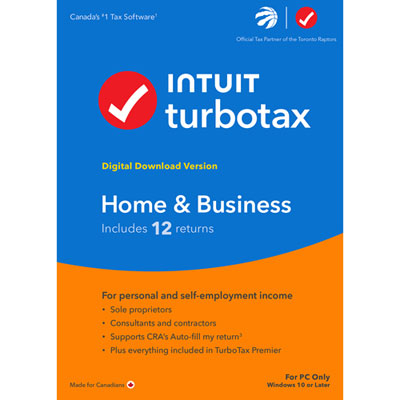 Your price for this item is $134.99
 -
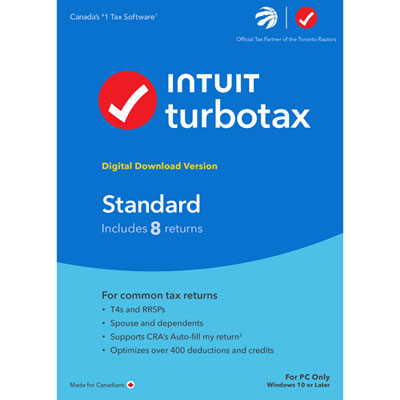 Your price for this item is $37.99
 -
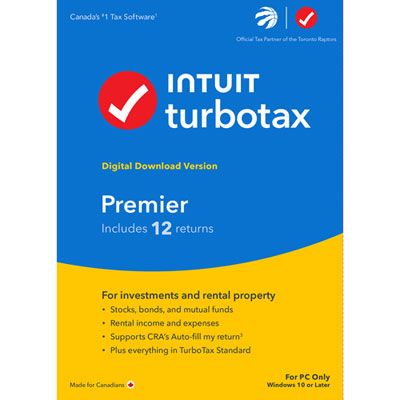 Your price for this item is $82.99
 -
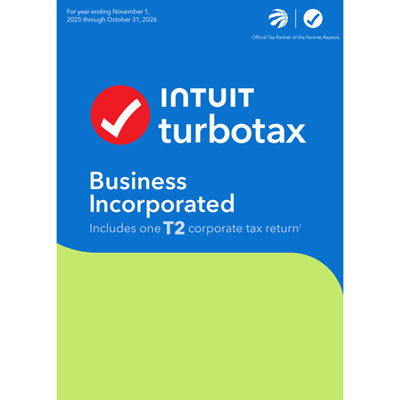 Your price for this item is $374.99
 -
 Your price for this item is $37.99
Discover more categories related to Tax Software for Small Businesses
Top Collections:
Pokemon Centers, Budget 4K TVs, Best Budget Office Chairs, Kindle Devices, Canon G7X Cameras, Apple iPhones 16, iPhone 15 Apple, Laptops for Business Work, Xiaomi Phones, Flip Phones
Some products may be subject to Environmental Handling Fees
(EHF) depending on your province.
Learn more about EHFs.