Back To School USB-C Hub For Student Laptop Setups
Back-to-school USB-C hubs for student laptop setups help connect study essentials when built-in ports are limited. Browse hubs with different port combinations to suit your mouse, keyboard, external monitor or storage drive. Compare laptop compatibility, display support and pass-through charging to find a hub that fits your desk setup and daily routine.








FAQ
A USB-C hub connects to a laptop’s USB-C port and adds connections for accessories such as a keyboard, mouse, external drive or monitor. It can bring several study essentials together through one laptop connection.
Check your laptop’s USB-C port specifications, operating system and the hub’s requirements. A USB-C connector alone does not guarantee support for every feature. Video output and charging require compatible features on both the laptop and hub, and some hubs require additional software.
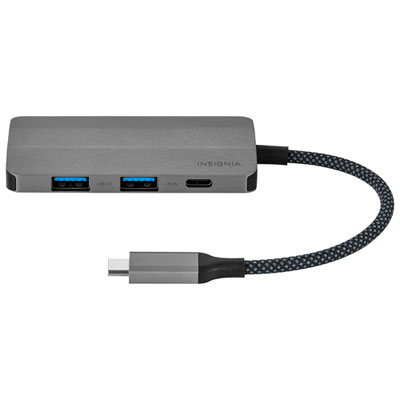
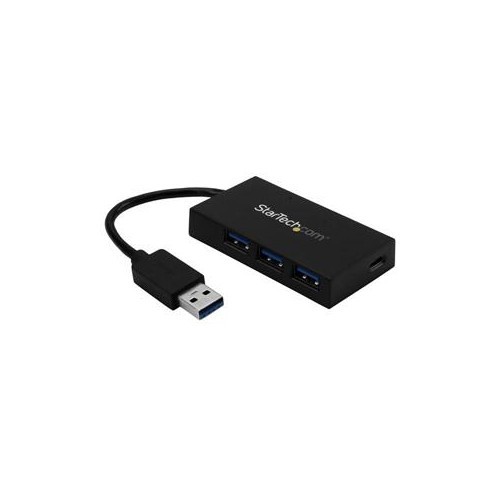
USB-A ports connect accessories such as keyboards and flash drives, while USB-C data ports connect compatible devices. HDMI or DisplayPort connections support external displays, Ethernet provides a wired network connection, and SD card readers transfer files from compatible memory cards. Choose connections that match your course materials and everyday accessories.
Yes, if the hub has a display connection and the laptop supports the required video output method. Many hubs rely on DisplayPort Alt Mode through USB-C, while others use different technology and may require software. Support for multiple displays and extended desktops varies by laptop, operating system and hub.
USB-C Power Delivery pass-through lets a compatible charger supply power to your laptop through the hub while other accessories remain connected. The laptop must support USB-C charging, and the charger, cable and hub must meet its power requirements. A hub may reserve some power for its own operation, and a charger is not always included.
Top selling and popular products
Discover more categories related to Back To School USB-C Hub For Student Laptop Setups
Some products may be subject to Environmental Handling Fees (EHF) depending on your province. Learn more about EHFs.