Productivity Tools for Home Office
Boost efficiency and stay organized with productivity tools for home office that help streamline your daily workflow. Whether you’re tackling important projects, managing meetings, or creating a comfortable workspace, the right selection of devices and accessories can make all the difference. Explore options designed to support focus, enhance communication, and keep your tasks on track, so you can achieve more from the comfort of your own home. Discover how productivity tools for home office can transform your workday and elevate your professional experience.
Sort







A smoother workday, from video calls to paperwork
Productivity tools for a home office bring together computing, communication, planning, and workspace organization to make everyday tasks easier to manage. They include the equipment used to create and review work, accessories that connect devices, and practical tools that keep information close at hand. For someone moving between spreadsheets, email, and video meetings, a capable computer and a clearly arranged display can reduce the friction of switching tasks. Processing power and memory matter most when several demanding applications run together, while storage capacity becomes more important for large photo libraries, design files, and recorded presentations. A separate monitor can provide room to compare documents side by side, review detailed drawings, or keep reference material visible while writing. Screen size should suit both the work and the desk: a large display needs enough viewing distance, while a smaller workspace may benefit from a height-adjustable screen that leaves room underneath. Text clarity, adjustable brightness, and connections that match the computer are useful considerations for daily use. Docking stations and hubs can bring a monitor, keyboard, mouse, and other accessories into a single connection, particularly for people who carry a laptop between workspaces. Compatibility still depends on the ports, display support, and power requirements of the connected equipment. Video calls place their own demands on a setup. A webcam positioned near eye level supports a natural viewing angle, while a headset or dedicated microphone can make speech easier to hear than a distant laptop microphone. Headphones may also help separate a meeting from nearby household activity, although comfort, microphone performance, and background-noise reduction vary by design. Reliable Wi-Fi coverage or a wired network connection helps keep shared documents, uploads, and calls moving smoothly. For a workspace tucked into a spare room or the far end of a home, connection quality at the desk matters more than the location of the internet equipment alone. Together, these categories support the core activities of remote work without requiring every home office to have the same layout or level of equipment.
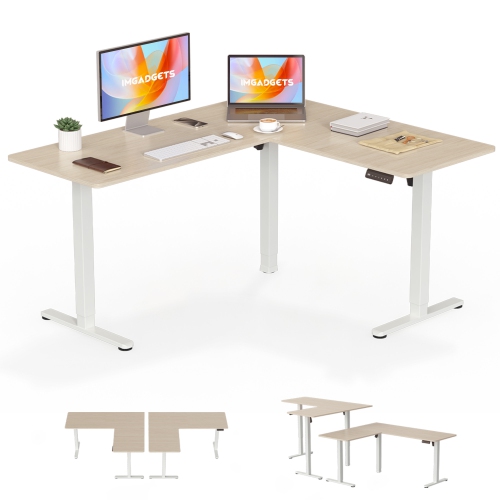
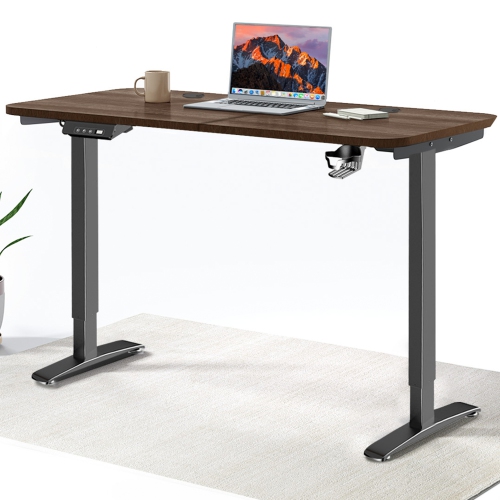
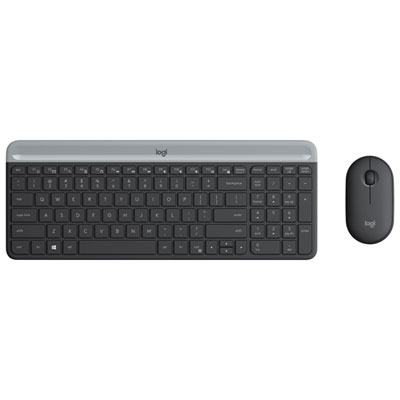
Physical comfort and a well-proportioned work surface are just as relevant to productivity as computing performance. Home office furniture needs to fit the person using it, the equipment it holds, and the room around it. An adjustable chair can offer flexibility in seat height, back support, and arm positioning, but its dimensions also need to suit the user's body and allow comfortable movement beneath the desk. Upholstery affects both feel and upkeep: mesh has an open structure, fabric offers a softer surface, and coated finishes can be easier to wipe clean when cared for according to the manufacturer's directions. Sturdy frames, secure adjustment mechanisms, and replaceable components are useful durability considerations for furniture used throughout the working day. A desk needs enough depth for the display and enough width for the tasks that happen beside it, whether that means marking up documents, using a drawing tablet, or spreading out reference books. Height-adjustable designs accommodate different working positions, while monitor arms can free surface space when their mounting requirements and weight limits match the desk and screen. Keyboard and mouse choices are similarly personal. Key spacing, typing resistance, mouse shape, and the position of frequently used controls influence how comfortable repeated movements feel. Compact layouts leave more room for mouse movement; full-size layouts provide a dedicated number pad for frequent data entry. Quiet keys and buttons can be useful in a shared room where another person is reading or taking calls. Desk lamps add focused light for handwriting and paper documents, with adjustable positioning helping direct light away from reflective screens. Cable trays, clips, and under-desk storage keep cords away from feet and leave the surface easier to clean. Smooth desktop finishes can generally be dusted with a soft cloth, while electronics need cleaning methods appropriate to their screens, coatings, and openings. A workspace that is easy to maintain is also easier to reset between tasks, especially when the same table serves more than one purpose.
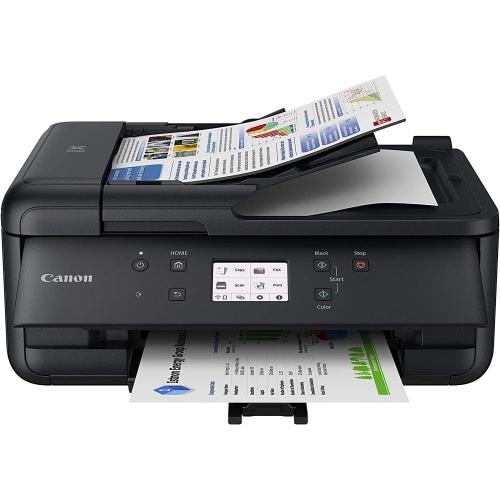
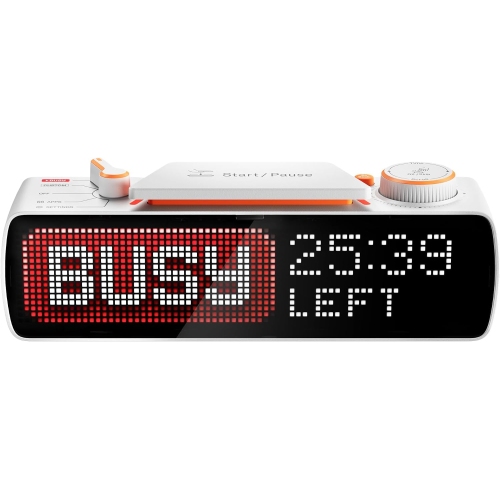
Planning and document-handling tools give the workday structure beyond the screen. A paper planner, desktop calendar, or dry-erase board keeps deadlines visible without adding another browser tab, while a simple timer provides a clear boundary for a focused work session or a scheduled break. These physical tools can work alongside task-management and calendar software: the digital system holds shared dates and project details, while the desk-based version highlights the few priorities that need attention that day. For households where work and study overlap, separate trays or labelled folders help distinguish an invoice awaiting approval from school paperwork or personal mail. Printers and scanners support tasks that still involve signed forms, reference copies, shipping documents, or records that need digitizing. Their suitability depends on expected print volume, colour requirements, paper sizes, and whether scanning several pages at once is part of the routine. Dimensions matter too, since paper trays, lids, and access panels may need space beyond the unit's footprint. Secure document storage and shredders can help manage sensitive paperwork, with shredding capacity and permitted materials varying by design. External storage provides another way to keep copies of important files, although a dependable backup routine matters as much as the drive itself. Power bars with suitable protection and enough room between outlets can help organize connected equipment, while battery backup units can provide time to save work during a power interruption when appropriately matched to the connected load. The broader arrangement of these essentials is explored through Office Setup for Productivity, connecting individual tools with the way a workspace functions as a whole. Useful combinations differ for a student writing assignments, a self-employed professional handling client records, and a remote employee joining frequent meetings. Home office accessories can also make thoughtful gifts for someone beginning a new role or setting up a dedicated workspace, particularly when their device connections, desk dimensions, and working preferences are known. The most useful additions have a clear purpose, fit comfortably into the existing setup, and remain practical through repeated daily use.
Top selling and popular products
-
 Your price for this item is $199.99
-
 Your price for this item is $189.99
-
 Your price for this item is $144.99
-
 Your price for this item is $39.99
-
 Your price for this item is $45.59
-
 Your price for this item is $209.99
-
 Your price for this item is $129.99
-
 Your price for this item is $163.99
Discover more categories related to Productivity Tools for Home Office
Top Collections:
Best Black Friday Deals This Year, Best Black Friday Deals On Electronics, Kindle Devices, Dyson Airwrap, Best Cameras for Sports Photography, Best Budget Office Chairs, Canon G7X Cameras, PS5 Pro Consoles, Best Black Friday Deals On Apple Products, XBOX One S Consoles
Some products may be subject to Environmental Handling Fees
(EHF) depending on your province.
Learn more about EHFs.