Best USB Hub for PC
The best USB hubs for PC make it easy to connect peripherals, transfer files, and expand your computer’s available ports. Explore options ranked by user review ratings, and compare port types, connection speeds, and power options to find the right fit for your setup.
What to look for in USB hubs for PC
1. Port Selection and Compatibility
2. Data Transfer Speeds
3. Power and Charging
4. Design and Placement
-
1

j5create 7-Port USB 3.0 Hub (JUH377) - Black
About this product
A black USB 3.0 hub offering seven ports with 5Gbps transfer speeds and backward compatibility.
What customers like
(2,905)$49.99 Your price for this item is $49.99 -
2

j5create USB-C to Triple Monitor Docking Station (JCD543)
About this product
A versatile docking station enabling triple monitor support, multiple USB connections, SD card access, and 100W charging.
What customers like
(3,033)$149.99 Your price for this item is $149.99 -
3

j5create USB Type-C to HDMI/Ethernet/USB 3.0 Adapter with Power Delivery (JCA374)
About this product
A silver multi-adapter offering USB 3.0, HDMI 4K, Ethernet, and power delivery via USB-C.
What customers like
(2,337)$65.99 Your price for this item is $65.99 -
4
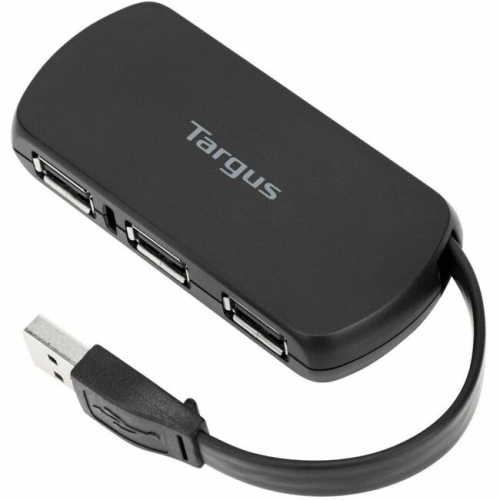
TARGUS Ach114Us Ach114Us 4-Port USB Hub (Ach114Us)
About this product
A compact USB hub offering four USB 2.0 ports for PC, Mac, and ChromeOS devices.
What customers like
(1,322)$43.68Your price for this item is $43.68SAVE $10 -
5

j5Create USB-C Dual HDMI / USB Dock with Power Delivery (JCD381)
About this product
A compact USB-C dock enabling dual HDMI connections and power delivery for laptops and tablets.
What customers like
(1,364)$104.99 Your price for this item is $104.99 -
6

Insignia 4-Port USB-C Hub (NS-PCHC4A-C) - Only at Best Buy
About this product
A black USB-C hub offering four USB-A 3.0 ports with up to 5Gbps transfer speed.
What customers like
(1,469)$19.99 Your price for this item is $19.99 -
7
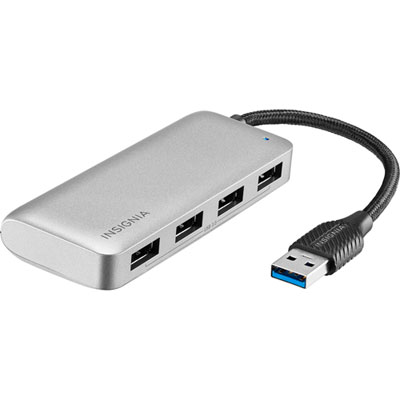
Insignia 4-Port USB 3.0 Travel Hub (NS-PH3A4AT-C) - Only at Best Buy
About this product
A dark grey travel hub offering four USB 3.0 ports with transfer speeds up to 5Gbps.
What customers like
(1,644)$29.99 Your price for this item is $29.99 -
8
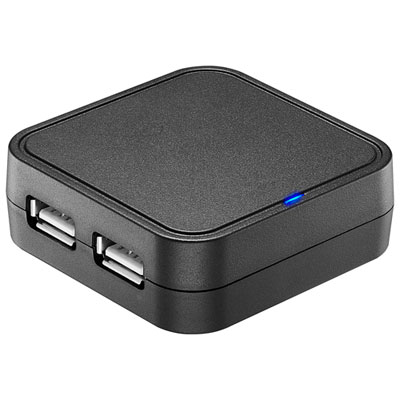
Best Buy Essentials 4-Port USB 2.0 Travel Hub (BE-PH2A4AT-C) - Only at Best Buy
About this product
A black travel hub with four USB 2.0 ports for connecting and charging multiple devices.
What customers like
(978)$14.99 Your price for this item is $14.99 -
9
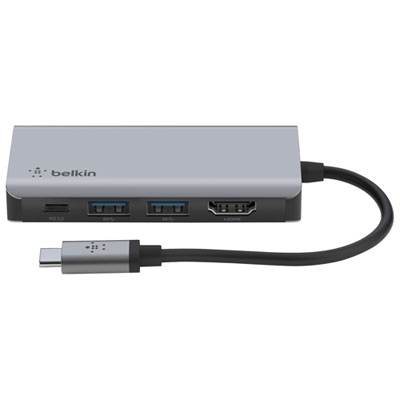
Belkin CONNECT 4-in-1 USB-C Hub with Power Delivery (AVC006BTSGY)
About this product
A versatile USB-C hub offering four ports, 4K support, and 100W pass-through charging for laptops.
What customers like
(879)$49.99Your price for this item is $49.99SAVE $10 -
10
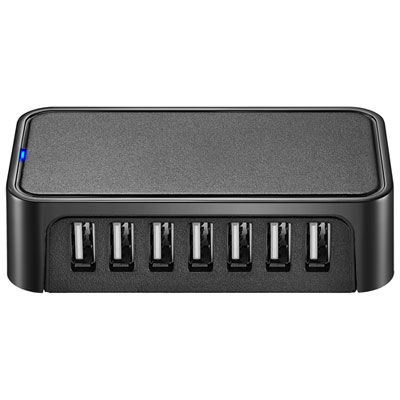
Best Buy Essentials 7-Port USB 2.0 Hub (BE-PH2A7AP-C) - Only at Best Buy
About this product
A compact black hub with 7 USB 2.0 ports for easy, high-speed device connectivity and portability.
What customers like
(1,067)$29.99 Your price for this item is $29.99
FAQ
Look for a hub with a host connector that matches your PC, enough ports for your accessories, and the connection types you use. USB-A ports are common for keyboards and mice, while USB-C ports can accommodate newer accessories. Check the specifications for data transfer support, charging capabilities, and any additional connections such as Ethernet or memory card slots.
A powered USB hub uses an external power adapter to supply its connected devices. An unpowered, or bus-powered, hub draws power from the PC’s USB port and shares it among connected accessories. Check your accessories’ power requirements when deciding which type to choose.
Choose the hub’s host connector based on the available ports on your PC. A USB-A hub connects to a USB-A port, while a USB-C hub connects to a USB-C port. Either type may provide a mix of accessory ports. A USB-C connector alone does not guarantee video output, laptop charging, or a particular data transfer rate.
USB version labels describe the connection standard, while USB-A and USB-C describe connector types. USB 2.0 supports data transfer rates of up to 480 Mbps, and newer standards support higher rates. Look for an explicit rating such as 5 Gbps or 10 Gbps in the specifications. The PC port, hub, cable, and connected device all affect the available connection rate, and devices on the hub share its connection to the PC.
A USB hub primarily adds USB ports, although some models also include display connections, Ethernet, or memory card readers. A docking station typically brings several desktop connections together and may also support laptop charging. Features overlap, so compare the listed connections and PC compatibility rather than relying on the product name alone.
Top selling and popular products
Discover more categories related to Best USB Hub for PC
Some products may be subject to Environmental Handling Fees (EHF) depending on your province. Learn more about EHFs.